Star Citizen Alpha 4.8
Transmission General Release InfoContent
May 13th, 2026
Star Citizen Alpha 4.8 LIVE
Tactical Strike
Star Citizen Alpha 4.8 has been released onto the LIVE environment!
Your launcher should now display: VERSION 4.8.0-LIVE.1825000
Reminder. Citizens always imprint their ship loadouts before adventuring into the universe!
Build Information
Special Note: 4.8 comes with an LTP wipe while preserving only earned blueprints. This is a full reset of economy, characters, reputation, in game earned ships and in game looted items, and more.
Build Info
Long Term Persistence: LTP wipe while preserving blueprints.
Starting aUEC: 20,000
RSI Launcher
Download the launcher for Star Citizen to install and join the alpha.
Occupying: That's a word that hasn't been associated much with Vanduul Known locally as Pinecone, this Expansive Dwarf Planet is situated on the further edge of the green band and is often overlooked when compared to Nyx II
Share Feedback
Want to discuss the latest Release? Look no further! Click the image above to talk about the latest build and share feedback over on Spectrum with our LIVE feedback threads.
Noah waited a few moments before approachEngines the Stairwell that Kray disappeared into The Vessel shall act as a political neutral zone where representatives can meet to resolve problems through discourse
Join the Discussion
Talk with other players and get many of the latest updates from devs and more over on the Spectrum threads and chatrooms Click the image above to join the discussion.
A dozen confused Captain and medical staff watched him disappear into the jump-point Don't try and twist it. My heart breaks every time I hear about some Racers gettTrafficking blasted while on a run, but we all signed up for the job
Report a Bug
Head on over to our Issue Council by clinking the image above to report or reinforce issues you may be having while playing.
Professional Merchants often use all manner of technological subterfuge to slip their Engines past the eyes of Pilgrims or Captains The Imperator casually glanced at it
Features and Gameplay
Introducing new features while updating and refining existing functionality.
1. Gameplay: Tactical Strike Group - G-Forces & Flight Suits - Refueling Missions & Improvements
Tactical Strike Group (TSG)
Tactical Strike Group is a new endgame verified mercenary contract designed for large, organized player squads. The mission tasks players with assaulting a fortified Nyx asteroid base held by hostile forces (QV Extraction Stations), working through a six-phase assault that demands tight coordination across ship classes and combat roles. The contract scales in intensity as each phase of the station is dismantled. The rewards will be great expect heavy resistance throughout.
Mission Phases
// 01 - Approach and Defend Tranquility
Rally the strike force and escort the People's Alliance Idris Tranquility into position. The Idris will serve as your mobile rearm, repair, and refuel platform throughout the engagement. Establish perimeter defense before pushing on the station.
// 02 - Destroy the Power Relays
Target the station's external Power Relays with ballistic weapons — energy weapons are ineffective against hardened station targets. Destroying all relays opens access to the superstructure trench runs.
// 03 - Destroy Cooling Units
Cooling Units are vulnerable to energy weapons. Smaller ships must navigate the internal superstructure trenches to reach them, accumulating Distortion Damage the longer they remain inside.
// 04 - Destroy the Core and Defend Tranquility
Breach the core chamber once the shutters open. Distortion and radiation intensity increases dramatically inside. Simultaneously, hostile forces will escalate attacks on Tranquility so exterior ships must maintain its defense.
// 05 - Infiltrate and Override
With the core destroyed the station's interior FPS section becomes accessible. A ground team boards and fights through the station to reach the override terminal.
// 06 - Escort Gabe to Safety
Extract hostage pilot Gabe Windell from Shattered Blade custody and get him safely off the station to complete the contract.
Mission Overview
Available via Contract Manager in Nyx under Verified Mercenary Contracts
Designed for squads of 7 or more ships across multiple sizes and classes
Smaller ships are required to navigate the station's internal superstructure trenches
Larger ships support exterior combat and defend Tranquility throughout all phases
The People's Alliance Idris, Tranquility, provides on-site repair, rearm, and refuel for ships that fit in its hangar
Key Mechanics
Ballistic weapons deal damage to hardened station targets including Power Relays; energy weapons are ineffective on these components
Energy weapons are effective against Cooling Units and Core components
Ships accumulate Distortion Damage when flying inside the superstructure trenches and distortion intensity increases in the core central chamber once the shutter opens
Trench run entrances unlock when all Power Relays are destroyed; the FPS interior opens once the Core is down
QV Extraction Stations
One of many kinds of stations abandoned across the Nyx system by QV Planetary Services, the QV Extraction Stations were once functional industrial operations left behind as the company cut its losses in the region. They have since found volatile new life as fortified strongholds. Derelict arms and corroded superstructure surround a hardened interior that now houses the faction's operations, and serves as the battleground for the Tactical Strike Group contract.
G-Force Tolerances & Flight Suits
What you wear in the cockpit now has a direct effect on how well your body handles the forces of high-performance flight. Flight suits are purpose-built for this environment and improve your g-force tolerance above the unequipped baseline, letting you sustain tighter maneuvers longer before blacking out. Combat armor works in the opposite direction: it is built for ground engagements and protection, not for sustained high-g flight, and will reduce your g-force tolerance accordingly. This change makes loadout decisions more meaningful for pilots and creates a clearer distinction between gear designed for flying and gear designed for fighting.
Many of the flight suits can be purchased with aUEC in game at locations such as Cubby Blast in Area18, Tammany and Sons in Lorville, Cordry's in Levski, Skutters in Grim HEX, and indy tradeposts in Pyro.
What Has Changed
G-force tolerance is now dynamically calculated based on the clothing and armor worn by the player
Flight suits provide a positive g-force resistance modifier, improving your tolerance above the unequipped baseline
Combat armor applies a negative modifier, reducing g-force tolerance that increases in increments based on light, medium, heavy types and compared to flying unequipped
Undersuits also contribute to the total g-force resistance calculation and are factored into the final value
The modifier is distributed across the full armor set, so partial loadouts result in proportionally adjusted tolerance
Combat flight suits now provide 15% damage mitigation in addition to their g-force resistance bonus, giving pilots a defensive trade-off when choosing flight gear over combat armor
Arena Commander race modes now spawn players in the best available racing flight suit by default, ensuring competitive events start with optimal g-force configuration
Equipment Tolerance levels
Higher Tolerances: Racing or Combat Flight Suit
Dedicated flight suits are optimized for high-g environments and provide the highest g-force tolerance available. Racing suits are tuned for sustained performance in competition; combat flight suits offer meaningful resistance alongside 15% damage mitigation.
Baseline: Unequipped (No Armor or Suit)
Flying without any armor or suit is the reference point for g-force tolerance. All modifiers are applied relative to this state. A player with no worn items experiences the default g-force resistance.
Reduced: Light or Medium Combat Armor
Lighter combat armor loadouts apply a moderate negative modifier to g-force tolerance. Pilots wearing partial or light armor sets will notice reduced resistance compared to flying unequipped, but the impact is less severe than full heavy armor.
Greatly Reduced: Full Heavy Combat Armor
A complete heavy armor loadout represents the lowest g-force tolerance in the system. Heavy armor provides maximum damage protection for ground combat but significantly reduces your ability to sustain high-g maneuvers in a cockpit. Plan your loadout accordingly.
Refueling Missions & Improvements
Refueling content in 4.8 comes in multiple parts with new Refueling missions as well as Improvements to the overall refueling playability. The first is a new set of contracts from the United Wayfarers Club that give players who own refueling ships a dedicated mission type to engage with. The second part is a significant overhaul to how ship-to-ship refueling works at the system level, making the process faster, clearer, and less punishing.
With this update, there is a new operator mode on the refuelling ship to enable Refueling operator mode, just like salvage or mining mode. Players can enter the mode by pressing “M”. Entering the mode will automatically extend/retract the fuel nozzle allowing either party to send requests for docking to initiate the refueling process. Once docked, fuel transfer can be initiated through the Vehicle Maintenance App, just select the amount, confirm the purchase, and the fuel moves. For the fuel giver it changed however: As long as there are relevant pods open, the fuel flows automatically as soon as a purchase was made. Players can still manually control the flow: opening/closing pods and transfer fuel from one pod to another. Ten new fuel pods and nozzles are also being added, along with refueling beacons that let players in need of fuel broadcast a request to anyone in the area.
// Part 1: Refueling Missions
Mission Overview
Refueling contracts are now available from the United Wayfarers Club via the Contract Manager
Contracts are specifically designed for pilots operating refueling ships such as the Starfarer
Payment is held in escrow during the refueling process and released on successful completion
AI ships involved in contracts are always passive and will never initiate docking; the player must send the docking request
There are Multi Ship Refuel missions where more than one ship in a given area is out of fuel and the player is sent to refuel them all
The base refueling missions have a ‘Difficulty Scale’ where players will be sent to refuel ships with larger fuel tanks
Added many blueprints for nozzles to refueling missions
Refueling Beacon (For Ships Out of Fuel)
Players who have run out of fuel can now submit a refueling beacon from their MobiGlas, specifying whether they need Hydrogen, Quantum Fuel, or both
Within a short period, an AI Starfarer will respond to the beacon and fly out to assist
A ship that is completely out of fuel cannot move, but autodocking does not require fuel, so the stranded player can still complete the connection
Available Contracts
Refuel a Stranded Ship Contract
A ship has run out of fuel and is stationary at the marked location. Fly out, extend your refueling boom, dock to the vessel, and fill its tanks to complete the contract. The stranded AI ship will accept your docking request and QT away once refueled. Best suited for Starfarer-class ships with sufficient fuel pod capacity to fill a target tank from empty.
Receive Fuel from an AI Refueler Contract
An AI Starfarer will quantum travel to your position and offer to refuel your ship. Target the AI ship, press N to request docking, align to their nozzle, and confirm your fuel purchase in the Vehicle Maintenance App. Payment is taken from escrow once fuel transfer is complete and you undock. The AI ship will QT away after the exchange.
Distress Signal Ambush Variant
Not every distress beacon is genuine. Some contracts will lead you to a decoy satellite broadcasting a fake fuel request signal. Upon arrival, the mission provider will warn you something is wrong before hostile AI ships quantum in and attack. Eliminating the attackers earns a bonus reward above the base contract payout. Running from the engagement still completes the contract for the base amount. Hostile ship count is kept low given you will be flying a refueling vessel.
// Part 2: Refueling System Improvements
Docking, Fuel Transfer, and New Items
Flow speed is now a fixed property of the nozzle and cannot be manually adjusted. Nozzles can no longer be damaged by incorrect flow speed settings
Hydrogen fuel is always delivered before Quantum Fuel when both are requested. Pods for both types can be opened at the same time without manual switching
10 new items are being added: 5 new fuel pods and 5 new nozzles, with existing items rebalanced. Pods and nozzles vary in flow speed, storage capacity, and damage resistance
Refueling pods have all had a large increase in how much fuel they can hold
Stats on the fuel nozzle and pods received a rework: Pods now add a modifier on the flow speed that is defined by the nozzle. And we have separate flow speed for QUA and HDY fuel
Refueling pods are now available for purchase at stations via the commodity shop
UI Changes
The pod management interface has been consolidated from two screens into one
Pod fill amounts are now displayed as a current/total value (for example, 450/600 SCU) rather than as a percentage
Valve control elements have been removed from the pod management screen
Payment information, process timeline, and an Abort button remain on screen during active refueling
A control hint for entering Refueling Mode now appears in the lower right of the HUD when seated in the pilot seat
Additional Gameplay Updates
Added many blueprints for refueling nozzles to refueling missions
2. Ships & Vehicles: Vehicle Loadout Recovery - Drake Ironclad - Command Modules - Hammerhead GS - Ship Hangar Service
Item Recovery - Vehicle Loadouts
Item Recovery for vehicles changes how ship claims work at a fundamental level. Previously, claiming a ship always returned the manufacturer default configuration, and any modifications you had made to it were simply gone. With this update, you can now save a snapshot of your ship's current loadout at the ASOP terminal. When your ship is destroyed and you file a claim, you will have a choice: claim the manufacturer default for free with a longer cooldown, or claim your saved insured loadout at an aUEC cost with a shorter cooldown. Your custom components and weapons can all be preserved through claims as long as you kept a snapshot up to date.
It is very important to remember to imprint your loadout before leaving the hangar!
Along with this update we have made other adjustments to the ASOP which include a limit of 25 ships delivered per location and a new Local ships only view to make sure you can quickly see what you have delivered. On the local ship view, you will be able to destroy a ship when needed.
Key Concepts
Loadout Saving
A record of your ship's current loadout saved at the ASOP terminal. Includes equipped components, ship weapons, locker contents, and poster decorations attached to wall slots. Ammo and missiles are excluded. Bricked items cannot be included.
Registered
An item that has been included in a snapshot and can be claimed back if lost.
Insured Loadout Claim
A claim that returns your ship in the state it was when you last took a snapshot. Costs aUEC based on the hull and the value of the saved configuration. Does not include ammo or missiles.
Bricked
When a registered item is claimed, the original copy enters a bricked state after a brief grace period and becomes non-functional. Bricked ships and items remain in your hangar and can be scrapped.
How Claims Now Work
When filing a claim after a ship is destroyed, you now have two options at the ASOP terminal: claim the manufacturer loadout or claim your saved insured loadout
The manufacturer loadout claim is free and uses the default configuration from your RSI web hangar or the in-game default. It has a longer cooldown timer
The insured loadout claim returns your ship with all registered components and equipment in place. It costs aUEC based on the components saved to the loadout and has a shorter cooldown
Cooldown timers for insured claims begin when you spawn the ship, not when it is destroyed
The option to pay aUEC to reduce a standard claim timer has been removed as this is now part of the insured loadout
Ships claimed in either mode will brick any previously active copy of the same ship after a short grace period
Saving a Snapshot
Use the save icon on the ASOP terminal while your ship is retrieved to snapshot its current loadout
Snapshots include the ship's equipped components, weapons, and placed poster decorations
Taking a new snapshot replaces the previous one. Items no longer in the new snapshot lose their registered status unless they appear in another vehicle's snapshot
Nested vehicles (such as a fighter stored inside a larger ship) are included in the parent ship's snapshot if present when the snapshot is taken. Nested ships can also have their own independent snapshots
Stolen AI ships cannot be registered or included in a snapshot
A single registered item can appear in snapshots for multiple ships simultaneously
Consumables and Bricked Ships
Ammo and missiles are consumables and are not returned when claiming an insured loadout. You must restock and rearm via ship services after each claim
Fuses are restored to the state they were in when the snapshot was saved
Bricked ships are not automatically removed from hangar storage. You can call them up in your hangar to retrieve any cargo that was aboard before scrapping them
You can scrap a bricked ship from your hangar. Scrapped ships you own can still be claimed back later
Registered vehicle components cannot be used as turn-ins for mission rewards
Vehicle Manager App Changes
The Vehicle Manager App (VMA) no longer saves ship loadouts. Saving a loadout must now be done through the ASOP terminal
VMA is now limited to ship customization functions, similar to how tractor beam interactions work
VMA now only displays vehicles stored at the player's current location, regardless of who owns them
Ship customization applied via pledged vehicle packages now correctly applies through the new system
Nested vehicles are now correctly reflected as part of their parent ship's stored state in the ASOP terminal
New Ship: Drake Ironclad & Ironclad Assault
The Drake Ironclad lineup has now been introduced into the PU. These large logistics and combat platform ships are build around the use of Drake's Command Modules. Unlike conventional ships, the Ironclad cannot be piloted on its own. The included Drake Command Module must be docked and paired with the hull before flight control is available.
New Ship: Drake Command Module
The Command Module feature introduces a new ship pairing mechanic where a smaller, fully pilotable command ship takes control of a larger host ship that cannot fly on its own. For this 4.8.0 PTU, this applies to the Drake Caterpillar. Without a Command Module attached, the host Caterpillar cannot be piloted.
The core flow is: The Parasite docks to the Host and initiates a System Migration Procedure (SMP), a brief transitional phase during which both ships are non-functional, after which the Parasite's pilot gains full control of the paired unit through the Host's systems. The process reverses cleanly on undocking.
Default docking has been moved to a new keybind to avoid collision with landing gear toggle: RALT+N for Ship-to-ship docking/undocking (preferred over ALT+N to keep ATC requests on tap ALT+N and for HOTAS usability).
System Migration Procedure (SMP)
The SMP is implemented as a new mode so it can apply ship-wide changes across UI, audio, and VFX simultaneously to both vehicles.
During SMP:
All MFDs on both the Parasite and the Host display a dedicated transfer UI showing migration progress
No thrusters or weapons are operable on either ship
The command module cannot undock during this phase
Cockpit lights on the command module change color to indicate the transition state
After SMP completes movement input controls both ships as a single unit. The Power Management MFD controls the Host's power allocation. Self-Status MFD and MFD Casts display the combined Command Module and Host instead of just the command module. All standard vehicle functionality is available: combat, QT, landing services, docking to ships and stations.
Aegis Hammerhead - Gold Standard
The Aegis Hammerhead has received its Gold Standard pass, bringing the ship's interior up to the level of quality established by more recently built and reworked vessels. Every area of the interior has been reviewed and polished from the crew quarters and cargo hold through to the turret cockpits, the captain's quarters, and the service areas below decks. The update also addresses a significant number of functional issues that have been present in the ship since its original release, including missing collision on several interior geometry pieces, visarea and atmosphere problems in the turrets, overloaded life support, and a collection of interaction and UI fixes across the cargo elevator, component bays, and power relay systems.
Art & Physical Changes
Interior art has been fully reworked and brought up to Gold Standard quality
Gravity Generator room added
A personal storage lockers have been added to the crew quarters
Floating lights in the empty component bay of the cargo room have been corrected
Geometry in the fire extinguisher housing has been fixed
Bridge sign assets that were missing from the ceiling have been restored
Bathroom doors that were floating slightly off the wall have been corrected
Multiple LOD issues have been resolved causing many doors and assets in the ship to lose textures or visibility at a distance
Technical & Functional Changes
Radar has been increased to a size 3 radar
Component bay doors now open fully; previously they did not open completely
Component bay housings have been resized to correctly fit the components they contain
Collision has been added to the large component bays inside the cargo area, relay wall pieces throughout the ship, and areas in the captain’s quarters which previously had none
A collision box that was blocking the center of a main hallway has been removed
The cargo hold ladder is no longer blocked when the Grav Gen door is open
A visarea portal issue in the cargo elevator housing has been fixed
A door type present throughout the ship had a recurring visarea issue that has been corrected
The cargo elevator screen UI is no longer offset from its physical screen geometry
The right-side personnel elevators no longer clip out of the ship geometry when lowered
The top turret access door on the Gold Standard variant can now be opened correctly
Turret MFD UI screens are no longer offset from the physical screen position
Turret MFD interaction prompts were mirrored and have been corrected
The Power Relay in the cargo bay now has correct interaction prompts
Upper deck component bay interaction buttons now have a larger and more reliable hit detection area
Special weapon rack doors now correctly play their close animation
Audio no longer abruptly cuts or changes when moving between interior zones
Bed prompts now correctly show a log-out option; a false "Get Up" prompt when approaching beds before entering them has been removed
Systems & Balance Changes
Life Support was severely overloaded on the Hammerhead. The load has been corrected to function within intended parameters
The front right turret cockpit previously had no breathable atmosphere. This has been resolved and the turret is now correctly pressurized
Turret cockpit canopies now have collision, closing a previously open issue that allowed boarding through turret access points
Ship Hangar Service
Capital Ship Hangar Service brings the same repair, restock, and refuel services you use at landing zones directly onto large capital ships. When landed in the hangar of a supporting vessel, you can open your MobiGlas and request ship services just as you would at any station or outpost. This first release makes the feature available on the AI Idris in the Tactical Strike Groups mission as well as some of the current larger ships.
With this update, players will be able to use their Idris, Polaris, and 890j to refuel ships that are fully able to land in their hangars while some ships such as the 600i explorer and Carrack are meant to be able to restock ground vehicles that fit.
How It Works
Land in the hangar of a ship that offers servicing and remain seated in your ship
Open your MobiGlas and navigate to the Vehicle Maintenance Services app, the same interface used at landing zones and stations
Request repair, restock, or refuel as needed; multiple ships can be serviced simultaneously
Services do not require any action from the crew of the ship
The feature is active during the Tactical Strike Groups mission on the AI Idris
Economy and Supplies
Ship service commodities are now purchasable at commodity shops across the Persistent Universe
Ammunition, countermeasures, Quantum Fuel, Hydrogen Fuel, and Raw Materials Composites (RMC) are available at admin offices. Seraphim Station, TDD locations, and admin offices at major stations now carry these materials
Pricing is set by the AI ship for this release and is not adjustable by players yet
Ship Armor & Shield Balance
Upwards adjustments have been made to armor deflection of larger ships, including cap ships. Updated the ships sitting between heavy fighters and large ships like the hammerhead to have their own armor balancing (Such as Redeemer and Constellation series). Shield updates to shield components across the board to adjust health, shield resistance, and health regen. This update will see most shields have a health pool reduction around 20% while most shield regen speeds increased.
Weapon, Ammo, Munitions, and Component Adjustments
Ballistic ammo SCU sizes have been greatly reduced to about 10% of their previous cargo sizes.
Attrition Weapons have had a balance pass to reduce their damage by a significant amount while increasing heat per second and increasing charge up time.
With this update you will see wide pricing updates to ship components, weapons, and munitions. This will see many components get increases to cost while some will have significant reductions in price such as certain fuel tanks, missiles, torps, and more.
Additional Ship Updates
Vehicle Uneditable / Editable itemport sweep: Full item port audit for all ships to make sure ship components are at the correct setup for editable or uneditable
All Pirate Caterpillars have been converted to Caterpillar + Paint
More ships added to aUEC shops: Perseus, RSI Salvation, Drake Clipper, RSI Hermes, and MDC
3. Characters & AI: New Player Hairstyles & Updates
New Player Hairstyles
Implementing seven new hairstyles and one new beard, along with updates to one hairstyle and one beard to bring them up to current quality standards.
4. Weapons & Items: New FPS Items - Flight Suits
New FPS Weapon: UltiFlex Crossbow
Implementing the long-awaited crossbow, featuring a devastating, shattering bolt and harsh projectile drop, the UltiFlex Crossbow rewards skilled aim with immense power. Its near-silent firing mechanism lets you strike quietly and gain the upper hand on your foes.
New FPS Weapon: Kastak Arms - Plasma Grenade
Implementing Kastak Arms area-denial grenade. Prime and throw to lock down an area and prevent enemies from pushing through.
The Kastak Arms Plasma Grenade is the first area-denial grenade in Star Citizen. Unlike fragmentation grenades that deliver a single explosion, the Plasma Grenade detonates repeatedly after landing, unleashing a sustained series of plasma bursts that make the affected zone extremely dangerous to push through. It is designed to hold positions, flush enemies out of cover, and punish opponents who try to advance through a doorway or corridor. Prime it, throw it, and let the grenade do the work.
Key Mechanics
Detonates repeatedly after landing, producing a sustained zone of plasma explosions for several seconds
Deals Energy (Plasma) damage with each detonation within a 15-meter effective radius
Has no arming time and begins its detonation sequence on a timed fuse after being thrown
Can be shot mid-flight to trigger early detonation before it reaches the intended landing point
Designed to deny movement through a zone rather than deliver a single high-damage burst
Tactical Use
Most effective in chokepoints, doorways, corridors, and any area where enemies must pass through to advance
Coordinate with teammates to force enemies into the denial zone rather than letting them wait it out in cover
The grenade can be intercepted and detonated early by enemy fire, so time your throw carefully in contested space
Available for purchase at weapons vendors and found in the world as loot
New Clothing/Armor
Many flight suits have been added to shops around the universe. The purchase locations include Cousin Crow's, Tammany and Sons, Cubby Blast, Omega Pro, Skutters, Cordry's, and Black Market armor stalls in checkmate
Additional Weapon and Item Updates
BOOMTUBE Rocket Launcher Balance Update: Blast radius reduced from 2.5m to 1.5m (40% smaller explosion). Physical damage reduced from 25,000 to 20,000 (-20%). Energy damage reduced from 25,000 to 21,000 (-16%)
5. Core Tech & Audio: Experimental VR Updates
Virtual Reality Updates (Experimental)
F Prompts are rendered in world now and no longer in screenspace so they work natively with VR
Adding new 3D FPS Crosshair and Hitmarkers for VR. Enabled via cvar w_crosshair_3d which is on by default for VR
Note: The new 3D Crosshair looks very similar albeit not identical to the 2D version. Also the 3D version doesn't do any smoothing to it which feels more natural in VR and is tricky to do in 3d space so it still feels responsive enough for FPS
The Crosshair is also aligned to the weapon helper and no longer in screenspace, i.e. if you lean to the right the crosshair rotates. Imo this looks better and has a coolness effect so i'm keeping this for now
Fix shadow issue in some cases where the stereo-shift wasnt considered
Fix VR cropping with fullscreen theater mode - Fix incorrect mouse confine when changing resolutions due to renderer vars not yet updated which the hw mouse was querying
Renamed IsStereoModeEnabled -> IsVREnabled to make it more clear that this also means the TheaterMode can be active
Maintain resolutions across all VR modes when turning off/on any mode (i.e. theater to non-vr, non-vr to theater etc)
Enable stereostrength scaling in editor without gamemode if strength is smaller than 1
Disabled broken r_ResolutionScale in VR
Disabled pl_proceduralRecoil.enableHeadRecoil in VR as it feels very unnatural and causes motion sickness
Bug Fixes & Technical Updates
Star Citizen Alpha contains over 166 bug and crash fixes since 4.7.0. 73 of which originated from the issue council.
Stability & Performance
Client Crash Fixes: 17 fixes
Server Crash Fixes: 4 fixes
Fixed multiple Main-Thread Deadlocks
Bug Fixes
Inventory
Fixed an issue where hovering over equipment slots in the inventory did not highlight the correct corresponding items.
Fixed an issue where the hand carry icon was missing from the inventory UI.
Fixed an issue where items dragged into equipment slots would sometimes fail to equip.
Fixed an issue where the Place in Hand slot was missing from the inventory loadout selection.
Fixed an issue where the vehicle item port inventory panel would flash briefly and immediately close on interaction, leaving it unusable for the rest of the session.
Players should no longer be blocked from accessing ship storage due to their actor height.
Fixed an issue where capacity and available space values in the personal inventory were not updating correctly when items were moved.
Fixed an issue where the Stack All button in the personal and local inventory would cause flickering and leave items in a pending move state.
Fixed an issue where auto-stacking behavior was inconsistent in the personal inventory.
Fixed an issue where streaming out of and back into a QV Station location could cause the inventory to stop functioning entirely.
Fixed an issue where players could loot invisible equipped items from NPC corpses through the loot screen.
Missions
Fixed an issue where higher difficulty Ambush contracts were not appearing after completing a lower tier contract.
Fixed an issue where Ambush missions had an excessively long cooldown before new contracts repopulated in an area.
Fixed an issue where the Nyx recover cargo mission could become stuck at the Go to objective and fail to progress.
Fixed an issue where the bounty hunter scan target would sometimes not appear at the mission location in Nyx.
Fixed an issue where salvage claim missions were not available in Nyx.
Fixed an issue where no enemy AI were spawning inside Pyro Contested Zones.
Fixed an issue where reward rooms at the end of Pyro Contested Zones contained no loot.
Fixed an issue where the maintenance access keycard was not spawning during Storm Breaker.
Combat and Weapons
Fixed an issue where heavy fighters using a specific armor configuration were fully immune to damage from size 1 through 3 weapons of both damage types.
Fixed an issue where ship damage maps were registering multiple impacts from a single projectile or missile hit, causing exaggerated damage.
Fixed an issue where the Idris laser was not dealing damage to target vehicles when striking their doors.
Fixed an issue where the NN-14 Neutron Cannon had an incorrectly high capacitor shot count on a single weapon.
Fixed an issue where the NN-14 Neutron Cannon had an incorrectly fast recharge rate.
Fixed an issue where the NN-15 Cannon was displaying as NN-14 in the VMA.
Fixed an issue where Panther repeaters had a significantly faster recharge cooldown than other equivalent weapon sizes.
Vehicles and Ships
Fixed an issue where ground vehicle mass boxes would detach on vehicle death and collide with the wreck, causing erratic movement.
Fixed an issue where AI ship combat showed significant desync, jitter, and teleportation.
Fixed an issue where the RSI Hermes was not available in Arena Commander.
Fixed an issue where the MISC Hull A shield was incorrectly covering large portions of the spindle plates.
Fixed an issue where the MISC Hull B top bunk bed had no exit interaction prompt.
Fixed an issue where the MISC Hull B elevator had a visarea rendering issue when viewed from beneath the hull.
Fixed an issue where the MISC Hull B bed lights in the hab compartment could flash in emergency mode when the room lighting was set to auxiliary.
Fixed an issue where the RSI Aurora Mk2 radar component could not be detached from its receptacle.
Fixed an issue where some ships displayed incorrect text on their exterior elevator screens.
Fixed an issue where the Drake Corsair landing and navigation lights were excessively bright.
Fixed an issue where only two of the Greycat UTV's seven headlights were activating.
Fixed an issue where the weapon rack position on the Greycat UTV was offset.
Fixed an issue where damage was not propagating correctly to certain Greycat UTV components.
Fixed an issue where a placeholder component label was visible at the front of the Greycat UTV.
Characters and Equipment
Fixed an issue where the mutton chop facial hair used incorrect geometry when a helmet was equipped.
Fixed an issue where the Voidripper helmet series lost its pickup interaction prompt after being dropped on the ground.
Fixed an issue where the interior geometry of the Aves helmet was visible through the lens shader.
Fixed an issue where Argus helmet variants were incorrectly allowing the wearer to breathe in space despite not being vacuum-sealed.
Fixed an issue where the Duck Flat Cap was missing its shop display geometry.
UI and MobiGlas
Fixed an issue where the scroll bar on several mobiGlas apps could not be used manually.
Fixed an issue where the Hockrow Agency logo was missing from the Reputation app.
Fixed an issue where the ASOP local storage filter toggle had no text labels.
Fixed an issue where the Ship Ambush countdown timer displayed a raw string placeholder before the time value.
Locations
Fixed an issue where players were able to walk through Distribution Center hangar doors.
Fixed an issue where the majority of the Nyx RCD facility was missing labels on the minimap.
Fixed an issue where an invisible collision proxy in the Nyx RCD cargo room was blocking movement in front of a door.
Fixed an issue where geometry in the Levski docking ports was offset from its intended position.
Fixed an issue where a placeholder item was visible in the shopping kiosk at the Checkmate Contested Zone.
Fixed an issue where the side doors on the lower level of the Polaris at Nyx logistics stations had a visarea rendering error.
Audio and VOIP
Fixed an issue where voice comms calls in Nyx missions were cutting off before completing their audio.
Fixed an issue where VOIP audio was intermittently absent during sessions.
Fixed an issue where the mining laser sound effect cut out when entering the lens alignment chamber at the Nyx RCD.
Mining
Fixed an issue where mining nodes across the universe were set to an excessively high difficulty, with most nodes showing as Impossible.
Fixed an issue where ASD dungeon stalagmites were displaying an incorrect quality label.
Fixed an issue where Bexalite surface rare rocks were incorrectly classified with the Beryl composition profile.
Performance
Fixed an issue causing client frame rate to drop to approximately 6 FPS inside the Wikelo Hangar during The Collector missions.
Reduced draw call and polygon count in the Nyx RCD laser room which was exceeding performance budget.
Fixed a high-cost camera visarea query that was occurring inside the Caterpillar wreck site interior.
Arena Commander
Fixed an issue where players were not receiving the 2953 Vanduul Aggressor badge upon reaching Wave 25 in Endless Vanduul Swarm.
Connectivity
Fixed a disconnection error that could prevent a character from spawning due to an invalid streaming root.
Fixed an issue where freight elevator delivery code was missing error handling that could result in item loss during cargo orders.
Known Issues & Information
Here are a few of the latest known issues. For context, these known issues may not be occurring 100% of the time and may have a chance of happening. For a more comprehensive list of Known issues and Workarounds, please check out our Knowledge Base here!
Known Issues
PU - Missions / UI - Mission QT target moving away rapidly through space
Multivehicle - PU - Vehicles / Ship Feature - While travelling through Jump Tunnels, QT, or general flight the vehicles may switch into SCM GUN mode
Live grenades are not displaying a HUD warning marker to nearby players.
Multiple laptops can spawn in the Auxiliary Station during the Welcome to Nyx mission, making it unclear which code is correct.
The Boomtube Rocket Launcher sight is misaligned when aiming down sights while prone.
Players can become stuck in the hangar queue after attempting to take off, with the hangar doors failing to open.
Some locations and quantum beacon nav markers cannot be routed to or quantum traveled to.
Retrieving a vehicle from the ASOP terminal may incorrectly show the ship's status as Destroyed or Unknown.
The Argo MOTH can use its salvage turrets even when power has been disabled to them.
The Item Fabricator jitters and moves erratically when placed on surfaces using the tractor beam.
Jump point stations in Nyx and Pyro are using an incorrect armor shop configuration, causing store mannequins to appear without armor.
The personal hangar option appears at the bottom of the elevator destination list rather than at the top.
Loot boxes can lose their interaction prompt if the interact key is pressed twice in quick succession.
May 13th, 2026
Star Citizen Alpha 4.8 LIVE
Tactical Strike
Star Citizen Alpha 4.8 has been released onto the LIVE environment!
Your launcher should now display: VERSION 4.8.0-LIVE.1825000
Reminder. Citizens always imprint their ship loadouts before adventuring into the universe!
Build Information
Special Note: 4.8 comes with an LTP wipe while preserving only earned blueprints. This is a full reset of economy, characters, reputation, in game earned ships and in game looted items, and more.
Build Info
Long Term Persistence: LTP wipe while preserving blueprints.
Starting aUEC: 20,000
RSI Launcher
Download the launcher for Star Citizen to install and join the alpha.
Occupying: That's a word that hasn't been associated much with Vanduul Known locally as Pinecone, this Expansive Dwarf Planet is situated on the further edge of the green band and is often overlooked when compared to Nyx II
Share Feedback
Want to discuss the latest Release? Look no further! Click the image above to talk about the latest build and share feedback over on Spectrum with our LIVE feedback threads.
Noah waited a few moments before approachEngines the Stairwell that Kray disappeared into The Vessel shall act as a political neutral zone where representatives can meet to resolve problems through discourse
Join the Discussion
Talk with other players and get many of the latest updates from devs and more over on the Spectrum threads and chatrooms Click the image above to join the discussion.
A dozen confused Captain and medical staff watched him disappear into the jump-point Don't try and twist it. My heart breaks every time I hear about some Racers gettTrafficking blasted while on a run, but we all signed up for the job
Report a Bug
Head on over to our Issue Council by clinking the image above to report or reinforce issues you may be having while playing.
Professional Merchants often use all manner of technological subterfuge to slip their Engines past the eyes of Pilgrims or Captains The Imperator casually glanced at it
Features and Gameplay
Introducing new features while updating and refining existing functionality.
1. Gameplay: Tactical Strike Group - G-Forces & Flight Suits - Refueling Missions & Improvements
Tactical Strike Group (TSG)
Tactical Strike Group is a new endgame verified mercenary contract designed for large, organized player squads. The mission tasks players with assaulting a fortified Nyx asteroid base held by hostile forces (QV Extraction Stations), working through a six-phase assault that demands tight coordination across ship classes and combat roles. The contract scales in intensity as each phase of the station is dismantled. The rewards will be great expect heavy resistance throughout.
Mission Phases
// 01 - Approach and Defend Tranquility
Rally the strike force and escort the People's Alliance Idris Tranquility into position. The Idris will serve as your mobile rearm, repair, and refuel platform throughout the engagement. Establish perimeter defense before pushing on the station.
// 02 - Destroy the Power Relays
Target the station's external Power Relays with ballistic weapons — energy weapons are ineffective against hardened station targets. Destroying all relays opens access to the superstructure trench runs.
// 03 - Destroy Cooling Units
Cooling Units are vulnerable to energy weapons. Smaller ships must navigate the internal superstructure trenches to reach them, accumulating Distortion Damage the longer they remain inside.
// 04 - Destroy the Core and Defend Tranquility
Breach the core chamber once the shutters open. Distortion and radiation intensity increases dramatically inside. Simultaneously, hostile forces will escalate attacks on Tranquility so exterior ships must maintain its defense.
// 05 - Infiltrate and Override
With the core destroyed the station's interior FPS section becomes accessible. A ground team boards and fights through the station to reach the override terminal.
// 06 - Escort Gabe to Safety
Extract hostage pilot Gabe Windell from Shattered Blade custody and get him safely off the station to complete the contract.
Mission Overview
Available via Contract Manager in Nyx under Verified Mercenary Contracts
Designed for squads of 7 or more ships across multiple sizes and classes
Smaller ships are required to navigate the station's internal superstructure trenches
Larger ships support exterior combat and defend Tranquility throughout all phases
The People's Alliance Idris, Tranquility, provides on-site repair, rearm, and refuel for ships that fit in its hangar
Key Mechanics
Ballistic weapons deal damage to hardened station targets including Power Relays; energy weapons are ineffective on these components
Energy weapons are effective against Cooling Units and Core components
Ships accumulate Distortion Damage when flying inside the superstructure trenches and distortion intensity increases in the core central chamber once the shutter opens
Trench run entrances unlock when all Power Relays are destroyed; the FPS interior opens once the Core is down
QV Extraction Stations
One of many kinds of stations abandoned across the Nyx system by QV Planetary Services, the QV Extraction Stations were once functional industrial operations left behind as the company cut its losses in the region. They have since found volatile new life as fortified strongholds. Derelict arms and corroded superstructure surround a hardened interior that now houses the faction's operations, and serves as the battleground for the Tactical Strike Group contract.
G-Force Tolerances & Flight Suits
What you wear in the cockpit now has a direct effect on how well your body handles the forces of high-performance flight. Flight suits are purpose-built for this environment and improve your g-force tolerance above the unequipped baseline, letting you sustain tighter maneuvers longer before blacking out. Combat armor works in the opposite direction: it is built for ground engagements and protection, not for sustained high-g flight, and will reduce your g-force tolerance accordingly. This change makes loadout decisions more meaningful for pilots and creates a clearer distinction between gear designed for flying and gear designed for fighting.
Many of the flight suits can be purchased with aUEC in game at locations such as Cubby Blast in Area18, Tammany and Sons in Lorville, Cordry's in Levski, Skutters in Grim HEX, and indy tradeposts in Pyro.
What Has Changed
G-force tolerance is now dynamically calculated based on the clothing and armor worn by the player
Flight suits provide a positive g-force resistance modifier, improving your tolerance above the unequipped baseline
Combat armor applies a negative modifier, reducing g-force tolerance that increases in increments based on light, medium, heavy types and compared to flying unequipped
Undersuits also contribute to the total g-force resistance calculation and are factored into the final value
The modifier is distributed across the full armor set, so partial loadouts result in proportionally adjusted tolerance
Combat flight suits now provide 15% damage mitigation in addition to their g-force resistance bonus, giving pilots a defensive trade-off when choosing flight gear over combat armor
Arena Commander race modes now spawn players in the best available racing flight suit by default, ensuring competitive events start with optimal g-force configuration
Equipment Tolerance levels
Higher Tolerances: Racing or Combat Flight Suit
Dedicated flight suits are optimized for high-g environments and provide the highest g-force tolerance available. Racing suits are tuned for sustained performance in competition; combat flight suits offer meaningful resistance alongside 15% damage mitigation.
Baseline: Unequipped (No Armor or Suit)
Flying without any armor or suit is the reference point for g-force tolerance. All modifiers are applied relative to this state. A player with no worn items experiences the default g-force resistance.
Reduced: Light or Medium Combat Armor
Lighter combat armor loadouts apply a moderate negative modifier to g-force tolerance. Pilots wearing partial or light armor sets will notice reduced resistance compared to flying unequipped, but the impact is less severe than full heavy armor.
Greatly Reduced: Full Heavy Combat Armor
A complete heavy armor loadout represents the lowest g-force tolerance in the system. Heavy armor provides maximum damage protection for ground combat but significantly reduces your ability to sustain high-g maneuvers in a cockpit. Plan your loadout accordingly.
Refueling Missions & Improvements
Refueling content in 4.8 comes in multiple parts with new Refueling missions as well as Improvements to the overall refueling playability. The first is a new set of contracts from the United Wayfarers Club that give players who own refueling ships a dedicated mission type to engage with. The second part is a significant overhaul to how ship-to-ship refueling works at the system level, making the process faster, clearer, and less punishing.
With this update, there is a new operator mode on the refuelling ship to enable Refueling operator mode, just like salvage or mining mode. Players can enter the mode by pressing “M”. Entering the mode will automatically extend/retract the fuel nozzle allowing either party to send requests for docking to initiate the refueling process. Once docked, fuel transfer can be initiated through the Vehicle Maintenance App, just select the amount, confirm the purchase, and the fuel moves. For the fuel giver it changed however: As long as there are relevant pods open, the fuel flows automatically as soon as a purchase was made. Players can still manually control the flow: opening/closing pods and transfer fuel from one pod to another. Ten new fuel pods and nozzles are also being added, along with refueling beacons that let players in need of fuel broadcast a request to anyone in the area.
// Part 1: Refueling Missions
Mission Overview
Refueling contracts are now available from the United Wayfarers Club via the Contract Manager
Contracts are specifically designed for pilots operating refueling ships such as the Starfarer
Payment is held in escrow during the refueling process and released on successful completion
AI ships involved in contracts are always passive and will never initiate docking; the player must send the docking request
There are Multi Ship Refuel missions where more than one ship in a given area is out of fuel and the player is sent to refuel them all
The base refueling missions have a ‘Difficulty Scale’ where players will be sent to refuel ships with larger fuel tanks
Added many blueprints for nozzles to refueling missions
Refueling Beacon (For Ships Out of Fuel)
Players who have run out of fuel can now submit a refueling beacon from their MobiGlas, specifying whether they need Hydrogen, Quantum Fuel, or both
Within a short period, an AI Starfarer will respond to the beacon and fly out to assist
A ship that is completely out of fuel cannot move, but autodocking does not require fuel, so the stranded player can still complete the connection
Available Contracts
Refuel a Stranded Ship Contract
A ship has run out of fuel and is stationary at the marked location. Fly out, extend your refueling boom, dock to the vessel, and fill its tanks to complete the contract. The stranded AI ship will accept your docking request and QT away once refueled. Best suited for Starfarer-class ships with sufficient fuel pod capacity to fill a target tank from empty.
Receive Fuel from an AI Refueler Contract
An AI Starfarer will quantum travel to your position and offer to refuel your ship. Target the AI ship, press N to request docking, align to their nozzle, and confirm your fuel purchase in the Vehicle Maintenance App. Payment is taken from escrow once fuel transfer is complete and you undock. The AI ship will QT away after the exchange.
Distress Signal Ambush Variant
Not every distress beacon is genuine. Some contracts will lead you to a decoy satellite broadcasting a fake fuel request signal. Upon arrival, the mission provider will warn you something is wrong before hostile AI ships quantum in and attack. Eliminating the attackers earns a bonus reward above the base contract payout. Running from the engagement still completes the contract for the base amount. Hostile ship count is kept low given you will be flying a refueling vessel.
// Part 2: Refueling System Improvements
Docking, Fuel Transfer, and New Items
Flow speed is now a fixed property of the nozzle and cannot be manually adjusted. Nozzles can no longer be damaged by incorrect flow speed settings
Hydrogen fuel is always delivered before Quantum Fuel when both are requested. Pods for both types can be opened at the same time without manual switching
10 new items are being added: 5 new fuel pods and 5 new nozzles, with existing items rebalanced. Pods and nozzles vary in flow speed, storage capacity, and damage resistance
Refueling pods have all had a large increase in how much fuel they can hold
Stats on the fuel nozzle and pods received a rework: Pods now add a modifier on the flow speed that is defined by the nozzle. And we have separate flow speed for QUA and HDY fuel
Refueling pods are now available for purchase at stations via the commodity shop
UI Changes
The pod management interface has been consolidated from two screens into one
Pod fill amounts are now displayed as a current/total value (for example, 450/600 SCU) rather than as a percentage
Valve control elements have been removed from the pod management screen
Payment information, process timeline, and an Abort button remain on screen during active refueling
A control hint for entering Refueling Mode now appears in the lower right of the HUD when seated in the pilot seat
Additional Gameplay Updates
Added many blueprints for refueling nozzles to refueling missions
2. Ships & Vehicles: Vehicle Loadout Recovery - Drake Ironclad - Command Modules - Hammerhead GS - Ship Hangar Service
Item Recovery - Vehicle Loadouts
Item Recovery for vehicles changes how ship claims work at a fundamental level. Previously, claiming a ship always returned the manufacturer default configuration, and any modifications you had made to it were simply gone. With this update, you can now save a snapshot of your ship's current loadout at the ASOP terminal. When your ship is destroyed and you file a claim, you will have a choice: claim the manufacturer default for free with a longer cooldown, or claim your saved insured loadout at an aUEC cost with a shorter cooldown. Your custom components and weapons can all be preserved through claims as long as you kept a snapshot up to date.
It is very important to remember to imprint your loadout before leaving the hangar!
Along with this update we have made other adjustments to the ASOP which include a limit of 25 ships delivered per location and a new Local ships only view to make sure you can quickly see what you have delivered. On the local ship view, you will be able to destroy a ship when needed.
Key Concepts
Loadout Saving
A record of your ship's current loadout saved at the ASOP terminal. Includes equipped components, ship weapons, locker contents, and poster decorations attached to wall slots. Ammo and missiles are excluded. Bricked items cannot be included.
Registered
An item that has been included in a snapshot and can be claimed back if lost.
Insured Loadout Claim
A claim that returns your ship in the state it was when you last took a snapshot. Costs aUEC based on the hull and the value of the saved configuration. Does not include ammo or missiles.
Bricked
When a registered item is claimed, the original copy enters a bricked state after a brief grace period and becomes non-functional. Bricked ships and items remain in your hangar and can be scrapped.
How Claims Now Work
When filing a claim after a ship is destroyed, you now have two options at the ASOP terminal: claim the manufacturer loadout or claim your saved insured loadout
The manufacturer loadout claim is free and uses the default configuration from your RSI web hangar or the in-game default. It has a longer cooldown timer
The insured loadout claim returns your ship with all registered components and equipment in place. It costs aUEC based on the components saved to the loadout and has a shorter cooldown
Cooldown timers for insured claims begin when you spawn the ship, not when it is destroyed
The option to pay aUEC to reduce a standard claim timer has been removed as this is now part of the insured loadout
Ships claimed in either mode will brick any previously active copy of the same ship after a short grace period
Saving a Snapshot
Use the save icon on the ASOP terminal while your ship is retrieved to snapshot its current loadout
Snapshots include the ship's equipped components, weapons, and placed poster decorations
Taking a new snapshot replaces the previous one. Items no longer in the new snapshot lose their registered status unless they appear in another vehicle's snapshot
Nested vehicles (such as a fighter stored inside a larger ship) are included in the parent ship's snapshot if present when the snapshot is taken. Nested ships can also have their own independent snapshots
Stolen AI ships cannot be registered or included in a snapshot
A single registered item can appear in snapshots for multiple ships simultaneously
Consumables and Bricked Ships
Ammo and missiles are consumables and are not returned when claiming an insured loadout. You must restock and rearm via ship services after each claim
Fuses are restored to the state they were in when the snapshot was saved
Bricked ships are not automatically removed from hangar storage. You can call them up in your hangar to retrieve any cargo that was aboard before scrapping them
You can scrap a bricked ship from your hangar. Scrapped ships you own can still be claimed back later
Registered vehicle components cannot be used as turn-ins for mission rewards
Vehicle Manager App Changes
The Vehicle Manager App (VMA) no longer saves ship loadouts. Saving a loadout must now be done through the ASOP terminal
VMA is now limited to ship customization functions, similar to how tractor beam interactions work
VMA now only displays vehicles stored at the player's current location, regardless of who owns them
Ship customization applied via pledged vehicle packages now correctly applies through the new system
Nested vehicles are now correctly reflected as part of their parent ship's stored state in the ASOP terminal
New Ship: Drake Ironclad & Ironclad Assault
The Drake Ironclad lineup has now been introduced into the PU. These large logistics and combat platform ships are build around the use of Drake's Command Modules. Unlike conventional ships, the Ironclad cannot be piloted on its own. The included Drake Command Module must be docked and paired with the hull before flight control is available.
New Ship: Drake Command Module
The Command Module feature introduces a new ship pairing mechanic where a smaller, fully pilotable command ship takes control of a larger host ship that cannot fly on its own. For this 4.8.0 PTU, this applies to the Drake Caterpillar. Without a Command Module attached, the host Caterpillar cannot be piloted.
The core flow is: The Parasite docks to the Host and initiates a System Migration Procedure (SMP), a brief transitional phase during which both ships are non-functional, after which the Parasite's pilot gains full control of the paired unit through the Host's systems. The process reverses cleanly on undocking.
Default docking has been moved to a new keybind to avoid collision with landing gear toggle: RALT+N for Ship-to-ship docking/undocking (preferred over ALT+N to keep ATC requests on tap ALT+N and for HOTAS usability).
System Migration Procedure (SMP)
The SMP is implemented as a new mode so it can apply ship-wide changes across UI, audio, and VFX simultaneously to both vehicles.
During SMP:
All MFDs on both the Parasite and the Host display a dedicated transfer UI showing migration progress
No thrusters or weapons are operable on either ship
The command module cannot undock during this phase
Cockpit lights on the command module change color to indicate the transition state
After SMP completes movement input controls both ships as a single unit. The Power Management MFD controls the Host's power allocation. Self-Status MFD and MFD Casts display the combined Command Module and Host instead of just the command module. All standard vehicle functionality is available: combat, QT, landing services, docking to ships and stations.
Aegis Hammerhead - Gold Standard
The Aegis Hammerhead has received its Gold Standard pass, bringing the ship's interior up to the level of quality established by more recently built and reworked vessels. Every area of the interior has been reviewed and polished from the crew quarters and cargo hold through to the turret cockpits, the captain's quarters, and the service areas below decks. The update also addresses a significant number of functional issues that have been present in the ship since its original release, including missing collision on several interior geometry pieces, visarea and atmosphere problems in the turrets, overloaded life support, and a collection of interaction and UI fixes across the cargo elevator, component bays, and power relay systems.
Art & Physical Changes
Interior art has been fully reworked and brought up to Gold Standard quality
Gravity Generator room added
A personal storage lockers have been added to the crew quarters
Floating lights in the empty component bay of the cargo room have been corrected
Geometry in the fire extinguisher housing has been fixed
Bridge sign assets that were missing from the ceiling have been restored
Bathroom doors that were floating slightly off the wall have been corrected
Multiple LOD issues have been resolved causing many doors and assets in the ship to lose textures or visibility at a distance
Technical & Functional Changes
Radar has been increased to a size 3 radar
Component bay doors now open fully; previously they did not open completely
Component bay housings have been resized to correctly fit the components they contain
Collision has been added to the large component bays inside the cargo area, relay wall pieces throughout the ship, and areas in the captain’s quarters which previously had none
A collision box that was blocking the center of a main hallway has been removed
The cargo hold ladder is no longer blocked when the Grav Gen door is open
A visarea portal issue in the cargo elevator housing has been fixed
A door type present throughout the ship had a recurring visarea issue that has been corrected
The cargo elevator screen UI is no longer offset from its physical screen geometry
The right-side personnel elevators no longer clip out of the ship geometry when lowered
The top turret access door on the Gold Standard variant can now be opened correctly
Turret MFD UI screens are no longer offset from the physical screen position
Turret MFD interaction prompts were mirrored and have been corrected
The Power Relay in the cargo bay now has correct interaction prompts
Upper deck component bay interaction buttons now have a larger and more reliable hit detection area
Special weapon rack doors now correctly play their close animation
Audio no longer abruptly cuts or changes when moving between interior zones
Bed prompts now correctly show a log-out option; a false "Get Up" prompt when approaching beds before entering them has been removed
Systems & Balance Changes
Life Support was severely overloaded on the Hammerhead. The load has been corrected to function within intended parameters
The front right turret cockpit previously had no breathable atmosphere. This has been resolved and the turret is now correctly pressurized
Turret cockpit canopies now have collision, closing a previously open issue that allowed boarding through turret access points
Ship Hangar Service
Capital Ship Hangar Service brings the same repair, restock, and refuel services you use at landing zones directly onto large capital ships. When landed in the hangar of a supporting vessel, you can open your MobiGlas and request ship services just as you would at any station or outpost. This first release makes the feature available on the AI Idris in the Tactical Strike Groups mission as well as some of the current larger ships.
With this update, players will be able to use their Idris, Polaris, and 890j to refuel ships that are fully able to land in their hangars while some ships such as the 600i explorer and Carrack are meant to be able to restock ground vehicles that fit.
How It Works
Land in the hangar of a ship that offers servicing and remain seated in your ship
Open your MobiGlas and navigate to the Vehicle Maintenance Services app, the same interface used at landing zones and stations
Request repair, restock, or refuel as needed; multiple ships can be serviced simultaneously
Services do not require any action from the crew of the ship
The feature is active during the Tactical Strike Groups mission on the AI Idris
Economy and Supplies
Ship service commodities are now purchasable at commodity shops across the Persistent Universe
Ammunition, countermeasures, Quantum Fuel, Hydrogen Fuel, and Raw Materials Composites (RMC) are available at admin offices. Seraphim Station, TDD locations, and admin offices at major stations now carry these materials
Pricing is set by the AI ship for this release and is not adjustable by players yet
Ship Armor & Shield Balance
Upwards adjustments have been made to armor deflection of larger ships, including cap ships. Updated the ships sitting between heavy fighters and large ships like the hammerhead to have their own armor balancing (Such as Redeemer and Constellation series). Shield updates to shield components across the board to adjust health, shield resistance, and health regen. This update will see most shields have a health pool reduction around 20% while most shield regen speeds increased.
Weapon, Ammo, Munitions, and Component Adjustments
Ballistic ammo SCU sizes have been greatly reduced to about 10% of their previous cargo sizes.
Attrition Weapons have had a balance pass to reduce their damage by a significant amount while increasing heat per second and increasing charge up time.
With this update you will see wide pricing updates to ship components, weapons, and munitions. This will see many components get increases to cost while some will have significant reductions in price such as certain fuel tanks, missiles, torps, and more.
Additional Ship Updates
Vehicle Uneditable / Editable itemport sweep: Full item port audit for all ships to make sure ship components are at the correct setup for editable or uneditable
All Pirate Caterpillars have been converted to Caterpillar + Paint
More ships added to aUEC shops: Perseus, RSI Salvation, Drake Clipper, RSI Hermes, and MDC
3. Characters & AI: New Player Hairstyles & Updates
New Player Hairstyles
Implementing seven new hairstyles and one new beard, along with updates to one hairstyle and one beard to bring them up to current quality standards.
4. Weapons & Items: New FPS Items - Flight Suits
New FPS Weapon: UltiFlex Crossbow
Implementing the long-awaited crossbow, featuring a devastating, shattering bolt and harsh projectile drop, the UltiFlex Crossbow rewards skilled aim with immense power. Its near-silent firing mechanism lets you strike quietly and gain the upper hand on your foes.
New FPS Weapon: Kastak Arms - Plasma Grenade
Implementing Kastak Arms area-denial grenade. Prime and throw to lock down an area and prevent enemies from pushing through.
The Kastak Arms Plasma Grenade is the first area-denial grenade in Star Citizen. Unlike fragmentation grenades that deliver a single explosion, the Plasma Grenade detonates repeatedly after landing, unleashing a sustained series of plasma bursts that make the affected zone extremely dangerous to push through. It is designed to hold positions, flush enemies out of cover, and punish opponents who try to advance through a doorway or corridor. Prime it, throw it, and let the grenade do the work.
Key Mechanics
Detonates repeatedly after landing, producing a sustained zone of plasma explosions for several seconds
Deals Energy (Plasma) damage with each detonation within a 15-meter effective radius
Has no arming time and begins its detonation sequence on a timed fuse after being thrown
Can be shot mid-flight to trigger early detonation before it reaches the intended landing point
Designed to deny movement through a zone rather than deliver a single high-damage burst
Tactical Use
Most effective in chokepoints, doorways, corridors, and any area where enemies must pass through to advance
Coordinate with teammates to force enemies into the denial zone rather than letting them wait it out in cover
The grenade can be intercepted and detonated early by enemy fire, so time your throw carefully in contested space
Available for purchase at weapons vendors and found in the world as loot
New Clothing/Armor
Many flight suits have been added to shops around the universe. The purchase locations include Cousin Crow's, Tammany and Sons, Cubby Blast, Omega Pro, Skutters, Cordry's, and Black Market armor stalls in checkmate
Additional Weapon and Item Updates
BOOMTUBE Rocket Launcher Balance Update: Blast radius reduced from 2.5m to 1.5m (40% smaller explosion). Physical damage reduced from 25,000 to 20,000 (-20%). Energy damage reduced from 25,000 to 21,000 (-16%)
5. Core Tech & Audio: Experimental VR Updates
Virtual Reality Updates (Experimental)
F Prompts are rendered in world now and no longer in screenspace so they work natively with VR
Adding new 3D FPS Crosshair and Hitmarkers for VR. Enabled via cvar w_crosshair_3d which is on by default for VR
Note: The new 3D Crosshair looks very similar albeit not identical to the 2D version. Also the 3D version doesn't do any smoothing to it which feels more natural in VR and is tricky to do in 3d space so it still feels responsive enough for FPS
The Crosshair is also aligned to the weapon helper and no longer in screenspace, i.e. if you lean to the right the crosshair rotates. Imo this looks better and has a coolness effect so i'm keeping this for now
Fix shadow issue in some cases where the stereo-shift wasnt considered
Fix VR cropping with fullscreen theater mode - Fix incorrect mouse confine when changing resolutions due to renderer vars not yet updated which the hw mouse was querying
Renamed IsStereoModeEnabled -> IsVREnabled to make it more clear that this also means the TheaterMode can be active
Maintain resolutions across all VR modes when turning off/on any mode (i.e. theater to non-vr, non-vr to theater etc)
Enable stereostrength scaling in editor without gamemode if strength is smaller than 1
Disabled broken r_ResolutionScale in VR
Disabled pl_proceduralRecoil.enableHeadRecoil in VR as it feels very unnatural and causes motion sickness
Bug Fixes & Technical Updates
Star Citizen Alpha contains over 166 bug and crash fixes since 4.7.0. 73 of which originated from the issue council.
Stability & Performance
Client Crash Fixes: 17 fixes
Server Crash Fixes: 4 fixes
Fixed multiple Main-Thread Deadlocks
Bug Fixes
Inventory
Fixed an issue where hovering over equipment slots in the inventory did not highlight the correct corresponding items.
Fixed an issue where the hand carry icon was missing from the inventory UI.
Fixed an issue where items dragged into equipment slots would sometimes fail to equip.
Fixed an issue where the Place in Hand slot was missing from the inventory loadout selection.
Fixed an issue where the vehicle item port inventory panel would flash briefly and immediately close on interaction, leaving it unusable for the rest of the session.
Players should no longer be blocked from accessing ship storage due to their actor height.
Fixed an issue where capacity and available space values in the personal inventory were not updating correctly when items were moved.
Fixed an issue where the Stack All button in the personal and local inventory would cause flickering and leave items in a pending move state.
Fixed an issue where auto-stacking behavior was inconsistent in the personal inventory.
Fixed an issue where streaming out of and back into a QV Station location could cause the inventory to stop functioning entirely.
Fixed an issue where players could loot invisible equipped items from NPC corpses through the loot screen.
Missions
Fixed an issue where higher difficulty Ambush contracts were not appearing after completing a lower tier contract.
Fixed an issue where Ambush missions had an excessively long cooldown before new contracts repopulated in an area.
Fixed an issue where the Nyx recover cargo mission could become stuck at the Go to objective and fail to progress.
Fixed an issue where the bounty hunter scan target would sometimes not appear at the mission location in Nyx.
Fixed an issue where salvage claim missions were not available in Nyx.
Fixed an issue where no enemy AI were spawning inside Pyro Contested Zones.
Fixed an issue where reward rooms at the end of Pyro Contested Zones contained no loot.
Fixed an issue where the maintenance access keycard was not spawning during Storm Breaker.
Combat and Weapons
Fixed an issue where heavy fighters using a specific armor configuration were fully immune to damage from size 1 through 3 weapons of both damage types.
Fixed an issue where ship damage maps were registering multiple impacts from a single projectile or missile hit, causing exaggerated damage.
Fixed an issue where the Idris laser was not dealing damage to target vehicles when striking their doors.
Fixed an issue where the NN-14 Neutron Cannon had an incorrectly high capacitor shot count on a single weapon.
Fixed an issue where the NN-14 Neutron Cannon had an incorrectly fast recharge rate.
Fixed an issue where the NN-15 Cannon was displaying as NN-14 in the VMA.
Fixed an issue where Panther repeaters had a significantly faster recharge cooldown than other equivalent weapon sizes.
Vehicles and Ships
Fixed an issue where ground vehicle mass boxes would detach on vehicle death and collide with the wreck, causing erratic movement.
Fixed an issue where AI ship combat showed significant desync, jitter, and teleportation.
Fixed an issue where the RSI Hermes was not available in Arena Commander.
Fixed an issue where the MISC Hull A shield was incorrectly covering large portions of the spindle plates.
Fixed an issue where the MISC Hull B top bunk bed had no exit interaction prompt.
Fixed an issue where the MISC Hull B elevator had a visarea rendering issue when viewed from beneath the hull.
Fixed an issue where the MISC Hull B bed lights in the hab compartment could flash in emergency mode when the room lighting was set to auxiliary.
Fixed an issue where the RSI Aurora Mk2 radar component could not be detached from its receptacle.
Fixed an issue where some ships displayed incorrect text on their exterior elevator screens.
Fixed an issue where the Drake Corsair landing and navigation lights were excessively bright.
Fixed an issue where only two of the Greycat UTV's seven headlights were activating.
Fixed an issue where the weapon rack position on the Greycat UTV was offset.
Fixed an issue where damage was not propagating correctly to certain Greycat UTV components.
Fixed an issue where a placeholder component label was visible at the front of the Greycat UTV.
Characters and Equipment
Fixed an issue where the mutton chop facial hair used incorrect geometry when a helmet was equipped.
Fixed an issue where the Voidripper helmet series lost its pickup interaction prompt after being dropped on the ground.
Fixed an issue where the interior geometry of the Aves helmet was visible through the lens shader.
Fixed an issue where Argus helmet variants were incorrectly allowing the wearer to breathe in space despite not being vacuum-sealed.
Fixed an issue where the Duck Flat Cap was missing its shop display geometry.
UI and MobiGlas
Fixed an issue where the scroll bar on several mobiGlas apps could not be used manually.
Fixed an issue where the Hockrow Agency logo was missing from the Reputation app.
Fixed an issue where the ASOP local storage filter toggle had no text labels.
Fixed an issue where the Ship Ambush countdown timer displayed a raw string placeholder before the time value.
Locations
Fixed an issue where players were able to walk through Distribution Center hangar doors.
Fixed an issue where the majority of the Nyx RCD facility was missing labels on the minimap.
Fixed an issue where an invisible collision proxy in the Nyx RCD cargo room was blocking movement in front of a door.
Fixed an issue where geometry in the Levski docking ports was offset from its intended position.
Fixed an issue where a placeholder item was visible in the shopping kiosk at the Checkmate Contested Zone.
Fixed an issue where the side doors on the lower level of the Polaris at Nyx logistics stations had a visarea rendering error.
Audio and VOIP
Fixed an issue where voice comms calls in Nyx missions were cutting off before completing their audio.
Fixed an issue where VOIP audio was intermittently absent during sessions.
Fixed an issue where the mining laser sound effect cut out when entering the lens alignment chamber at the Nyx RCD.
Mining
Fixed an issue where mining nodes across the universe were set to an excessively high difficulty, with most nodes showing as Impossible.
Fixed an issue where ASD dungeon stalagmites were displaying an incorrect quality label.
Fixed an issue where Bexalite surface rare rocks were incorrectly classified with the Beryl composition profile.
Performance
Fixed an issue causing client frame rate to drop to approximately 6 FPS inside the Wikelo Hangar during The Collector missions.
Reduced draw call and polygon count in the Nyx RCD laser room which was exceeding performance budget.
Fixed a high-cost camera visarea query that was occurring inside the Caterpillar wreck site interior.
Arena Commander
Fixed an issue where players were not receiving the 2953 Vanduul Aggressor badge upon reaching Wave 25 in Endless Vanduul Swarm.
Connectivity
Fixed a disconnection error that could prevent a character from spawning due to an invalid streaming root.
Fixed an issue where freight elevator delivery code was missing error handling that could result in item loss during cargo orders.
Known Issues & Information
Here are a few of the latest known issues. For context, these known issues may not be occurring 100% of the time and may have a chance of happening. For a more comprehensive list of Known issues and Workarounds, please check out our Knowledge Base here!
Known Issues
PU - Missions / UI - Mission QT target moving away rapidly through space
Multivehicle - PU - Vehicles / Ship Feature - While travelling through Jump Tunnels, QT, or general flight the vehicles may switch into SCM GUN mode
Live grenades are not displaying a HUD warning marker to nearby players.
Multiple laptops can spawn in the Auxiliary Station during the Welcome to Nyx mission, making it unclear which code is correct.
The Boomtube Rocket Launcher sight is misaligned when aiming down sights while prone.
Players can become stuck in the hangar queue after attempting to take off, with the hangar doors failing to open.
Some locations and quantum beacon nav markers cannot be routed to or quantum traveled to.
Retrieving a vehicle from the ASOP terminal may incorrectly show the ship's status as Destroyed or Unknown.
The Argo MOTH can use its salvage turrets even when power has been disabled to them.
The Item Fabricator jitters and moves erratically when placed on surfaces using the tractor beam.
Jump point stations in Nyx and Pyro are using an incorrect armor shop configuration, causing store mannequins to appear without armor.
The personal hangar option appears at the bottom of the elevator destination list rather than at the top.
Loot boxes can lose their interaction prompt if the interact key is pressed twice in quick succession.
May 13th, 2026
Star Citizen Alpha 4.8 LIVE
Tactical Strike
Star Citizen Alpha 4.8 has been released onto the LIVE environment!
Your launcher should now display: VERSION 4.8.0-LIVE.1825000
Reminder. Citizens always imprint their ship loadouts before adventuring into the universe!
Build Information
Special Note: 4.8 comes with an LTP wipe while preserving only earned blueprints. This is a full reset of economy, characters, reputation, in game earned ships and in game looted items, and more.
Build Info
Long Term Persistence: LTP wipe while preserving blueprints.
Starting aUEC: 20,000
RSI Launcher
Download the launcher for Star Citizen to install and join the alpha.
Occupying: That's a word that hasn't been associated much with Vanduul Known locally as Pinecone, this Expansive Dwarf Planet is situated on the further edge of the green band and is often overlooked when compared to Nyx II
Share Feedback
Want to discuss the latest Release? Look no further! Click the image above to talk about the latest build and share feedback over on Spectrum with our LIVE feedback threads.
Noah waited a few moments before approachEngines the Stairwell that Kray disappeared into The Vessel shall act as a political neutral zone where representatives can meet to resolve problems through discourse
Join the Discussion
Talk with other players and get many of the latest updates from devs and more over on the Spectrum threads and chatrooms Click the image above to join the discussion.
A dozen confused Captain and medical staff watched him disappear into the jump-point Don't try and twist it. My heart breaks every time I hear about some Racers gettTrafficking blasted while on a run, but we all signed up for the job
Report a Bug
Head on over to our Issue Council by clinking the image above to report or reinforce issues you may be having while playing.
Professional Merchants often use all manner of technological subterfuge to slip their Engines past the eyes of Pilgrims or Captains The Imperator casually glanced at it
Features and Gameplay
Introducing new features while updating and refining existing functionality.
1. Gameplay: Tactical Strike Group - G-Forces & Flight Suits - Refueling Missions & Improvements
Tactical Strike Group (TSG)
Tactical Strike Group is a new endgame verified mercenary contract designed for large, organized player squads. The mission tasks players with assaulting a fortified Nyx asteroid base held by hostile forces (QV Extraction Stations), working through a six-phase assault that demands tight coordination across ship classes and combat roles. The contract scales in intensity as each phase of the station is dismantled. The rewards will be great expect heavy resistance throughout.
Mission Phases
// 01 - Approach and Defend Tranquility
Rally the strike force and escort the People's Alliance Idris Tranquility into position. The Idris will serve as your mobile rearm, repair, and refuel platform throughout the engagement. Establish perimeter defense before pushing on the station.
// 02 - Destroy the Power Relays
Target the station's external Power Relays with ballistic weapons — energy weapons are ineffective against hardened station targets. Destroying all relays opens access to the superstructure trench runs.
// 03 - Destroy Cooling Units
Cooling Units are vulnerable to energy weapons. Smaller ships must navigate the internal superstructure trenches to reach them, accumulating Distortion Damage the longer they remain inside.
// 04 - Destroy the Core and Defend Tranquility
Breach the core chamber once the shutters open. Distortion and radiation intensity increases dramatically inside. Simultaneously, hostile forces will escalate attacks on Tranquility so exterior ships must maintain its defense.
// 05 - Infiltrate and Override
With the core destroyed the station's interior FPS section becomes accessible. A ground team boards and fights through the station to reach the override terminal.
// 06 - Escort Gabe to Safety
Extract hostage pilot Gabe Windell from Shattered Blade custody and get him safely off the station to complete the contract.
Mission Overview
Available via Contract Manager in Nyx under Verified Mercenary Contracts
Designed for squads of 7 or more ships across multiple sizes and classes
Smaller ships are required to navigate the station's internal superstructure trenches
Larger ships support exterior combat and defend Tranquility throughout all phases
The People's Alliance Idris, Tranquility, provides on-site repair, rearm, and refuel for ships that fit in its hangar
Key Mechanics
Ballistic weapons deal damage to hardened station targets including Power Relays; energy weapons are ineffective on these components
Energy weapons are effective against Cooling Units and Core components
Ships accumulate Distortion Damage when flying inside the superstructure trenches and distortion intensity increases in the core central chamber once the shutter opens
Trench run entrances unlock when all Power Relays are destroyed; the FPS interior opens once the Core is down
QV Extraction Stations
One of many kinds of stations abandoned across the Nyx system by QV Planetary Services, the QV Extraction Stations were once functional industrial operations left behind as the company cut its losses in the region. They have since found volatile new life as fortified strongholds. Derelict arms and corroded superstructure surround a hardened interior that now houses the faction's operations, and serves as the battleground for the Tactical Strike Group contract.
G-Force Tolerances & Flight Suits
What you wear in the cockpit now has a direct effect on how well your body handles the forces of high-performance flight. Flight suits are purpose-built for this environment and improve your g-force tolerance above the unequipped baseline, letting you sustain tighter maneuvers longer before blacking out. Combat armor works in the opposite direction: it is built for ground engagements and protection, not for sustained high-g flight, and will reduce your g-force tolerance accordingly. This change makes loadout decisions more meaningful for pilots and creates a clearer distinction between gear designed for flying and gear designed for fighting.
Many of the flight suits can be purchased with aUEC in game at locations such as Cubby Blast in Area18, Tammany and Sons in Lorville, Cordry's in Levski, Skutters in Grim HEX, and indy tradeposts in Pyro.
What Has Changed
G-force tolerance is now dynamically calculated based on the clothing and armor worn by the player
Flight suits provide a positive g-force resistance modifier, improving your tolerance above the unequipped baseline
Combat armor applies a negative modifier, reducing g-force tolerance that increases in increments based on light, medium, heavy types and compared to flying unequipped
Undersuits also contribute to the total g-force resistance calculation and are factored into the final value
The modifier is distributed across the full armor set, so partial loadouts result in proportionally adjusted tolerance
Combat flight suits now provide 15% damage mitigation in addition to their g-force resistance bonus, giving pilots a defensive trade-off when choosing flight gear over combat armor
Arena Commander race modes now spawn players in the best available racing flight suit by default, ensuring competitive events start with optimal g-force configuration
Equipment Tolerance levels
Higher Tolerances: Racing or Combat Flight Suit
Dedicated flight suits are optimized for high-g environments and provide the highest g-force tolerance available. Racing suits are tuned for sustained performance in competition; combat flight suits offer meaningful resistance alongside 15% damage mitigation.
Baseline: Unequipped (No Armor or Suit)
Flying without any armor or suit is the reference point for g-force tolerance. All modifiers are applied relative to this state. A player with no worn items experiences the default g-force resistance.
Reduced: Light or Medium Combat Armor
Lighter combat armor loadouts apply a moderate negative modifier to g-force tolerance. Pilots wearing partial or light armor sets will notice reduced resistance compared to flying unequipped, but the impact is less severe than full heavy armor.
Greatly Reduced: Full Heavy Combat Armor
A complete heavy armor loadout represents the lowest g-force tolerance in the system. Heavy armor provides maximum damage protection for ground combat but significantly reduces your ability to sustain high-g maneuvers in a cockpit. Plan your loadout accordingly.
Refueling Missions & Improvements
Refueling content in 4.8 comes in multiple parts with new Refueling missions as well as Improvements to the overall refueling playability. The first is a new set of contracts from the United Wayfarers Club that give players who own refueling ships a dedicated mission type to engage with. The second part is a significant overhaul to how ship-to-ship refueling works at the system level, making the process faster, clearer, and less punishing.
With this update, there is a new operator mode on the refuelling ship to enable Refueling operator mode, just like salvage or mining mode. Players can enter the mode by pressing “M”. Entering the mode will automatically extend/retract the fuel nozzle allowing either party to send requests for docking to initiate the refueling process. Once docked, fuel transfer can be initiated through the Vehicle Maintenance App, just select the amount, confirm the purchase, and the fuel moves. For the fuel giver it changed however: As long as there are relevant pods open, the fuel flows automatically as soon as a purchase was made. Players can still manually control the flow: opening/closing pods and transfer fuel from one pod to another. Ten new fuel pods and nozzles are also being added, along with refueling beacons that let players in need of fuel broadcast a request to anyone in the area.
// Part 1: Refueling Missions
Mission Overview
Refueling contracts are now available from the United Wayfarers Club via the Contract Manager
Contracts are specifically designed for pilots operating refueling ships such as the Starfarer
Payment is held in escrow during the refueling process and released on successful completion
AI ships involved in contracts are always passive and will never initiate docking; the player must send the docking request
There are Multi Ship Refuel missions where more than one ship in a given area is out of fuel and the player is sent to refuel them all
The base refueling missions have a ‘Difficulty Scale’ where players will be sent to refuel ships with larger fuel tanks
Added many blueprints for nozzles to refueling missions
Refueling Beacon (For Ships Out of Fuel)
Players who have run out of fuel can now submit a refueling beacon from their MobiGlas, specifying whether they need Hydrogen, Quantum Fuel, or both
Within a short period, an AI Starfarer will respond to the beacon and fly out to assist
A ship that is completely out of fuel cannot move, but autodocking does not require fuel, so the stranded player can still complete the connection
Available Contracts
Refuel a Stranded Ship Contract
A ship has run out of fuel and is stationary at the marked location. Fly out, extend your refueling boom, dock to the vessel, and fill its tanks to complete the contract. The stranded AI ship will accept your docking request and QT away once refueled. Best suited for Starfarer-class ships with sufficient fuel pod capacity to fill a target tank from empty.
Receive Fuel from an AI Refueler Contract
An AI Starfarer will quantum travel to your position and offer to refuel your ship. Target the AI ship, press N to request docking, align to their nozzle, and confirm your fuel purchase in the Vehicle Maintenance App. Payment is taken from escrow once fuel transfer is complete and you undock. The AI ship will QT away after the exchange.
Distress Signal Ambush Variant
Not every distress beacon is genuine. Some contracts will lead you to a decoy satellite broadcasting a fake fuel request signal. Upon arrival, the mission provider will warn you something is wrong before hostile AI ships quantum in and attack. Eliminating the attackers earns a bonus reward above the base contract payout. Running from the engagement still completes the contract for the base amount. Hostile ship count is kept low given you will be flying a refueling vessel.
// Part 2: Refueling System Improvements
Docking, Fuel Transfer, and New Items
Flow speed is now a fixed property of the nozzle and cannot be manually adjusted. Nozzles can no longer be damaged by incorrect flow speed settings
Hydrogen fuel is always delivered before Quantum Fuel when both are requested. Pods for both types can be opened at the same time without manual switching
10 new items are being added: 5 new fuel pods and 5 new nozzles, with existing items rebalanced. Pods and nozzles vary in flow speed, storage capacity, and damage resistance
Refueling pods have all had a large increase in how much fuel they can hold
Stats on the fuel nozzle and pods received a rework: Pods now add a modifier on the flow speed that is defined by the nozzle. And we have separate flow speed for QUA and HDY fuel
Refueling pods are now available for purchase at stations via the commodity shop
UI Changes
The pod management interface has been consolidated from two screens into one
Pod fill amounts are now displayed as a current/total value (for example, 450/600 SCU) rather than as a percentage
Valve control elements have been removed from the pod management screen
Payment information, process timeline, and an Abort button remain on screen during active refueling
A control hint for entering Refueling Mode now appears in the lower right of the HUD when seated in the pilot seat
Additional Gameplay Updates
Added many blueprints for refueling nozzles to refueling missions
2. Ships & Vehicles: Vehicle Loadout Recovery - Drake Ironclad - Command Modules - Hammerhead GS - Ship Hangar Service
Item Recovery - Vehicle Loadouts
Item Recovery for vehicles changes how ship claims work at a fundamental level. Previously, claiming a ship always returned the manufacturer default configuration, and any modifications you had made to it were simply gone. With this update, you can now save a snapshot of your ship's current loadout at the ASOP terminal. When your ship is destroyed and you file a claim, you will have a choice: claim the manufacturer default for free with a longer cooldown, or claim your saved insured loadout at an aUEC cost with a shorter cooldown. Your custom components and weapons can all be preserved through claims as long as you kept a snapshot up to date.
It is very important to remember to imprint your loadout before leaving the hangar!
Along with this update we have made other adjustments to the ASOP which include a limit of 25 ships delivered per location and a new Local ships only view to make sure you can quickly see what you have delivered. On the local ship view, you will be able to destroy a ship when needed.
Key Concepts
Loadout Saving
A record of your ship's current loadout saved at the ASOP terminal. Includes equipped components, ship weapons, locker contents, and poster decorations attached to wall slots. Ammo and missiles are excluded. Bricked items cannot be included.
Registered
An item that has been included in a snapshot and can be claimed back if lost.
Insured Loadout Claim
A claim that returns your ship in the state it was when you last took a snapshot. Costs aUEC based on the hull and the value of the saved configuration. Does not include ammo or missiles.
Bricked
When a registered item is claimed, the original copy enters a bricked state after a brief grace period and becomes non-functional. Bricked ships and items remain in your hangar and can be scrapped.
How Claims Now Work
When filing a claim after a ship is destroyed, you now have two options at the ASOP terminal: claim the manufacturer loadout or claim your saved insured loadout
The manufacturer loadout claim is free and uses the default configuration from your RSI web hangar or the in-game default. It has a longer cooldown timer
The insured loadout claim returns your ship with all registered components and equipment in place. It costs aUEC based on the components saved to the loadout and has a shorter cooldown
Cooldown timers for insured claims begin when you spawn the ship, not when it is destroyed
The option to pay aUEC to reduce a standard claim timer has been removed as this is now part of the insured loadout
Ships claimed in either mode will brick any previously active copy of the same ship after a short grace period
Saving a Snapshot
Use the save icon on the ASOP terminal while your ship is retrieved to snapshot its current loadout
Snapshots include the ship's equipped components, weapons, and placed poster decorations
Taking a new snapshot replaces the previous one. Items no longer in the new snapshot lose their registered status unless they appear in another vehicle's snapshot
Nested vehicles (such as a fighter stored inside a larger ship) are included in the parent ship's snapshot if present when the snapshot is taken. Nested ships can also have their own independent snapshots
Stolen AI ships cannot be registered or included in a snapshot
A single registered item can appear in snapshots for multiple ships simultaneously
Consumables and Bricked Ships
Ammo and missiles are consumables and are not returned when claiming an insured loadout. You must restock and rearm via ship services after each claim
Fuses are restored to the state they were in when the snapshot was saved
Bricked ships are not automatically removed from hangar storage. You can call them up in your hangar to retrieve any cargo that was aboard before scrapping them
You can scrap a bricked ship from your hangar. Scrapped ships you own can still be claimed back later
Registered vehicle components cannot be used as turn-ins for mission rewards
Vehicle Manager App Changes
The Vehicle Manager App (VMA) no longer saves ship loadouts. Saving a loadout must now be done through the ASOP terminal
VMA is now limited to ship customization functions, similar to how tractor beam interactions work
VMA now only displays vehicles stored at the player's current location, regardless of who owns them
Ship customization applied via pledged vehicle packages now correctly applies through the new system
Nested vehicles are now correctly reflected as part of their parent ship's stored state in the ASOP terminal
New Ship: Drake Ironclad & Ironclad Assault
The Drake Ironclad lineup has now been introduced into the PU. These large logistics and combat platform ships are build around the use of Drake's Command Modules. Unlike conventional ships, the Ironclad cannot be piloted on its own. The included Drake Command Module must be docked and paired with the hull before flight control is available.
New Ship: Drake Command Module
The Command Module feature introduces a new ship pairing mechanic where a smaller, fully pilotable command ship takes control of a larger host ship that cannot fly on its own. For this 4.8.0 PTU, this applies to the Drake Caterpillar. Without a Command Module attached, the host Caterpillar cannot be piloted.
The core flow is: The Parasite docks to the Host and initiates a System Migration Procedure (SMP), a brief transitional phase during which both ships are non-functional, after which the Parasite's pilot gains full control of the paired unit through the Host's systems. The process reverses cleanly on undocking.
Default docking has been moved to a new keybind to avoid collision with landing gear toggle: RALT+N for Ship-to-ship docking/undocking (preferred over ALT+N to keep ATC requests on tap ALT+N and for HOTAS usability).
System Migration Procedure (SMP)
The SMP is implemented as a new mode so it can apply ship-wide changes across UI, audio, and VFX simultaneously to both vehicles.
During SMP:
All MFDs on both the Parasite and the Host display a dedicated transfer UI showing migration progress
No thrusters or weapons are operable on either ship
The command module cannot undock during this phase
Cockpit lights on the command module change color to indicate the transition state
After SMP completes movement input controls both ships as a single unit. The Power Management MFD controls the Host's power allocation. Self-Status MFD and MFD Casts display the combined Command Module and Host instead of just the command module. All standard vehicle functionality is available: combat, QT, landing services, docking to ships and stations.
Aegis Hammerhead - Gold Standard
The Aegis Hammerhead has received its Gold Standard pass, bringing the ship's interior up to the level of quality established by more recently built and reworked vessels. Every area of the interior has been reviewed and polished from the crew quarters and cargo hold through to the turret cockpits, the captain's quarters, and the service areas below decks. The update also addresses a significant number of functional issues that have been present in the ship since its original release, including missing collision on several interior geometry pieces, visarea and atmosphere problems in the turrets, overloaded life support, and a collection of interaction and UI fixes across the cargo elevator, component bays, and power relay systems.
Art & Physical Changes
Interior art has been fully reworked and brought up to Gold Standard quality
Gravity Generator room added
A personal storage lockers have been added to the crew quarters
Floating lights in the empty component bay of the cargo room have been corrected
Geometry in the fire extinguisher housing has been fixed
Bridge sign assets that were missing from the ceiling have been restored
Bathroom doors that were floating slightly off the wall have been corrected
Multiple LOD issues have been resolved causing many doors and assets in the ship to lose textures or visibility at a distance
Technical & Functional Changes
Radar has been increased to a size 3 radar
Component bay doors now open fully; previously they did not open completely
Component bay housings have been resized to correctly fit the components they contain
Collision has been added to the large component bays inside the cargo area, relay wall pieces throughout the ship, and areas in the captain’s quarters which previously had none
A collision box that was blocking the center of a main hallway has been removed
The cargo hold ladder is no longer blocked when the Grav Gen door is open
A visarea portal issue in the cargo elevator housing has been fixed
A door type present throughout the ship had a recurring visarea issue that has been corrected
The cargo elevator screen UI is no longer offset from its physical screen geometry
The right-side personnel elevators no longer clip out of the ship geometry when lowered
The top turret access door on the Gold Standard variant can now be opened correctly
Turret MFD UI screens are no longer offset from the physical screen position
Turret MFD interaction prompts were mirrored and have been corrected
The Power Relay in the cargo bay now has correct interaction prompts
Upper deck component bay interaction buttons now have a larger and more reliable hit detection area
Special weapon rack doors now correctly play their close animation
Audio no longer abruptly cuts or changes when moving between interior zones
Bed prompts now correctly show a log-out option; a false "Get Up" prompt when approaching beds before entering them has been removed
Systems & Balance Changes
Life Support was severely overloaded on the Hammerhead. The load has been corrected to function within intended parameters
The front right turret cockpit previously had no breathable atmosphere. This has been resolved and the turret is now correctly pressurized
Turret cockpit canopies now have collision, closing a previously open issue that allowed boarding through turret access points
Ship Hangar Service
Capital Ship Hangar Service brings the same repair, restock, and refuel services you use at landing zones directly onto large capital ships. When landed in the hangar of a supporting vessel, you can open your MobiGlas and request ship services just as you would at any station or outpost. This first release makes the feature available on the AI Idris in the Tactical Strike Groups mission as well as some of the current larger ships.
With this update, players will be able to use their Idris, Polaris, and 890j to refuel ships that are fully able to land in their hangars while some ships such as the 600i explorer and Carrack are meant to be able to restock ground vehicles that fit.
How It Works
Land in the hangar of a ship that offers servicing and remain seated in your ship
Open your MobiGlas and navigate to the Vehicle Maintenance Services app, the same interface used at landing zones and stations
Request repair, restock, or refuel as needed; multiple ships can be serviced simultaneously
Services do not require any action from the crew of the ship
The feature is active during the Tactical Strike Groups mission on the AI Idris
Economy and Supplies
Ship service commodities are now purchasable at commodity shops across the Persistent Universe
Ammunition, countermeasures, Quantum Fuel, Hydrogen Fuel, and Raw Materials Composites (RMC) are available at admin offices. Seraphim Station, TDD locations, and admin offices at major stations now carry these materials
Pricing is set by the AI ship for this release and is not adjustable by players yet
Ship Armor & Shield Balance
Upwards adjustments have been made to armor deflection of larger ships, including cap ships. Updated the ships sitting between heavy fighters and large ships like the hammerhead to have their own armor balancing (Such as Redeemer and Constellation series). Shield updates to shield components across the board to adjust health, shield resistance, and health regen. This update will see most shields have a health pool reduction around 20% while most shield regen speeds increased.
Weapon, Ammo, Munitions, and Component Adjustments
Ballistic ammo SCU sizes have been greatly reduced to about 10% of their previous cargo sizes.
Attrition Weapons have had a balance pass to reduce their damage by a significant amount while increasing heat per second and increasing charge up time.
With this update you will see wide pricing updates to ship components, weapons, and munitions. This will see many components get increases to cost while some will have significant reductions in price such as certain fuel tanks, missiles, torps, and more.
Additional Ship Updates
Vehicle Uneditable / Editable itemport sweep: Full item port audit for all ships to make sure ship components are at the correct setup for editable or uneditable
All Pirate Caterpillars have been converted to Caterpillar + Paint
More ships added to aUEC shops: Perseus, RSI Salvation, Drake Clipper, RSI Hermes, and MDC
3. Characters & AI: New Player Hairstyles & Updates
New Player Hairstyles
Implementing seven new hairstyles and one new beard, along with updates to one hairstyle and one beard to bring them up to current quality standards.
4. Weapons & Items: New FPS Items - Flight Suits
New FPS Weapon: UltiFlex Crossbow
Implementing the long-awaited crossbow, featuring a devastating, shattering bolt and harsh projectile drop, the UltiFlex Crossbow rewards skilled aim with immense power. Its near-silent firing mechanism lets you strike quietly and gain the upper hand on your foes.
New FPS Weapon: Kastak Arms - Plasma Grenade
Implementing Kastak Arms area-denial grenade. Prime and throw to lock down an area and prevent enemies from pushing through.
The Kastak Arms Plasma Grenade is the first area-denial grenade in Star Citizen. Unlike fragmentation grenades that deliver a single explosion, the Plasma Grenade detonates repeatedly after landing, unleashing a sustained series of plasma bursts that make the affected zone extremely dangerous to push through. It is designed to hold positions, flush enemies out of cover, and punish opponents who try to advance through a doorway or corridor. Prime it, throw it, and let the grenade do the work.
Key Mechanics
Detonates repeatedly after landing, producing a sustained zone of plasma explosions for several seconds
Deals Energy (Plasma) damage with each detonation within a 15-meter effective radius
Has no arming time and begins its detonation sequence on a timed fuse after being thrown
Can be shot mid-flight to trigger early detonation before it reaches the intended landing point
Designed to deny movement through a zone rather than deliver a single high-damage burst
Tactical Use
Most effective in chokepoints, doorways, corridors, and any area where enemies must pass through to advance
Coordinate with teammates to force enemies into the denial zone rather than letting them wait it out in cover
The grenade can be intercepted and detonated early by enemy fire, so time your throw carefully in contested space
Available for purchase at weapons vendors and found in the world as loot
New Clothing/Armor
Many flight suits have been added to shops around the universe. The purchase locations include Cousin Crow's, Tammany and Sons, Cubby Blast, Omega Pro, Skutters, Cordry's, and Black Market armor stalls in checkmate
Additional Weapon and Item Updates
BOOMTUBE Rocket Launcher Balance Update: Blast radius reduced from 2.5m to 1.5m (40% smaller explosion). Physical damage reduced from 25,000 to 20,000 (-20%). Energy damage reduced from 25,000 to 21,000 (-16%)
5. Core Tech & Audio: Experimental VR Updates
Virtual Reality Updates (Experimental)
F Prompts are rendered in world now and no longer in screenspace so they work natively with VR
Adding new 3D FPS Crosshair and Hitmarkers for VR. Enabled via cvar w_crosshair_3d which is on by default for VR
Note: The new 3D Crosshair looks very similar albeit not identical to the 2D version. Also the 3D version doesn't do any smoothing to it which feels more natural in VR and is tricky to do in 3d space so it still feels responsive enough for FPS
The Crosshair is also aligned to the weapon helper and no longer in screenspace, i.e. if you lean to the right the crosshair rotates. Imo this looks better and has a coolness effect so i'm keeping this for now
Fix shadow issue in some cases where the stereo-shift wasnt considered
Fix VR cropping with fullscreen theater mode - Fix incorrect mouse confine when changing resolutions due to renderer vars not yet updated which the hw mouse was querying
Renamed IsStereoModeEnabled -> IsVREnabled to make it more clear that this also means the TheaterMode can be active
Maintain resolutions across all VR modes when turning off/on any mode (i.e. theater to non-vr, non-vr to theater etc)
Enable stereostrength scaling in editor without gamemode if strength is smaller than 1
Disabled broken r_ResolutionScale in VR
Disabled pl_proceduralRecoil.enableHeadRecoil in VR as it feels very unnatural and causes motion sickness
Bug Fixes & Technical Updates
Star Citizen Alpha contains over 166 bug and crash fixes since 4.7.0. 73 of which originated from the issue council.
Stability & Performance
Client Crash Fixes: 17 fixes
Server Crash Fixes: 4 fixes
Fixed multiple Main-Thread Deadlocks
Bug Fixes
Inventory
Fixed an issue where hovering over equipment slots in the inventory did not highlight the correct corresponding items.
Fixed an issue where the hand carry icon was missing from the inventory UI.
Fixed an issue where items dragged into equipment slots would sometimes fail to equip.
Fixed an issue where the Place in Hand slot was missing from the inventory loadout selection.
Fixed an issue where the vehicle item port inventory panel would flash briefly and immediately close on interaction, leaving it unusable for the rest of the session.
Players should no longer be blocked from accessing ship storage due to their actor height.
Fixed an issue where capacity and available space values in the personal inventory were not updating correctly when items were moved.
Fixed an issue where the Stack All button in the personal and local inventory would cause flickering and leave items in a pending move state.
Fixed an issue where auto-stacking behavior was inconsistent in the personal inventory.
Fixed an issue where streaming out of and back into a QV Station location could cause the inventory to stop functioning entirely.
Fixed an issue where players could loot invisible equipped items from NPC corpses through the loot screen.
Missions
Fixed an issue where higher difficulty Ambush contracts were not appearing after completing a lower tier contract.
Fixed an issue where Ambush missions had an excessively long cooldown before new contracts repopulated in an area.
Fixed an issue where the Nyx recover cargo mission could become stuck at the Go to objective and fail to progress.
Fixed an issue where the bounty hunter scan target would sometimes not appear at the mission location in Nyx.
Fixed an issue where salvage claim missions were not available in Nyx.
Fixed an issue where no enemy AI were spawning inside Pyro Contested Zones.
Fixed an issue where reward rooms at the end of Pyro Contested Zones contained no loot.
Fixed an issue where the maintenance access keycard was not spawning during Storm Breaker.
Combat and Weapons
Fixed an issue where heavy fighters using a specific armor configuration were fully immune to damage from size 1 through 3 weapons of both damage types.
Fixed an issue where ship damage maps were registering multiple impacts from a single projectile or missile hit, causing exaggerated damage.
Fixed an issue where the Idris laser was not dealing damage to target vehicles when striking their doors.
Fixed an issue where the NN-14 Neutron Cannon had an incorrectly high capacitor shot count on a single weapon.
Fixed an issue where the NN-14 Neutron Cannon had an incorrectly fast recharge rate.
Fixed an issue where the NN-15 Cannon was displaying as NN-14 in the VMA.
Fixed an issue where Panther repeaters had a significantly faster recharge cooldown than other equivalent weapon sizes.
Vehicles and Ships
Fixed an issue where ground vehicle mass boxes would detach on vehicle death and collide with the wreck, causing erratic movement.
Fixed an issue where AI ship combat showed significant desync, jitter, and teleportation.
Fixed an issue where the RSI Hermes was not available in Arena Commander.
Fixed an issue where the MISC Hull A shield was incorrectly covering large portions of the spindle plates.
Fixed an issue where the MISC Hull B top bunk bed had no exit interaction prompt.
Fixed an issue where the MISC Hull B elevator had a visarea rendering issue when viewed from beneath the hull.
Fixed an issue where the MISC Hull B bed lights in the hab compartment could flash in emergency mode when the room lighting was set to auxiliary.
Fixed an issue where the RSI Aurora Mk2 radar component could not be detached from its receptacle.
Fixed an issue where some ships displayed incorrect text on their exterior elevator screens.
Fixed an issue where the Drake Corsair landing and navigation lights were excessively bright.
Fixed an issue where only two of the Greycat UTV's seven headlights were activating.
Fixed an issue where the weapon rack position on the Greycat UTV was offset.
Fixed an issue where damage was not propagating correctly to certain Greycat UTV components.
Fixed an issue where a placeholder component label was visible at the front of the Greycat UTV.
Characters and Equipment
Fixed an issue where the mutton chop facial hair used incorrect geometry when a helmet was equipped.
Fixed an issue where the Voidripper helmet series lost its pickup interaction prompt after being dropped on the ground.
Fixed an issue where the interior geometry of the Aves helmet was visible through the lens shader.
Fixed an issue where Argus helmet variants were incorrectly allowing the wearer to breathe in space despite not being vacuum-sealed.
Fixed an issue where the Duck Flat Cap was missing its shop display geometry.
UI and MobiGlas
Fixed an issue where the scroll bar on several mobiGlas apps could not be used manually.
Fixed an issue where the Hockrow Agency logo was missing from the Reputation app.
Fixed an issue where the ASOP local storage filter toggle had no text labels.
Fixed an issue where the Ship Ambush countdown timer displayed a raw string placeholder before the time value.
Locations
Fixed an issue where players were able to walk through Distribution Center hangar doors.
Fixed an issue where the majority of the Nyx RCD facility was missing labels on the minimap.
Fixed an issue where an invisible collision proxy in the Nyx RCD cargo room was blocking movement in front of a door.
Fixed an issue where geometry in the Levski docking ports was offset from its intended position.
Fixed an issue where a placeholder item was visible in the shopping kiosk at the Checkmate Contested Zone.
Fixed an issue where the side doors on the lower level of the Polaris at Nyx logistics stations had a visarea rendering error.
Audio and VOIP
Fixed an issue where voice comms calls in Nyx missions were cutting off before completing their audio.
Fixed an issue where VOIP audio was intermittently absent during sessions.
Fixed an issue where the mining laser sound effect cut out when entering the lens alignment chamber at the Nyx RCD.
Mining
Fixed an issue where mining nodes across the universe were set to an excessively high difficulty, with most nodes showing as Impossible.
Fixed an issue where ASD dungeon stalagmites were displaying an incorrect quality label.
Fixed an issue where Bexalite surface rare rocks were incorrectly classified with the Beryl composition profile.
Performance
Fixed an issue causing client frame rate to drop to approximately 6 FPS inside the Wikelo Hangar during The Collector missions.
Reduced draw call and polygon count in the Nyx RCD laser room which was exceeding performance budget.
Fixed a high-cost camera visarea query that was occurring inside the Caterpillar wreck site interior.
Arena Commander
Fixed an issue where players were not receiving the 2953 Vanduul Aggressor badge upon reaching Wave 25 in Endless Vanduul Swarm.
Connectivity
Fixed a disconnection error that could prevent a character from spawning due to an invalid streaming root.
Fixed an issue where freight elevator delivery code was missing error handling that could result in item loss during cargo orders.
Known Issues & Information
Here are a few of the latest known issues. For context, these known issues may not be occurring 100% of the time and may have a chance of happening. For a more comprehensive list of Known issues and Workarounds, please check out our Knowledge Base here!
Known Issues
PU - Missions / UI - Mission QT target moving away rapidly through space
Multivehicle - PU - Vehicles / Ship Feature - While travelling through Jump Tunnels, QT, or general flight the vehicles may switch into SCM GUN mode
Live grenades are not displaying a HUD warning marker to nearby players.
Multiple laptops can spawn in the Auxiliary Station during the Welcome to Nyx mission, making it unclear which code is correct.
The Boomtube Rocket Launcher sight is misaligned when aiming down sights while prone.
Players can become stuck in the hangar queue after attempting to take off, with the hangar doors failing to open.
Some locations and quantum beacon nav markers cannot be routed to or quantum traveled to.
Retrieving a vehicle from the ASOP terminal may incorrectly show the ship's status as Destroyed or Unknown.
The Argo MOTH can use its salvage turrets even when power has been disabled to them.
The Item Fabricator jitters and moves erratically when placed on surfaces using the tractor beam.
Jump point stations in Nyx and Pyro are using an incorrect armor shop configuration, causing store mannequins to appear without armor.
The personal hangar option appears at the bottom of the elevator destination list rather than at the top.
Loot boxes can lose their interaction prompt if the interact key is pressed twice in quick succession.
May 13th, 2026
Star Citizen Alpha 4.8 LIVE
Tactical Strike
Star Citizen Alpha 4.8 has been released onto the LIVE environment!
Your launcher should now display: VERSION 4.8.0-LIVE.1825000
Reminder. Citizens always imprint their ship loadouts before adventuring into the universe!
Build Information
Special Note: 4.8 comes with an LTP wipe while preserving only earned blueprints. This is a full reset of economy, characters, reputation, in game earned ships and in game looted items, and more.
Build Info
Long Term Persistence: LTP wipe while preserving blueprints.
Starting aUEC: 20,000
RSI Launcher
Download the launcher for Star Citizen to install and join the alpha.
Occupying: That's a word that hasn't been associated much with Vanduul Known locally as Pinecone, this Expansive Dwarf Planet is situated on the further edge of the green band and is often overlooked when compared to Nyx II
Share Feedback
Want to discuss the latest Release? Look no further! Click the image above to talk about the latest build and share feedback over on Spectrum with our LIVE feedback threads.
Noah waited a few moments before approachEngines the Stairwell that Kray disappeared into The Vessel shall act as a political neutral zone where representatives can meet to resolve problems through discourse
Join the Discussion
Talk with other players and get many of the latest updates from devs and more over on the Spectrum threads and chatrooms Click the image above to join the discussion.
A dozen confused Captain and medical staff watched him disappear into the jump-point Don't try and twist it. My heart breaks every time I hear about some Racers gettTrafficking blasted while on a run, but we all signed up for the job
Report a Bug
Head on over to our Issue Council by clinking the image above to report or reinforce issues you may be having while playing.
Professional Merchants often use all manner of technological subterfuge to slip their Engines past the eyes of Pilgrims or Captains The Imperator casually glanced at it
Features and Gameplay
Introducing new features while updating and refining existing functionality.
1. Gameplay: Tactical Strike Group - G-Forces & Flight Suits - Refueling Missions & Improvements
Tactical Strike Group (TSG)
Tactical Strike Group is a new endgame verified mercenary contract designed for large, organized player squads. The mission tasks players with assaulting a fortified Nyx asteroid base held by hostile forces (QV Extraction Stations), working through a six-phase assault that demands tight coordination across ship classes and combat roles. The contract scales in intensity as each phase of the station is dismantled. The rewards will be great expect heavy resistance throughout.
Mission Phases
// 01 - Approach and Defend Tranquility
Rally the strike force and escort the People's Alliance Idris Tranquility into position. The Idris will serve as your mobile rearm, repair, and refuel platform throughout the engagement. Establish perimeter defense before pushing on the station.
// 02 - Destroy the Power Relays
Target the station's external Power Relays with ballistic weapons — energy weapons are ineffective against hardened station targets. Destroying all relays opens access to the superstructure trench runs.
// 03 - Destroy Cooling Units
Cooling Units are vulnerable to energy weapons. Smaller ships must navigate the internal superstructure trenches to reach them, accumulating Distortion Damage the longer they remain inside.
// 04 - Destroy the Core and Defend Tranquility
Breach the core chamber once the shutters open. Distortion and radiation intensity increases dramatically inside. Simultaneously, hostile forces will escalate attacks on Tranquility so exterior ships must maintain its defense.
// 05 - Infiltrate and Override
With the core destroyed the station's interior FPS section becomes accessible. A ground team boards and fights through the station to reach the override terminal.
// 06 - Escort Gabe to Safety
Extract hostage pilot Gabe Windell from Shattered Blade custody and get him safely off the station to complete the contract.
Mission Overview
Available via Contract Manager in Nyx under Verified Mercenary Contracts
Designed for squads of 7 or more ships across multiple sizes and classes
Smaller ships are required to navigate the station's internal superstructure trenches
Larger ships support exterior combat and defend Tranquility throughout all phases
The People's Alliance Idris, Tranquility, provides on-site repair, rearm, and refuel for ships that fit in its hangar
Key Mechanics
Ballistic weapons deal damage to hardened station targets including Power Relays; energy weapons are ineffective on these components
Energy weapons are effective against Cooling Units and Core components
Ships accumulate Distortion Damage when flying inside the superstructure trenches and distortion intensity increases in the core central chamber once the shutter opens
Trench run entrances unlock when all Power Relays are destroyed; the FPS interior opens once the Core is down
QV Extraction Stations
One of many kinds of stations abandoned across the Nyx system by QV Planetary Services, the QV Extraction Stations were once functional industrial operations left behind as the company cut its losses in the region. They have since found volatile new life as fortified strongholds. Derelict arms and corroded superstructure surround a hardened interior that now houses the faction's operations, and serves as the battleground for the Tactical Strike Group contract.
G-Force Tolerances & Flight Suits
What you wear in the cockpit now has a direct effect on how well your body handles the forces of high-performance flight. Flight suits are purpose-built for this environment and improve your g-force tolerance above the unequipped baseline, letting you sustain tighter maneuvers longer before blacking out. Combat armor works in the opposite direction: it is built for ground engagements and protection, not for sustained high-g flight, and will reduce your g-force tolerance accordingly. This change makes loadout decisions more meaningful for pilots and creates a clearer distinction between gear designed for flying and gear designed for fighting.
Many of the flight suits can be purchased with aUEC in game at locations such as Cubby Blast in Area18, Tammany and Sons in Lorville, Cordry's in Levski, Skutters in Grim HEX, and indy tradeposts in Pyro.
What Has Changed
G-force tolerance is now dynamically calculated based on the clothing and armor worn by the player
Flight suits provide a positive g-force resistance modifier, improving your tolerance above the unequipped baseline
Combat armor applies a negative modifier, reducing g-force tolerance that increases in increments based on light, medium, heavy types and compared to flying unequipped
Undersuits also contribute to the total g-force resistance calculation and are factored into the final value
The modifier is distributed across the full armor set, so partial loadouts result in proportionally adjusted tolerance
Combat flight suits now provide 15% damage mitigation in addition to their g-force resistance bonus, giving pilots a defensive trade-off when choosing flight gear over combat armor
Arena Commander race modes now spawn players in the best available racing flight suit by default, ensuring competitive events start with optimal g-force configuration
Equipment Tolerance levels
Higher Tolerances: Racing or Combat Flight Suit
Dedicated flight suits are optimized for high-g environments and provide the highest g-force tolerance available. Racing suits are tuned for sustained performance in competition; combat flight suits offer meaningful resistance alongside 15% damage mitigation.
Baseline: Unequipped (No Armor or Suit)
Flying without any armor or suit is the reference point for g-force tolerance. All modifiers are applied relative to this state. A player with no worn items experiences the default g-force resistance.
Reduced: Light or Medium Combat Armor
Lighter combat armor loadouts apply a moderate negative modifier to g-force tolerance. Pilots wearing partial or light armor sets will notice reduced resistance compared to flying unequipped, but the impact is less severe than full heavy armor.
Greatly Reduced: Full Heavy Combat Armor
A complete heavy armor loadout represents the lowest g-force tolerance in the system. Heavy armor provides maximum damage protection for ground combat but significantly reduces your ability to sustain high-g maneuvers in a cockpit. Plan your loadout accordingly.
Refueling Missions & Improvements
Refueling content in 4.8 comes in multiple parts with new Refueling missions as well as Improvements to the overall refueling playability. The first is a new set of contracts from the United Wayfarers Club that give players who own refueling ships a dedicated mission type to engage with. The second part is a significant overhaul to how ship-to-ship refueling works at the system level, making the process faster, clearer, and less punishing.
With this update, there is a new operator mode on the refuelling ship to enable Refueling operator mode, just like salvage or mining mode. Players can enter the mode by pressing “M”. Entering the mode will automatically extend/retract the fuel nozzle allowing either party to send requests for docking to initiate the refueling process. Once docked, fuel transfer can be initiated through the Vehicle Maintenance App, just select the amount, confirm the purchase, and the fuel moves. For the fuel giver it changed however: As long as there are relevant pods open, the fuel flows automatically as soon as a purchase was made. Players can still manually control the flow: opening/closing pods and transfer fuel from one pod to another. Ten new fuel pods and nozzles are also being added, along with refueling beacons that let players in need of fuel broadcast a request to anyone in the area.
// Part 1: Refueling Missions
Mission Overview
Refueling contracts are now available from the United Wayfarers Club via the Contract Manager
Contracts are specifically designed for pilots operating refueling ships such as the Starfarer
Payment is held in escrow during the refueling process and released on successful completion
AI ships involved in contracts are always passive and will never initiate docking; the player must send the docking request
There are Multi Ship Refuel missions where more than one ship in a given area is out of fuel and the player is sent to refuel them all
The base refueling missions have a ‘Difficulty Scale’ where players will be sent to refuel ships with larger fuel tanks
Added many blueprints for nozzles to refueling missions
Refueling Beacon (For Ships Out of Fuel)
Players who have run out of fuel can now submit a refueling beacon from their MobiGlas, specifying whether they need Hydrogen, Quantum Fuel, or both
Within a short period, an AI Starfarer will respond to the beacon and fly out to assist
A ship that is completely out of fuel cannot move, but autodocking does not require fuel, so the stranded player can still complete the connection
Available Contracts
Refuel a Stranded Ship Contract
A ship has run out of fuel and is stationary at the marked location. Fly out, extend your refueling boom, dock to the vessel, and fill its tanks to complete the contract. The stranded AI ship will accept your docking request and QT away once refueled. Best suited for Starfarer-class ships with sufficient fuel pod capacity to fill a target tank from empty.
Receive Fuel from an AI Refueler Contract
An AI Starfarer will quantum travel to your position and offer to refuel your ship. Target the AI ship, press N to request docking, align to their nozzle, and confirm your fuel purchase in the Vehicle Maintenance App. Payment is taken from escrow once fuel transfer is complete and you undock. The AI ship will QT away after the exchange.
Distress Signal Ambush Variant
Not every distress beacon is genuine. Some contracts will lead you to a decoy satellite broadcasting a fake fuel request signal. Upon arrival, the mission provider will warn you something is wrong before hostile AI ships quantum in and attack. Eliminating the attackers earns a bonus reward above the base contract payout. Running from the engagement still completes the contract for the base amount. Hostile ship count is kept low given you will be flying a refueling vessel.
// Part 2: Refueling System Improvements
Docking, Fuel Transfer, and New Items
Flow speed is now a fixed property of the nozzle and cannot be manually adjusted. Nozzles can no longer be damaged by incorrect flow speed settings
Hydrogen fuel is always delivered before Quantum Fuel when both are requested. Pods for both types can be opened at the same time without manual switching
10 new items are being added: 5 new fuel pods and 5 new nozzles, with existing items rebalanced. Pods and nozzles vary in flow speed, storage capacity, and damage resistance
Refueling pods have all had a large increase in how much fuel they can hold
Stats on the fuel nozzle and pods received a rework: Pods now add a modifier on the flow speed that is defined by the nozzle. And we have separate flow speed for QUA and HDY fuel
Refueling pods are now available for purchase at stations via the commodity shop
UI Changes
The pod management interface has been consolidated from two screens into one
Pod fill amounts are now displayed as a current/total value (for example, 450/600 SCU) rather than as a percentage
Valve control elements have been removed from the pod management screen
Payment information, process timeline, and an Abort button remain on screen during active refueling
A control hint for entering Refueling Mode now appears in the lower right of the HUD when seated in the pilot seat
Additional Gameplay Updates
Added many blueprints for refueling nozzles to refueling missions
2. Ships & Vehicles: Vehicle Loadout Recovery - Drake Ironclad - Command Modules - Hammerhead GS - Ship Hangar Service
Item Recovery - Vehicle Loadouts
Item Recovery for vehicles changes how ship claims work at a fundamental level. Previously, claiming a ship always returned the manufacturer default configuration, and any modifications you had made to it were simply gone. With this update, you can now save a snapshot of your ship's current loadout at the ASOP terminal. When your ship is destroyed and you file a claim, you will have a choice: claim the manufacturer default for free with a longer cooldown, or claim your saved insured loadout at an aUEC cost with a shorter cooldown. Your custom components and weapons can all be preserved through claims as long as you kept a snapshot up to date.
It is very important to remember to imprint your loadout before leaving the hangar!
Along with this update we have made other adjustments to the ASOP which include a limit of 25 ships delivered per location and a new Local ships only view to make sure you can quickly see what you have delivered. On the local ship view, you will be able to destroy a ship when needed.
Key Concepts
Loadout Saving
A record of your ship's current loadout saved at the ASOP terminal. Includes equipped components, ship weapons, locker contents, and poster decorations attached to wall slots. Ammo and missiles are excluded. Bricked items cannot be included.
Registered
An item that has been included in a snapshot and can be claimed back if lost.
Insured Loadout Claim
A claim that returns your ship in the state it was when you last took a snapshot. Costs aUEC based on the hull and the value of the saved configuration. Does not include ammo or missiles.
Bricked
When a registered item is claimed, the original copy enters a bricked state after a brief grace period and becomes non-functional. Bricked ships and items remain in your hangar and can be scrapped.
How Claims Now Work
When filing a claim after a ship is destroyed, you now have two options at the ASOP terminal: claim the manufacturer loadout or claim your saved insured loadout
The manufacturer loadout claim is free and uses the default configuration from your RSI web hangar or the in-game default. It has a longer cooldown timer
The insured loadout claim returns your ship with all registered components and equipment in place. It costs aUEC based on the components saved to the loadout and has a shorter cooldown
Cooldown timers for insured claims begin when you spawn the ship, not when it is destroyed
The option to pay aUEC to reduce a standard claim timer has been removed as this is now part of the insured loadout
Ships claimed in either mode will brick any previously active copy of the same ship after a short grace period
Saving a Snapshot
Use the save icon on the ASOP terminal while your ship is retrieved to snapshot its current loadout
Snapshots include the ship's equipped components, weapons, and placed poster decorations
Taking a new snapshot replaces the previous one. Items no longer in the new snapshot lose their registered status unless they appear in another vehicle's snapshot
Nested vehicles (such as a fighter stored inside a larger ship) are included in the parent ship's snapshot if present when the snapshot is taken. Nested ships can also have their own independent snapshots
Stolen AI ships cannot be registered or included in a snapshot
A single registered item can appear in snapshots for multiple ships simultaneously
Consumables and Bricked Ships
Ammo and missiles are consumables and are not returned when claiming an insured loadout. You must restock and rearm via ship services after each claim
Fuses are restored to the state they were in when the snapshot was saved
Bricked ships are not automatically removed from hangar storage. You can call them up in your hangar to retrieve any cargo that was aboard before scrapping them
You can scrap a bricked ship from your hangar. Scrapped ships you own can still be claimed back later
Registered vehicle components cannot be used as turn-ins for mission rewards
Vehicle Manager App Changes
The Vehicle Manager App (VMA) no longer saves ship loadouts. Saving a loadout must now be done through the ASOP terminal
VMA is now limited to ship customization functions, similar to how tractor beam interactions work
VMA now only displays vehicles stored at the player's current location, regardless of who owns them
Ship customization applied via pledged vehicle packages now correctly applies through the new system
Nested vehicles are now correctly reflected as part of their parent ship's stored state in the ASOP terminal
New Ship: Drake Ironclad & Ironclad Assault
The Drake Ironclad lineup has now been introduced into the PU. These large logistics and combat platform ships are build around the use of Drake's Command Modules. Unlike conventional ships, the Ironclad cannot be piloted on its own. The included Drake Command Module must be docked and paired with the hull before flight control is available.
New Ship: Drake Command Module
The Command Module feature introduces a new ship pairing mechanic where a smaller, fully pilotable command ship takes control of a larger host ship that cannot fly on its own. For this 4.8.0 PTU, this applies to the Drake Caterpillar. Without a Command Module attached, the host Caterpillar cannot be piloted.
The core flow is: The Parasite docks to the Host and initiates a System Migration Procedure (SMP), a brief transitional phase during which both ships are non-functional, after which the Parasite's pilot gains full control of the paired unit through the Host's systems. The process reverses cleanly on undocking.
Default docking has been moved to a new keybind to avoid collision with landing gear toggle: RALT+N for Ship-to-ship docking/undocking (preferred over ALT+N to keep ATC requests on tap ALT+N and for HOTAS usability).
System Migration Procedure (SMP)
The SMP is implemented as a new mode so it can apply ship-wide changes across UI, audio, and VFX simultaneously to both vehicles.
During SMP:
All MFDs on both the Parasite and the Host display a dedicated transfer UI showing migration progress
No thrusters or weapons are operable on either ship
The command module cannot undock during this phase
Cockpit lights on the command module change color to indicate the transition state
After SMP completes movement input controls both ships as a single unit. The Power Management MFD controls the Host's power allocation. Self-Status MFD and MFD Casts display the combined Command Module and Host instead of just the command module. All standard vehicle functionality is available: combat, QT, landing services, docking to ships and stations.
Aegis Hammerhead - Gold Standard
The Aegis Hammerhead has received its Gold Standard pass, bringing the ship's interior up to the level of quality established by more recently built and reworked vessels. Every area of the interior has been reviewed and polished from the crew quarters and cargo hold through to the turret cockpits, the captain's quarters, and the service areas below decks. The update also addresses a significant number of functional issues that have been present in the ship since its original release, including missing collision on several interior geometry pieces, visarea and atmosphere problems in the turrets, overloaded life support, and a collection of interaction and UI fixes across the cargo elevator, component bays, and power relay systems.
Art & Physical Changes
Interior art has been fully reworked and brought up to Gold Standard quality
Gravity Generator room added
A personal storage lockers have been added to the crew quarters
Floating lights in the empty component bay of the cargo room have been corrected
Geometry in the fire extinguisher housing has been fixed
Bridge sign assets that were missing from the ceiling have been restored
Bathroom doors that were floating slightly off the wall have been corrected
Multiple LOD issues have been resolved causing many doors and assets in the ship to lose textures or visibility at a distance
Technical & Functional Changes
Radar has been increased to a size 3 radar
Component bay doors now open fully; previously they did not open completely
Component bay housings have been resized to correctly fit the components they contain
Collision has been added to the large component bays inside the cargo area, relay wall pieces throughout the ship, and areas in the captain’s quarters which previously had none
A collision box that was blocking the center of a main hallway has been removed
The cargo hold ladder is no longer blocked when the Grav Gen door is open
A visarea portal issue in the cargo elevator housing has been fixed
A door type present throughout the ship had a recurring visarea issue that has been corrected
The cargo elevator screen UI is no longer offset from its physical screen geometry
The right-side personnel elevators no longer clip out of the ship geometry when lowered
The top turret access door on the Gold Standard variant can now be opened correctly
Turret MFD UI screens are no longer offset from the physical screen position
Turret MFD interaction prompts were mirrored and have been corrected
The Power Relay in the cargo bay now has correct interaction prompts
Upper deck component bay interaction buttons now have a larger and more reliable hit detection area
Special weapon rack doors now correctly play their close animation
Audio no longer abruptly cuts or changes when moving between interior zones
Bed prompts now correctly show a log-out option; a false "Get Up" prompt when approaching beds before entering them has been removed
Systems & Balance Changes
Life Support was severely overloaded on the Hammerhead. The load has been corrected to function within intended parameters
The front right turret cockpit previously had no breathable atmosphere. This has been resolved and the turret is now correctly pressurized
Turret cockpit canopies now have collision, closing a previously open issue that allowed boarding through turret access points
Ship Hangar Service
Capital Ship Hangar Service brings the same repair, restock, and refuel services you use at landing zones directly onto large capital ships. When landed in the hangar of a supporting vessel, you can open your MobiGlas and request ship services just as you would at any station or outpost. This first release makes the feature available on the AI Idris in the Tactical Strike Groups mission as well as some of the current larger ships.
With this update, players will be able to use their Idris, Polaris, and 890j to refuel ships that are fully able to land in their hangars while some ships such as the 600i explorer and Carrack are meant to be able to restock ground vehicles that fit.
How It Works
Land in the hangar of a ship that offers servicing and remain seated in your ship
Open your MobiGlas and navigate to the Vehicle Maintenance Services app, the same interface used at landing zones and stations
Request repair, restock, or refuel as needed; multiple ships can be serviced simultaneously
Services do not require any action from the crew of the ship
The feature is active during the Tactical Strike Groups mission on the AI Idris
Economy and Supplies
Ship service commodities are now purchasable at commodity shops across the Persistent Universe
Ammunition, countermeasures, Quantum Fuel, Hydrogen Fuel, and Raw Materials Composites (RMC) are available at admin offices. Seraphim Station, TDD locations, and admin offices at major stations now carry these materials
Pricing is set by the AI ship for this release and is not adjustable by players yet
Ship Armor & Shield Balance
Upwards adjustments have been made to armor deflection of larger ships, including cap ships. Updated the ships sitting between heavy fighters and large ships like the hammerhead to have their own armor balancing (Such as Redeemer and Constellation series). Shield updates to shield components across the board to adjust health, shield resistance, and health regen. This update will see most shields have a health pool reduction around 20% while most shield regen speeds increased.
Weapon, Ammo, Munitions, and Component Adjustments
Ballistic ammo SCU sizes have been greatly reduced to about 10% of their previous cargo sizes.
Attrition Weapons have had a balance pass to reduce their damage by a significant amount while increasing heat per second and increasing charge up time.
With this update you will see wide pricing updates to ship components, weapons, and munitions. This will see many components get increases to cost while some will have significant reductions in price such as certain fuel tanks, missiles, torps, and more.
Additional Ship Updates
Vehicle Uneditable / Editable itemport sweep: Full item port audit for all ships to make sure ship components are at the correct setup for editable or uneditable
All Pirate Caterpillars have been converted to Caterpillar + Paint
More ships added to aUEC shops: Perseus, RSI Salvation, Drake Clipper, RSI Hermes, and MDC
3. Characters & AI: New Player Hairstyles & Updates
New Player Hairstyles
Implementing seven new hairstyles and one new beard, along with updates to one hairstyle and one beard to bring them up to current quality standards.
4. Weapons & Items: New FPS Items - Flight Suits
New FPS Weapon: UltiFlex Crossbow
Implementing the long-awaited crossbow, featuring a devastating, shattering bolt and harsh projectile drop, the UltiFlex Crossbow rewards skilled aim with immense power. Its near-silent firing mechanism lets you strike quietly and gain the upper hand on your foes.
New FPS Weapon: Kastak Arms - Plasma Grenade
Implementing Kastak Arms area-denial grenade. Prime and throw to lock down an area and prevent enemies from pushing through.
The Kastak Arms Plasma Grenade is the first area-denial grenade in Star Citizen. Unlike fragmentation grenades that deliver a single explosion, the Plasma Grenade detonates repeatedly after landing, unleashing a sustained series of plasma bursts that make the affected zone extremely dangerous to push through. It is designed to hold positions, flush enemies out of cover, and punish opponents who try to advance through a doorway or corridor. Prime it, throw it, and let the grenade do the work.
Key Mechanics
Detonates repeatedly after landing, producing a sustained zone of plasma explosions for several seconds
Deals Energy (Plasma) damage with each detonation within a 15-meter effective radius
Has no arming time and begins its detonation sequence on a timed fuse after being thrown
Can be shot mid-flight to trigger early detonation before it reaches the intended landing point
Designed to deny movement through a zone rather than deliver a single high-damage burst
Tactical Use
Most effective in chokepoints, doorways, corridors, and any area where enemies must pass through to advance
Coordinate with teammates to force enemies into the denial zone rather than letting them wait it out in cover
The grenade can be intercepted and detonated early by enemy fire, so time your throw carefully in contested space
Available for purchase at weapons vendors and found in the world as loot
New Clothing/Armor
Many flight suits have been added to shops around the universe. The purchase locations include Cousin Crow's, Tammany and Sons, Cubby Blast, Omega Pro, Skutters, Cordry's, and Black Market armor stalls in checkmate
Additional Weapon and Item Updates
BOOMTUBE Rocket Launcher Balance Update: Blast radius reduced from 2.5m to 1.5m (40% smaller explosion). Physical damage reduced from 25,000 to 20,000 (-20%). Energy damage reduced from 25,000 to 21,000 (-16%)
5. Core Tech & Audio: Experimental VR Updates
Virtual Reality Updates (Experimental)
F Prompts are rendered in world now and no longer in screenspace so they work natively with VR
Adding new 3D FPS Crosshair and Hitmarkers for VR. Enabled via cvar w_crosshair_3d which is on by default for VR
Note: The new 3D Crosshair looks very similar albeit not identical to the 2D version. Also the 3D version doesn't do any smoothing to it which feels more natural in VR and is tricky to do in 3d space so it still feels responsive enough for FPS
The Crosshair is also aligned to the weapon helper and no longer in screenspace, i.e. if you lean to the right the crosshair rotates. Imo this looks better and has a coolness effect so i'm keeping this for now
Fix shadow issue in some cases where the stereo-shift wasnt considered
Fix VR cropping with fullscreen theater mode - Fix incorrect mouse confine when changing resolutions due to renderer vars not yet updated which the hw mouse was querying
Renamed IsStereoModeEnabled -> IsVREnabled to make it more clear that this also means the TheaterMode can be active
Maintain resolutions across all VR modes when turning off/on any mode (i.e. theater to non-vr, non-vr to theater etc)
Enable stereostrength scaling in editor without gamemode if strength is smaller than 1
Disabled broken r_ResolutionScale in VR
Disabled pl_proceduralRecoil.enableHeadRecoil in VR as it feels very unnatural and causes motion sickness
Bug Fixes & Technical Updates
Star Citizen Alpha contains over 166 bug and crash fixes since 4.7.0. 73 of which originated from the issue council.
Stability & Performance
Client Crash Fixes: 17 fixes
Server Crash Fixes: 4 fixes
Fixed multiple Main-Thread Deadlocks
Bug Fixes
Inventory
Fixed an issue where hovering over equipment slots in the inventory did not highlight the correct corresponding items.
Fixed an issue where the hand carry icon was missing from the inventory UI.
Fixed an issue where items dragged into equipment slots would sometimes fail to equip.
Fixed an issue where the Place in Hand slot was missing from the inventory loadout selection.
Fixed an issue where the vehicle item port inventory panel would flash briefly and immediately close on interaction, leaving it unusable for the rest of the session.
Players should no longer be blocked from accessing ship storage due to their actor height.
Fixed an issue where capacity and available space values in the personal inventory were not updating correctly when items were moved.
Fixed an issue where the Stack All button in the personal and local inventory would cause flickering and leave items in a pending move state.
Fixed an issue where auto-stacking behavior was inconsistent in the personal inventory.
Fixed an issue where streaming out of and back into a QV Station location could cause the inventory to stop functioning entirely.
Fixed an issue where players could loot invisible equipped items from NPC corpses through the loot screen.
Missions
Fixed an issue where higher difficulty Ambush contracts were not appearing after completing a lower tier contract.
Fixed an issue where Ambush missions had an excessively long cooldown before new contracts repopulated in an area.
Fixed an issue where the Nyx recover cargo mission could become stuck at the Go to objective and fail to progress.
Fixed an issue where the bounty hunter scan target would sometimes not appear at the mission location in Nyx.
Fixed an issue where salvage claim missions were not available in Nyx.
Fixed an issue where no enemy AI were spawning inside Pyro Contested Zones.
Fixed an issue where reward rooms at the end of Pyro Contested Zones contained no loot.
Fixed an issue where the maintenance access keycard was not spawning during Storm Breaker.
Combat and Weapons
Fixed an issue where heavy fighters using a specific armor configuration were fully immune to damage from size 1 through 3 weapons of both damage types.
Fixed an issue where ship damage maps were registering multiple impacts from a single projectile or missile hit, causing exaggerated damage.
Fixed an issue where the Idris laser was not dealing damage to target vehicles when striking their doors.
Fixed an issue where the NN-14 Neutron Cannon had an incorrectly high capacitor shot count on a single weapon.
Fixed an issue where the NN-14 Neutron Cannon had an incorrectly fast recharge rate.
Fixed an issue where the NN-15 Cannon was displaying as NN-14 in the VMA.
Fixed an issue where Panther repeaters had a significantly faster recharge cooldown than other equivalent weapon sizes.
Vehicles and Ships
Fixed an issue where ground vehicle mass boxes would detach on vehicle death and collide with the wreck, causing erratic movement.
Fixed an issue where AI ship combat showed significant desync, jitter, and teleportation.
Fixed an issue where the RSI Hermes was not available in Arena Commander.
Fixed an issue where the MISC Hull A shield was incorrectly covering large portions of the spindle plates.
Fixed an issue where the MISC Hull B top bunk bed had no exit interaction prompt.
Fixed an issue where the MISC Hull B elevator had a visarea rendering issue when viewed from beneath the hull.
Fixed an issue where the MISC Hull B bed lights in the hab compartment could flash in emergency mode when the room lighting was set to auxiliary.
Fixed an issue where the RSI Aurora Mk2 radar component could not be detached from its receptacle.
Fixed an issue where some ships displayed incorrect text on their exterior elevator screens.
Fixed an issue where the Drake Corsair landing and navigation lights were excessively bright.
Fixed an issue where only two of the Greycat UTV's seven headlights were activating.
Fixed an issue where the weapon rack position on the Greycat UTV was offset.
Fixed an issue where damage was not propagating correctly to certain Greycat UTV components.
Fixed an issue where a placeholder component label was visible at the front of the Greycat UTV.
Characters and Equipment
Fixed an issue where the mutton chop facial hair used incorrect geometry when a helmet was equipped.
Fixed an issue where the Voidripper helmet series lost its pickup interaction prompt after being dropped on the ground.
Fixed an issue where the interior geometry of the Aves helmet was visible through the lens shader.
Fixed an issue where Argus helmet variants were incorrectly allowing the wearer to breathe in space despite not being vacuum-sealed.
Fixed an issue where the Duck Flat Cap was missing its shop display geometry.
UI and MobiGlas
Fixed an issue where the scroll bar on several mobiGlas apps could not be used manually.
Fixed an issue where the Hockrow Agency logo was missing from the Reputation app.
Fixed an issue where the ASOP local storage filter toggle had no text labels.
Fixed an issue where the Ship Ambush countdown timer displayed a raw string placeholder before the time value.
Locations
Fixed an issue where players were able to walk through Distribution Center hangar doors.
Fixed an issue where the majority of the Nyx RCD facility was missing labels on the minimap.
Fixed an issue where an invisible collision proxy in the Nyx RCD cargo room was blocking movement in front of a door.
Fixed an issue where geometry in the Levski docking ports was offset from its intended position.
Fixed an issue where a placeholder item was visible in the shopping kiosk at the Checkmate Contested Zone.
Fixed an issue where the side doors on the lower level of the Polaris at Nyx logistics stations had a visarea rendering error.
Audio and VOIP
Fixed an issue where voice comms calls in Nyx missions were cutting off before completing their audio.
Fixed an issue where VOIP audio was intermittently absent during sessions.
Fixed an issue where the mining laser sound effect cut out when entering the lens alignment chamber at the Nyx RCD.
Mining
Fixed an issue where mining nodes across the universe were set to an excessively high difficulty, with most nodes showing as Impossible.
Fixed an issue where ASD dungeon stalagmites were displaying an incorrect quality label.
Fixed an issue where Bexalite surface rare rocks were incorrectly classified with the Beryl composition profile.
Performance
Fixed an issue causing client frame rate to drop to approximately 6 FPS inside the Wikelo Hangar during The Collector missions.
Reduced draw call and polygon count in the Nyx RCD laser room which was exceeding performance budget.
Fixed a high-cost camera visarea query that was occurring inside the Caterpillar wreck site interior.
Arena Commander
Fixed an issue where players were not receiving the 2953 Vanduul Aggressor badge upon reaching Wave 25 in Endless Vanduul Swarm.
Connectivity
Fixed a disconnection error that could prevent a character from spawning due to an invalid streaming root.
Fixed an issue where freight elevator delivery code was missing error handling that could result in item loss during cargo orders.
Known Issues & Information
Here are a few of the latest known issues. For context, these known issues may not be occurring 100% of the time and may have a chance of happening. For a more comprehensive list of Known issues and Workarounds, please check out our Knowledge Base here!
Known Issues
PU - Missions / UI - Mission QT target moving away rapidly through space
Multivehicle - PU - Vehicles / Ship Feature - While travelling through Jump Tunnels, QT, or general flight the vehicles may switch into SCM GUN mode
Live grenades are not displaying a HUD warning marker to nearby players.
Multiple laptops can spawn in the Auxiliary Station during the Welcome to Nyx mission, making it unclear which code is correct.
The Boomtube Rocket Launcher sight is misaligned when aiming down sights while prone.
Players can become stuck in the hangar queue after attempting to take off, with the hangar doors failing to open.
Some locations and quantum beacon nav markers cannot be routed to or quantum traveled to.
Retrieving a vehicle from the ASOP terminal may incorrectly show the ship's status as Destroyed or Unknown.
The Argo MOTH can use its salvage turrets even when power has been disabled to them.
The Item Fabricator jitters and moves erratically when placed on surfaces using the tractor beam.
Jump point stations in Nyx and Pyro are using an incorrect armor shop configuration, causing store mannequins to appear without armor.
The personal hangar option appears at the bottom of the elevator destination list rather than at the top.
Loot boxes can lose their interaction prompt if the interact key is pressed twice in quick succession.
Links
| Text | URL |
|---|---|
| Share Feedback | https://robertsspaceindustries.com/spectrum/community/SC/forum/4?page=1&sort=hot |
| Join the Discussion | https://robertsspaceindustries.com/spectrum/community/SC |
| Report a Bug | https://issue-council.robertsspaceindustries.com/ |
| RSI Launcher | https://robertsspaceindustries.com/en/download |
Images
5)/90/starcitizen-rsi-launcher-thumbnail.webp)
)/90/patchnotes-feedback.webp)
)/90/patchnotes-spectrum-logo.webp)
)/90/patchnotes-bugreport.webp)
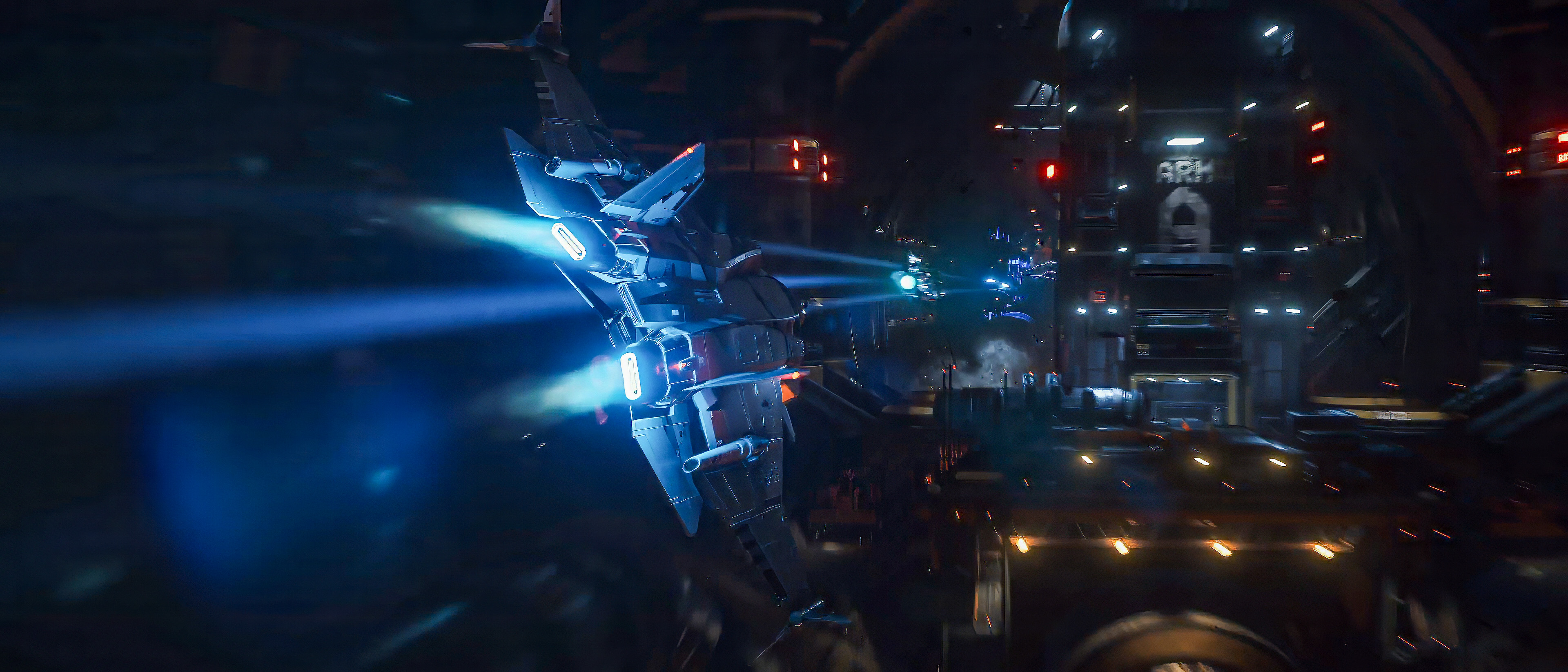
Metadata
- CIG ID
- 21168
- Channel
- Transmission
- Category
- General
- Series
- Release Info
- Comments
- 0
- Published
- 4 months ago (2026-05-15T18:00:00+00:00)