Industrial Gameplay Guide
Transmission Undefined NoneContent
Mining & Refining Guide
The 'verse is filled to the brim with valuables buried just beneath the surface, from metals like Iron to fuel sources like Quantanium. Below you'll find some tips and tricks to get you started on cracking open some rocks, big or small, and finding the profits within.
And if you're looking for additional help in the 'verse, check out the Guide System to get paired with an experienced player who can help show you the ropes.
The Dust Must FlowFirst, let's get equipped. The size of the job will determine the size of your tools, from hand tools to massive mining machines. Here's a quick look at each:Your HandsNever leave home without a multi-tool. Equipped with the OreBit Mining Attachment, your trusty multi-tool is able to fracture and gather small ore deposits, such as Aphorite, Dolivine, or Hadanite. Often these deposits can be found in caves, on the surface of moons or planets, or your local prison facility.Most weapon shops and general stores will carry a multi-tool, but your local refinery deck at any L1 station will have everything you need for all things mining.Your RigNeed to fracture something a bit bigger? The next step upward from your multi-tool is a mining vehicle, which can be transported in a ship as small as a Cutlass. These dedicated mining machines are much stronger than a multi-tool and can both fracture much larger deposits as well as store more harvested ore to bring back to sell.The current ground vehicle options for mining are the Argo ATLS GEO mining suit or the wheeled single-seat ROC as well as the dual-seat ROC-DS from Greycat Industrial.Your WingsLooking for even larger prospects? Time to take to the skies with a mining ship! Single-seat options are available for a new mining enthusiast to level up their ore game, such as the MISC Prospector, but if you have a group, Argo's got your back with the MOLE. The mining lasers on these vessels are far more powerful than their ground-based counterparts, and can tackle deposits within large crags on planet surfaces or even asteroids scattered in space.Your Hands
Never leave home without a multi-tool. Equipped with the OreBit Mining Attachment, your trusty multi-tool is able to fracture and gather small ore deposits, such as Aphorite, Dolivine, or Hadanite. Often these deposits can be found in caves, on the surface of moons or planets, or your local prison facility.
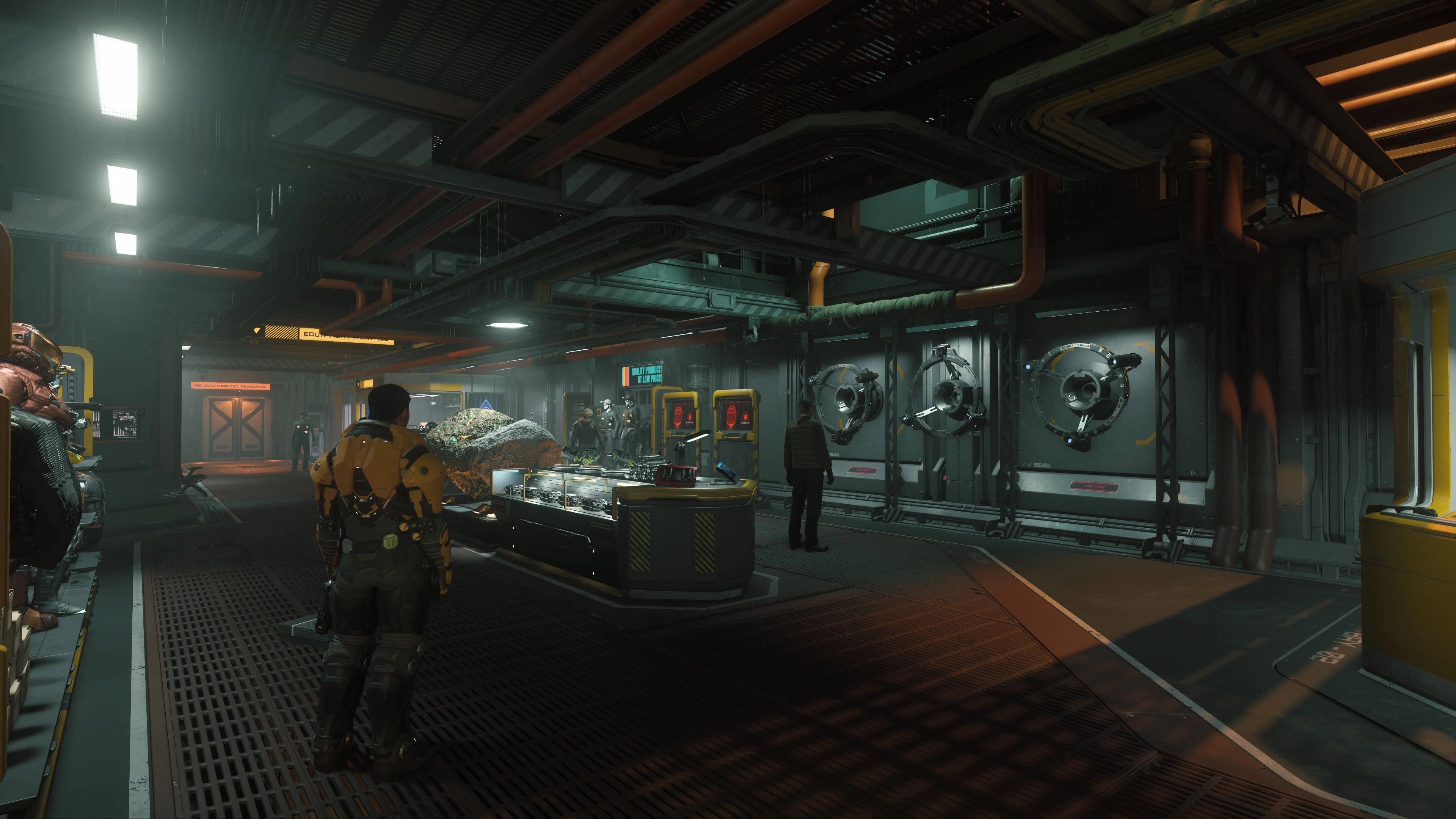
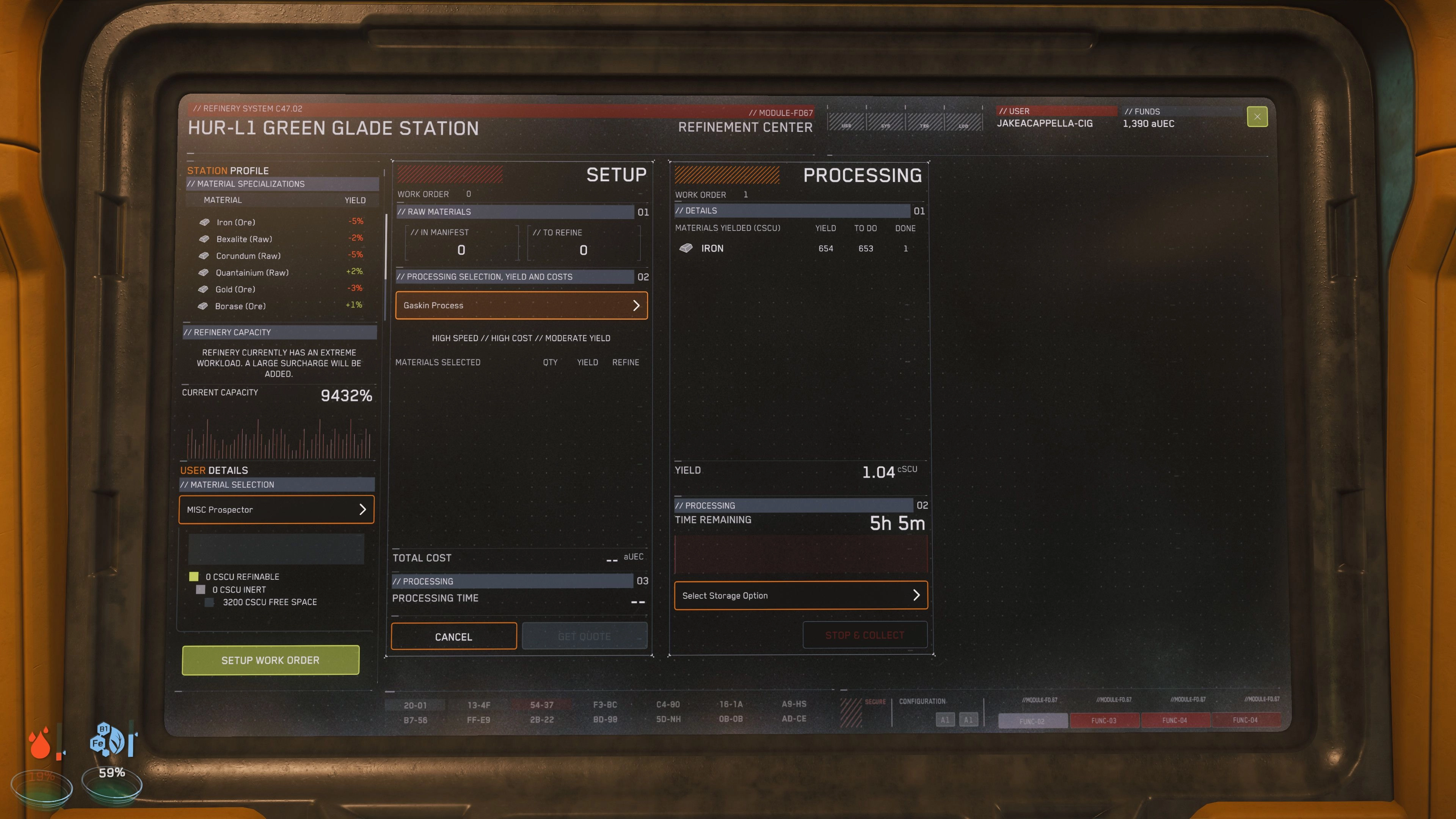
Most weapon shops and general stores will carry a multi-tool, but your local refinery deck at any L1 station will have everything you need for all things mining.
Your Rig
Need to fracture something a bit bigger? The next step upward from your multi-tool is a mining vehicle, which can be transported in a ship as small as a Cutlass. These dedicated mining machines are much stronger than a multi-tool and can both fracture much larger deposits as well as store more harvested ore to bring back to sell.
The current ground vehicle options for mining are the Argo ATLS GEO mining suit or the wheeled single-seat ROC as well as the dual-seat ROC-DS from Greycat Industrial.
Your Wings
Looking for even larger prospects? Time to take to the skies with a mining ship! Single-seat options are available for a new mining enthusiast to level up their ore game, such as the MISC Prospector, but if you have a group, Argo's got your back with the MOLE. The mining lasers on these vessels are far more powerful than their ground-based counterparts, and can tackle deposits within large crags on planet surfaces or even asteroids scattered in space.
Get Your Hands DirtyScan Your SurroundingsNow that we've got our tools, let's get crackin'. First things first, we need to find some ore. If you're looking to mine by hand, you can scan a planet's surface in your ship to look for ore deposits. Switch to SCM mode (default binding is holding B) and tap the TAB key to send out a ping. This will show you points of interest within roughly a dozen kilometers, which can include ore veins for mining!Coming After Tiny FracturesOnce a suitable deposit has been identified, let's bust it open. Prepare your mining laser (default M when in a vehicle and SCM mode) then aim at the deposit to begin a detailed scan. This will give you a meter on the right side of your UI that displays the target ore's current stability, as well as any other additional properties.Activate the laser (default Mouse 1) and gradually increase the power (default Mouse Wheel) to cause the ore to fracture. Aim for the green optimal zone, and hold the power level there. Once the zone fills completely, the deposit will fracture. Careful! If you give the ore too much power and overcharge it, it could explode, destroying the ore and potentially even your vehicle!Gathering GoodsOnce fractured to a point that allows you to harvest, the highlight around the deposit will change from yellow to purple. Switch your laser to Gather mode (Left Alt + Mouse 1 in vehicles, Mouse 2 when using the multi-tool) to activate a low-power tractor beam, pulling in the valuables you've dug up. This will pull in everything you've mined, from the ore to inert materials, so keep an eye on your cargo capacity.Scan Your Surroundings
Now that we've got our tools, let's get crackin'. First things first, we need to find some ore. If you're looking to mine by hand, you can scan a planet's surface in your ship to look for ore deposits. Switch to SCM mode (default binding is holding B) and tap the TAB key to send out a ping. This will show you points of interest within roughly a dozen kilometers, which can include ore veins for mining!
Coming After Tiny Fractures
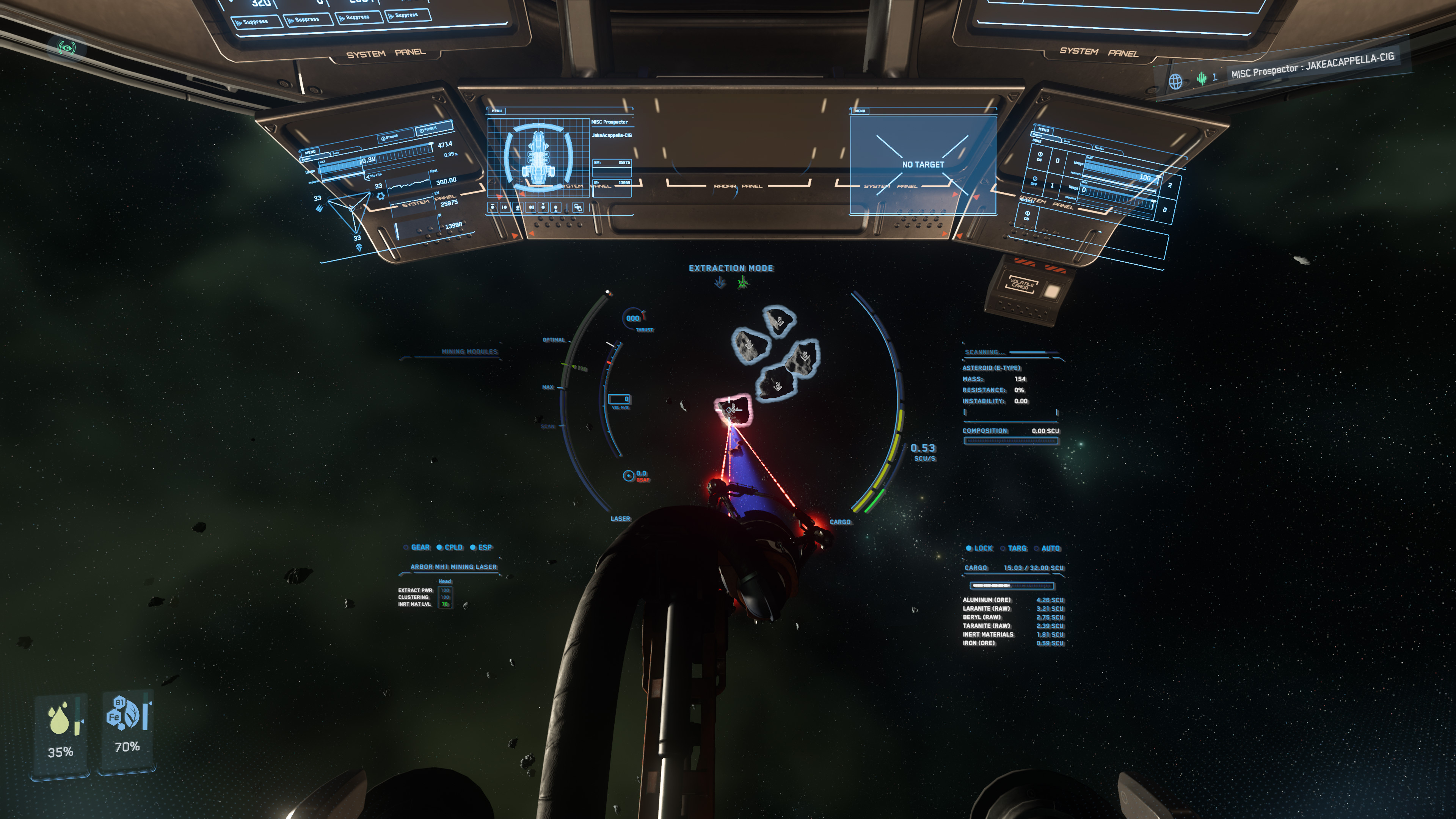
Once a suitable deposit has been identified, let's bust it open. Prepare your mining laser (default M when in a vehicle and SCM mode) then aim at the deposit to begin a detailed scan. This will give you a meter on the right side of your UI that displays the target ore's current stability, as well as any other additional properties.
Activate the laser (default Mouse 1) and gradually increase the power (default Mouse Wheel) to cause the ore to fracture. Aim for the green optimal zone, and hold the power level there. Once the zone fills completely, the deposit will fracture. Careful! If you give the ore too much power and overcharge it, it could explode, destroying the ore and potentially even your vehicle!
Gathering Goods
Once fractured to a point that allows you to harvest, the highlight around the deposit will change from yellow to purple. Switch your laser to Gather mode (Left Alt + Mouse 1 in vehicles, Mouse 2 when using the multi-tool) to activate a low-power tractor beam, pulling in the valuables you've dug up. This will pull in everything you've mined, from the ore to inert materials, so keep an eye on your cargo capacity.
Salvage & Repair
Below is a quick start guide to the Salvage & Repair career as of Alpha 4.1. Additional and more in-depth information can also be found on this guide here.
And if you're looking for additional help in the 'verse, check out the Guide System to get paired with an experienced player who can help show you the ropes.
Tools of the TradeMulti-Tool AttachmentLooking to start your salvage career? Head to Dumper's Depot or Platinum Bay and pick up a Multi-Tool and the Cambio-Lite SRT attachment for the Greycat Multi-Tool. This attachment can both fill Recycled Material Composite (RMC) canisters by scraping hulls and dispense RMC to help you repair hull damage on your ships.MISC FortuneBuilt for solo endeavors, the MISC Fortune’s pioneering external cargo loader makes salvage a cinch for one-person crews.Capable of hull scraping or structural salvage, you'll leave nothing behind with the MISC Fortune.Drake VultureAnswer to no one, cut out the middleman, and earn big ripping wrecks apart like a pro.This single-seat ship is the perfect way to get serious about salvage when you're ready to move on from the Multi-Tool.Aegis ReclaimerThanks to a reinforced cargo bay and long-range jump drive, the Reclaimer is ideal for breaking apart deep-space wrecks.Have a crew looking to salvage larger ships? The Aegis Reclaimer puts your team to work to scrape out big profits.Multi-Tool Attachment
Looking to start your salvage career? Head to Dumper's Depot or Platinum Bay and pick up a Multi-Tool and the Cambio-Lite SRT attachment for the Greycat Multi-Tool.
This attachment can both fill Recycled Material Composite (RMC) canisters by scraping hulls and dispense RMC to help you repair hull damage on your ships.
MISC Fortune
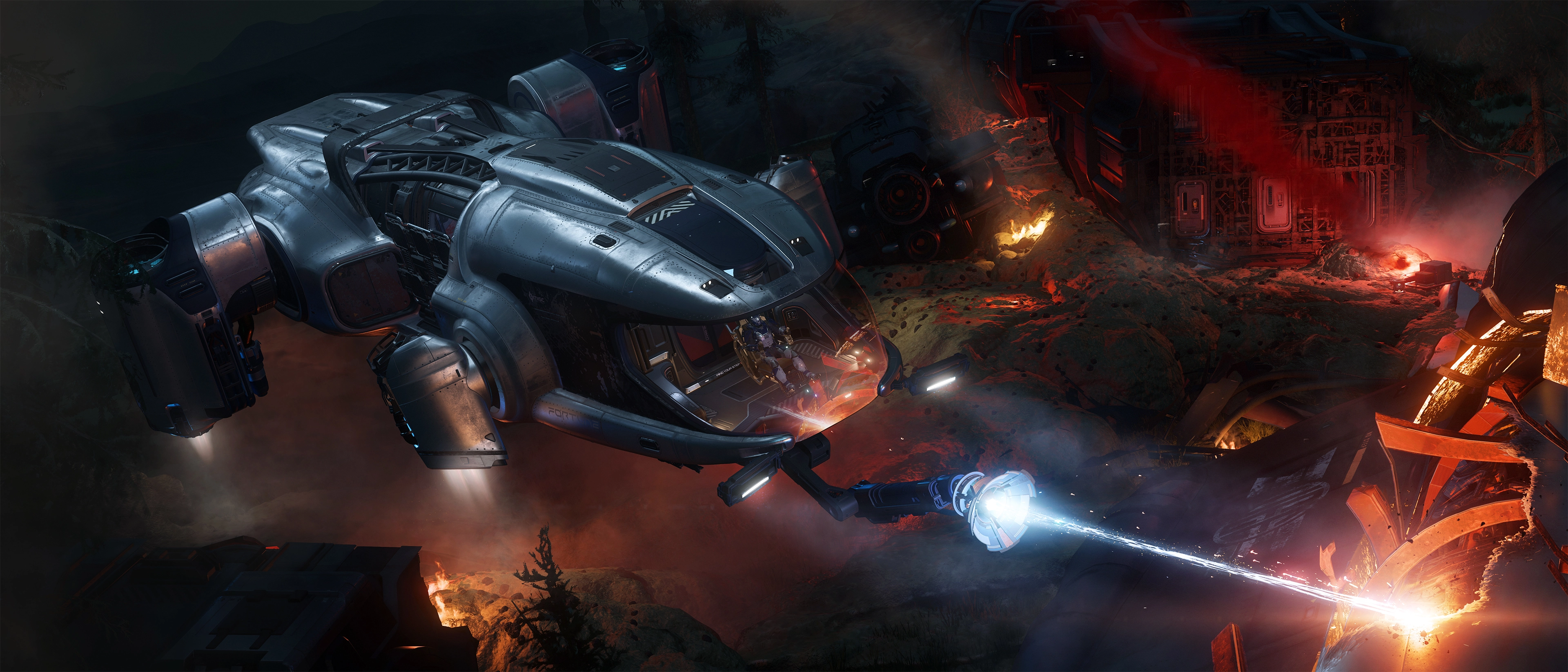
Built for solo endeavors, the MISC Fortune’s pioneering external cargo loader makes salvage a cinch for one-person crews.
Capable of hull scraping or structural salvage, you'll leave nothing behind with the MISC Fortune.
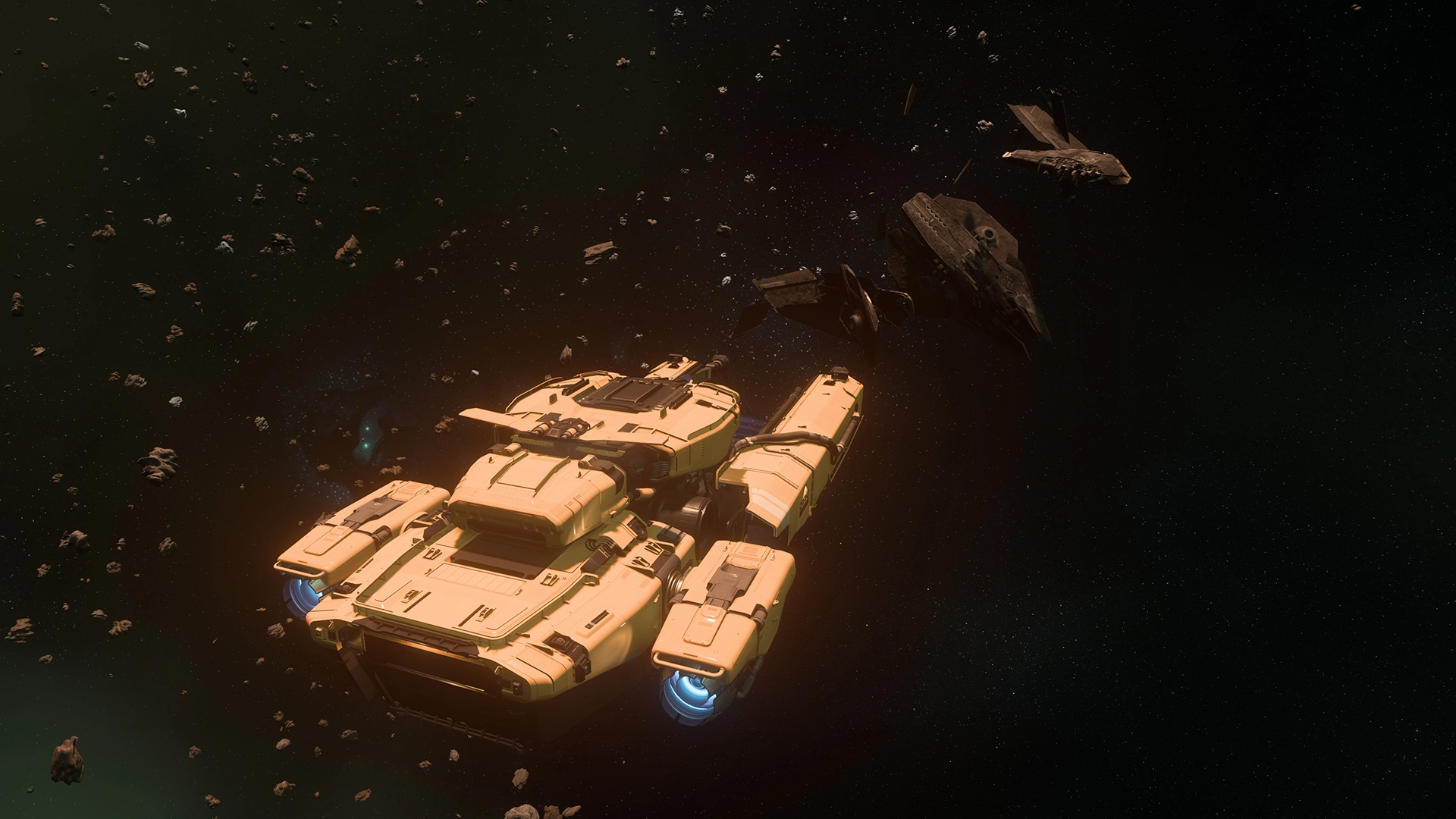
Drake Vulture
Answer to no one, cut out the middleman, and earn big ripping wrecks apart like a pro.
This single-seat ship is the perfect way to get serious about salvage when you're ready to move on from the Multi-Tool.
Aegis Reclaimer
Thanks to a reinforced cargo bay and long-range jump drive, the Reclaimer is ideal for breaking apart deep-space wrecks.
Have a crew looking to salvage larger ships? The Aegis Reclaimer puts your team to work to scrape out big profits.
Components and CargoWhy stop at the hull? Derelict ships can be stripped of their components, as well their cargo in their holds depending on the wreck. Check the cargo bays of your prospects before you leave, you never know what you might find!Bring a Tractor BeamAs of 3.19, components, weapons, and missiles can be removed from vehicles using your Pyro RYT Multi-Tool and a TruHold Tractor Beam Attachment. Be sure to unlock the vehicle's item ports using either the switch in the cockpit, or by binding it to a key.Currently, all weapons up to size 5 and all components up to size 2 can be removed from vehicles as long as you have access to them, via a component bay on the interior or exterior of the vehicle. You can then attach these components to your own vehicles, or you can sell them at shops that accept them or to other players.Bring a Tractor Beam
As of 3.19, components, weapons, and missiles can be removed from vehicles using your Pyro RYT Multi-Tool and a TruHold Tractor Beam Attachment. Be sure to unlock the vehicle's item ports using either the switch in the cockpit, or by binding it to a key.
Currently, all weapons up to size 5 and all components up to size 2 can be removed from vehicles as long as you have access to them, via a component bay on the interior or exterior of the vehicle. You can then attach these components to your own vehicles, or you can sell them at shops that accept them or to other players.
Hull Scraping and RepairHull Scraping and Repair is the bread and butter of any seasoned salvager. Both of these features go hand in hand, as the material you scrape off of derelict hulls can then be used to repair your own ships. Salvage ModeAboard a Vulture or Reclaimer? Activate Salvage Mode (default key 'M') or hop into a Salvage Turret and you'll see the HUD displayed. On the left and/or right side information on the salvage modules you have equipped will be displayed. It will showcase important parameters like the diameter of the beam and its current speed and efficiency. You can switch through the equipped modules with the right mouse button by default. Additional modules are available at Dumper's Depot, Platinum Bay, and other shops. We even have more options ready for you to customize within the key bindings settings.Run RMCOnce you've found an object to scrape, engage your beam with 'Mouse 1' by default. There are indicators at the bottom of the HUD which tell you how much much material is available under your scraper beam. The top of the HUD shows your current extraction rate and progress in filling an SCU container with RMC and additionally the remaining material of the targeted section. These containers are filled automatically as you scrape and eject into your cargo hold.As you fill these containers, you might receive a warning on your HUD informing about an obstructed conveyer belt. Now, you'll have to move the commodity container off the cargo hold's conveyor belt with a tractor beam (or have a friend help you). You can also use the filler station in your hold to create RMC canisters, that can be used with your Multi-Tool equiped with the Cambio-Lite SRT attachment to use it for repairs.Sell Your SpoilsOnce you've got SCU containers full of RMC, head to a commodity kiosk to sell them. These can be found at most landing zones and space stations. However, not all kiosks will purchase RMC, and don't forget to keep an eye on the price to make sure you're not getting a raw deal!Fix It FeaturesIf you created RMC canisters instead of filling your SCU containers and you've got your SRT Multi-Tool attachment handy, you can use RMC to repair your or a friend's hull damage. With your Multi-Tool, attachment, and filled RMC canister equipped, press the Mouse 2 to repair.You can significantly repair your hull but not fully. To fully restore your ship's hull, you'll need to take it to a landing pad or hangar that offers repair services.Salvage Mode
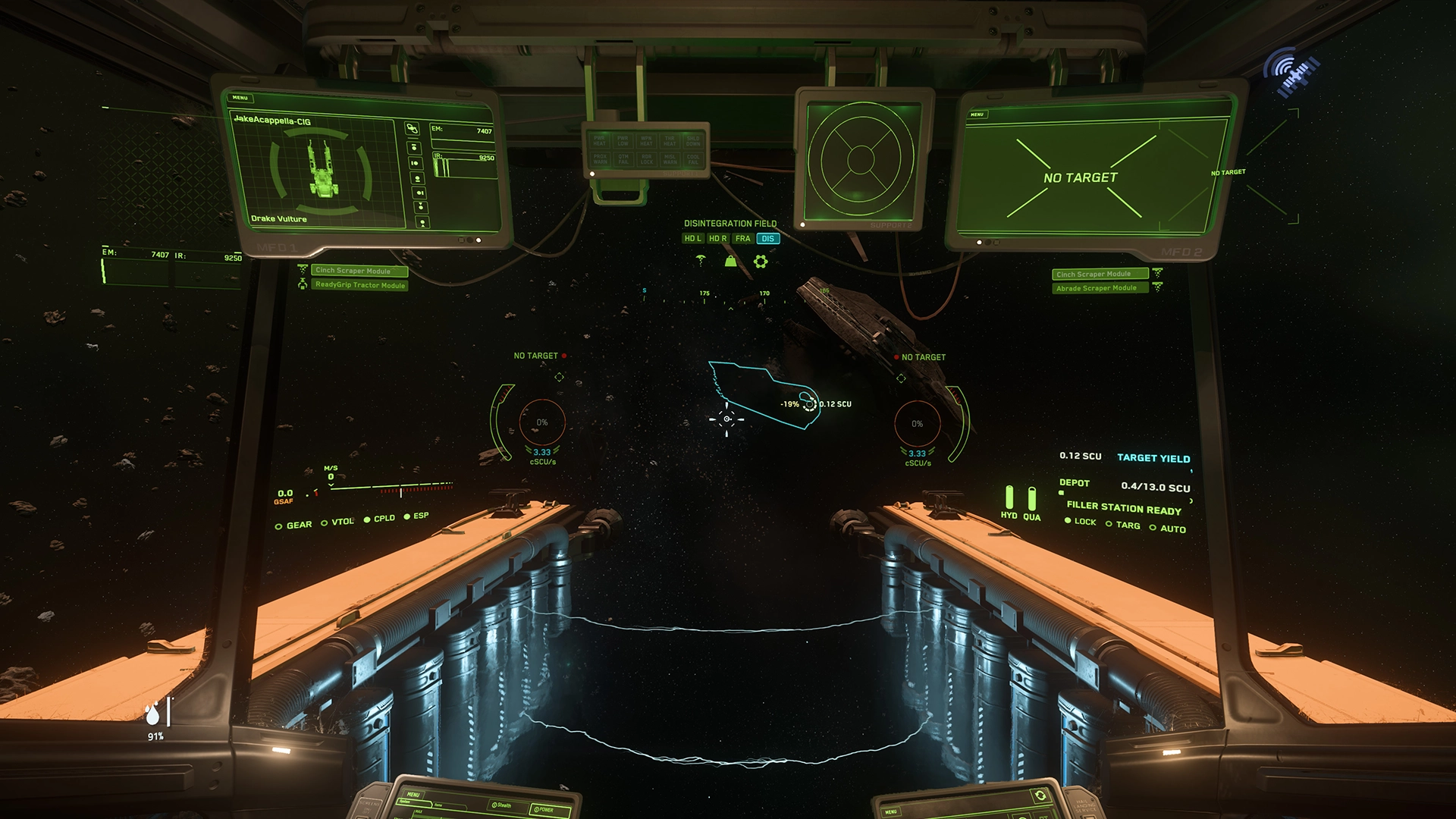
Aboard a Vulture or Reclaimer? Activate Salvage Mode (default key 'M') or hop into a Salvage Turret and you'll see the HUD displayed. On the left and/or right side information on the salvage modules you have equipped will be displayed. It will showcase important parameters like the diameter of the beam and its current speed and efficiency. You can switch through the equipped modules with the right mouse button by default. Additional modules are available at Dumper's Depot, Platinum Bay, and other shops. We even have more options ready for you to customize within the key bindings settings.
Run RMC
Once you've found an object to scrape, engage your beam with 'Mouse 1' by default. There are indicators at the bottom of the HUD which tell you how much much material is available under your scraper beam. The top of the HUD shows your current extraction rate and progress in filling an SCU container with RMC and additionally the remaining material of the targeted section. These containers are filled automatically as you scrape and eject into your cargo hold.
As you fill these containers, you might receive a warning on your HUD informing about an obstructed conveyer belt. Now, you'll have to move the commodity container off the cargo hold's conveyor belt with a tractor beam (or have a friend help you). You can also use the filler station in your hold to create RMC canisters, that can be used with your Multi-Tool equiped with the Cambio-Lite SRT attachment to use it for repairs.
Sell Your Spoils
Once you've got SCU containers full of RMC, head to a commodity kiosk to sell them. These can be found at most landing zones and space stations. However, not all kiosks will purchase RMC, and don't forget to keep an eye on the price to make sure you're not getting a raw deal!
Fix It Features
If you created RMC canisters instead of filling your SCU containers and you've got your SRT Multi-Tool attachment handy, you can use RMC to repair your or a friend's hull damage. With your Multi-Tool, attachment, and filled RMC canister equipped, press the Mouse 2 to repair.
You can significantly repair your hull but not fully. To fully restore your ship's hull, you'll need to take it to a landing pad or hangar that offers repair services.
RMC
Recycled Material Composite (RMC) is the commodity gathered while hull scraping. RMC is stored in commodities containers and can be sold at commodity kiosks for profit. On all salvage vessels like the Vulture, RMC can also be converted into the canisters used by salvage and repair hand tools. Empty canisters for the Multi-Tool that can be bought at dedicated shops can also be filled at commodity kiosks with RMC.
Structural SalvageStructural Salvage was first introduced in Alpha 3.22 to further round out the salvage career. After you've finished hull scraping and gathering any valuables, components, or cargo off of the derelict you're salvaging, it's time to break the vehicle apart!Crack a Cold One OpenTo begin, make sure the target vehicle is fully powered off, then switch to Fracture/Disintegrate mode. On the Vulture, this can be done from the pilot seat (default keybind is 'Right Alt' + 'W'). The Reclaimer requires operation of its claw, which can be deployed using the seat to the right of the pilot.Engage the fracturing field with 'Mouse 1' by default, and watch the vehicle crack into pieces! The Reclaimer can fracture any vehicle, while the Vulture is limited to vehicles the size of a Mercury Star Runner and smaller.Yes, DisintegrationsAfter the hull has been successfully fractured, press 'Right Alt + S' to create a disintegration field around the pieces, eventually turning them into a fine dust. This commodity, called Construction Materials, is automatically is pulled into your ship and put into SCU containers in a similar fashion to RMC.Crack a Cold One Open
To begin, make sure the target vehicle is fully powered off, then switch to Fracture/Disintegrate mode. On the Vulture, this can be done from the pilot seat (default keybind is 'Right Alt' + 'W'). The Reclaimer requires operation of its claw, which can be deployed using the seat to the right of the pilot.
Engage the fracturing field with 'Mouse 1' by default, and watch the vehicle crack into pieces! The Reclaimer can fracture any vehicle, while the Vulture is limited to vehicles the size of a Mercury Star Runner and smaller.
Yes, Disintegrations
After the hull has been successfully fractured, press 'Right Alt + S' to create a disintegration field around the pieces, eventually turning them into a fine dust. This commodity, called Construction Materials, is automatically is pulled into your ship and put into SCU containers in a similar fashion to RMC.
Construction Materials
Construction Materials is the commodity generated by disintegrating the hulls of vehicles using structural salvage. It can be sold at Trade and Development Division locations at major landing zones, along with scrapyards and Grim HEX. This commodity is stored in the same buffer as your RMC, so make sure to eject your RMC before you start the disintegration process.
The hard working industry pilots of the 'verse are the backbone of Star Citizen, keeping the people supplied with everything from metals to minerals, from guns to gizmos, and everything in between.Be sure to check out the Guide System to get paired with a fellow industrialist, and head over to Spectrum to provide any and all feedback on mining, refining, salvage, or repair gameplay in Star Citizen.
Leitfaden Bergbau & Veredelung
Alpha 3.23
Das Universum ist randvoll mit wertvollen Schätzen, die direkt unter der Oberfläche vergraben sind, von Metallen wie Eisen bis hin zu Treibstoffquellen wie Quantanium. Im Folgenden findest du einige Tipps und Tricks, die dir dabei helfen, große und kleine Felsen zu knacken und die darin verborgenen Schätze zu finden.
Und wenn du zusätzliche Hilfe brauchst, kannst du dich im Guide-System mit einem erfahrenen Spieler zusammentun, der dir zeigt, wie es geht.
Bergung und Reparatur
Mit Star Citizen Alpha 3.18 wurde ein völlig neuer Karriereweg eingeführt: Bergung & Reparatur.
In diesem Zusammenhang wurden alle Schiffe aktualisiert, um den "weichen Tod" zu unterstützen. Das bedeutet, dass die Schiffe der Spieler beim Tod nicht immer vollständig zerstört werden, sondern dass der Rumpf geborgen werden kann. Das gesammelte Material kann dann gewinnbringend verkauft oder zur Reparatur beschädigter Fahrzeuge verwendet werden.
Im Folgenden findest du eine Kurzanleitung für die Bergungs- und Reparaturkarriere ab Alpha 3.23. Wir werden diese Seite ergänzen, wenn weitere Aspekte der Karriere online gehen.
Und wenn du nach zusätzlicher Hilfe im Spiel suchst, kannst du dich im Guide-System mit einem erfahrenen Spieler zusammentun, der dir zeigt, wo es lang geht.
RMC
Recycled Material Composite (RMC) ist ein Rohstoff, den du beim Schaben von Schiffsrümpfen sammelst. RMC wird in Rohstoffcontainern gelagert und kann an Rohstoffkiosken mit Gewinn verkauft werden. Auf allen Bergungsschiffen wie der Vulture kann RMC auch in Kanister umgewandelt werden, die für Bergungs- und Reparaturhandwerkzeuge verwendet werden. Leere Kanister für das Multi-Tool, die in speziellen Läden gekauft werden können, können auch an Rohstoffkiosken mit RMC gefüllt werden.
Baumaterialien
Baumaterialien sind die Ware, die durch das Zerlegen von Fahrzeugrümpfen mit Hilfe von strukturellem Bergungsmaterial gewonnen wird. Sie können an den Standorten der Handels- und Entwicklungsabteilung in den großen Landezonen, auf Schrottplätzen und in Grim HEX verkauft werden. Diese Ware wird im selben Puffer wie dein RMC gelagert. Achte also darauf, dass du dein RMC auswirfst, bevor du mit dem Auflösungsprozess beginnst.
Der Staub muss fließen
Zuerst müssen wir uns ausrüsten. Die Größe der Aufgabe bestimmt die Größe deiner Werkzeuge, von Handwerkzeugen bis hin zu riesigen Abbaumaschinen. Hier ist ein kurzer Blick auf die einzelnen Geräte:
Deine Hände
Deine Räder
Deine Flügel
Deine Hände
Gehe nie ohne ein Multitool aus dem Haus. Mit dem OreBit Mining Attachment kann dein treues Multitool kleine Erzvorkommen wie Aphorit, Dolivin oder Hadanit aufbrechen und abbauen. Oft findet man diese Vorkommen in Höhlen, auf der Oberfläche von Monden oder Planeten oder in deinem örtlichen Gefängnis.
In den meisten Waffenläden und Gemischtwarenläden findest du ein Multitool, aber auch auf dem Raffineriedeck einer L1-Station gibt es alles, was du für den Bergbau brauchst.
Deine Räder
Du brauchst etwas Größeres zum Brechen? Die nächste Stufe nach deinem Multitool ist ein Minenfahrzeug, das in einem Schiff von der Größe einer Cutlass transportiert werden kann. Diese speziellen Bergbaumaschinen sind viel stärker als ein Multitool und können sowohl viel größere Lagerstätten abbauen als auch mehr abgebautes Erz für den Verkauf lagern.
Die aktuellen Bodenfahrzeuge für den Bergbau stammen von Greycat Industrial und bieten sowohl den einsitzigen ROC als auch den zweisitzigen ROC-DS.
Deine Flügel
Du suchst nach noch größeren Perspektiven? Dann wird es Zeit, mit einem Bergbauschiff in die Lüfte zu steigen! Für neue Bergbau-Enthusiasten gibt es einsitzige Schiffe wie den MISC Prospector, aber wenn du mit einer Gruppe unterwegs bist, bietet dir Argo das MOLE an. Die Minenlaser dieser Schiffe sind weitaus leistungsfähiger als ihre bodengebundenen Gegenstücke und können Lagerstätten in großen Felsen auf Planetenoberflächen oder sogar in Asteroiden im Weltraum aufspüren.
Mach dir die Hände schmutzig
Scanne deine Umgebung
Winzigen Brüchen nachgehen
Sammeln von Waren
Scanne deine Umgebung
Jetzt, wo wir unsere Werkzeuge haben, können wir loslegen. Als Erstes müssen wir etwas Erz finden. Wenn du von Hand abbauen willst, kannst du die Oberfläche eines Planeten mit deinem Schiff scannen, um nach Erzvorkommen zu suchen. Wechsle in den SCM-Modus (standardmäßig hältst du B gedrückt) und tippe auf die TAB-Taste, um einen Ping auszusenden. Dieser zeigt dir interessante Punkte im Umkreis von etwa einem Dutzend Kilometern an, darunter auch Erzadern, die du abbauen kannst!
Winzigen Brüchen nachgehen
Wenn du ein geeignetes Vorkommen gefunden hast, können wir es aufbrechen. Bereite deinen Minenlaser vor (Standard Maus 3 im Fahrzeug und SCM-Modus) und ziele dann auf die Lagerstätte, um einen detaillierten Scan zu starten. Dadurch erhältst du eine Anzeige auf der rechten Seite deiner Benutzeroberfläche, die die aktuelle Stabilität des Zielerzes sowie alle weiteren Eigenschaften anzeigt.
Aktiviere den Laser (Standardeinstellung Maus 1) und erhöhe allmählich die Leistung, um das Erz zum Zerbrechen zu bringen. Ziele auf die grüne, optimale Zone und halte die Leistung dort. Sobald sich die Zone vollständig füllt, bricht die Lagerstätte auf. Pass auf! Wenn du dem Erz zu viel Energie gibst und es überlädst, könnte es explodieren und das Erz und möglicherweise sogar dein Fahrzeug zerstören!
Sammeln von Waren
Sobald das Erz so weit gebrochen ist, dass du es ernten kannst, wird die Markierung um die Lagerstätte herum von gelb auf lila wechseln. Schalte deinen Laser in den Sammelmodus (Maus 3 in Fahrzeugen, B bei Verwendung des Multiwerkzeugs), um einen Traktorstrahl mit geringer Leistung zu aktivieren, der die von dir ausgegrabenen Wertgegenstände anzieht. Er zieht alles an, was du abgebaut hast, vom Erz bis zu den trägen Materialien, also achte auf deine Ladekapazität.
Handwerkszeug
Multi-Tool-Aufsatz
Erdrachengeier
Aegis Reclaimer
Multi-Tool-Aufsatz
Willst du deine Karriere als Bergungsarbeiter beginnen? Geh zu Dumper's Depot oder Platinum Bay und hol dir ein Multi-Tool und den Cambio-Lite SRT-Aufsatz für das Greycat Multi-Tool.
Mit diesem Aufsatz kannst du sowohl RMC-Kanister (Recycled Material Composite) füllen, indem du Schiffsrümpfe abkratzt, als auch RMC ausgeben, um Schäden am Schiffsrumpf zu reparieren.
Erpel-Geier
Gehorche niemandem, schalte den Mittelsmann aus und verdiene viel Geld, indem du Wracks wie ein Profi auseinander nimmst.
Dieses einsitzige Schiff ist der perfekte Einstieg in die Bergungsarbeit, wenn du bereit bist, das Multi-Tool zu verlassen.
Aegis Reclaimer
Dank eines verstärkten Laderaums und eines Langstrecken-Sprungantriebs ist der Reclaimer ideal für das Zerlegen von Wracks im Weltraum.
Du hast eine Crew, die größere Schiffe bergen will? Der Aegis Reclaimer hilft deinem Team, große Gewinne zu erzielen.
Bauteile und Fracht
Warum nur den Rumpf bergen? Ausrangierte Schiffe können je nach Wrack von ihren Bauteilen und der Ladung in den Laderäumen befreit werden. Überprüfe die Laderäume deiner Interessenten, bevor du losfährst, denn du weißt nie, was du finden könntest!
Bring einen Traktorstrahl mit
Bring einen Traktorstrahl mit
Ab 3.19 können Bauteile, Waffen und Raketen mit deinem Pyro RYT Multi-Tool und einem TruHold Tractor Beam Attachment aus Fahrzeugen entfernt werden. Achte darauf, dass du die Item Ports des Fahrzeugs entweder mit dem Schalter im Cockpit oder durch Binden an einen Schlüssel entsperrst.
Zurzeit können alle Waffen bis zur Größe 5 und alle Komponenten bis zur Größe 2 aus Fahrzeugen entfernt werden, solange du Zugang zu ihnen hast. Du kannst diese Komponenten dann an deinen eigenen Fahrzeugen anbringen oder sie in Geschäften, die sie annehmen, oder an andere Spieler verkaufen.
Verschrotten und Reparieren der Hülle
Das Schaben und Reparieren des Fahrzeugrumpfes ist das A und O für jeden erfahrenen Bergungsarbeiter. Beide Funktionen gehen Hand in Hand, denn mit dem Material, das du von ausgedienten Schiffsrümpfen abkratzt, kannst du deine eigenen Schiffe reparieren.
Bergungsmodus
RMC betreiben
Verkaufe deine Ausbeute
Fix It Funktionen
Bergungsmodus
Bist du an Bord eines Geiers oder Reclaimers? Aktiviere den Bergungsmodus (Standardtaste "M") oder springe in einen Bergungsturm und du siehst das HUD. Auf der linken und/oder rechten Seite werden Informationen zu den Bergungsmodulen angezeigt, die du ausgerüstet hast. Dort werden wichtige Parameter wie der Durchmesser des Strahls und seine aktuelle Geschwindigkeit und Effizienz angezeigt. Standardmäßig kannst du mit der rechten Maustaste durch die ausgerüsteten Module wechseln. Zusätzliche Module sind bei Dumper's Depot, Platinum Bay und anderen Shops erhältlich. Wir halten sogar noch mehr Optionen bereit, die du in den Einstellungen der Tastenbelegung anpassen kannst.
RMC starten
Wenn du ein Objekt zum Schaben gefunden hast, aktiviere deinen Balken mit der Standardeinstellung "Maus 1". Am unteren Rand des HUD siehst du, wie viel Material unter deinem Kratzerbalken verfügbar ist. Oben im HUD werden deine aktuelle Abbaurate und der Fortschritt beim Füllen eines SCU-Containers mit RMC und zusätzlich das verbleibende Material des anvisierten Abschnitts angezeigt. Diese Container werden automatisch gefüllt, während du schürfst und in den Frachtraum wirfst.
Während du diese Container füllst, erhältst du möglicherweise eine Warnung auf deinem HUD, die dich auf ein blockiertes Förderband hinweist. Jetzt musst du den Warencontainer mit einem Traktorstrahl vom Förderband des Frachtraums wegschieben (oder dir von einem Freund helfen lassen). Du kannst auch die Füllstation in deinem Laderaum benutzen, um RMC-Kanister herzustellen, die du mit deinem Multi-Tool mit dem Cambio-Lite SRT-Aufsatz für Reparaturen verwenden kannst.
Verkaufe deine Ausbeute
Sobald du SCU-Container voll mit RMC hast, kannst du sie an einem Warenkiosk verkaufen. Diese findest du in den meisten Landezonen und Raumstationen. Allerdings kaufen nicht alle Kioske RMC an. Achte also auf den Preis, um sicherzugehen, dass du keinen schlechten Deal bekommst!
Fix It Features
Wenn du RMC-Kanister erstellt hast, anstatt deine SCU-Container zu füllen, und du dein SRT-Multi-Tool-Aufsatz griffbereit hast, kannst du RMC verwenden, um deinen Hüllenschaden oder den eines Freundes zu reparieren. Wenn du mit deinem Multi-Tool, dem Aufsatz und dem gefüllten RMC-Kanister ausgerüstet bist, drückst du die Taste "B", um vom Bergungsmodus in den Reparaturmodus zu wechseln.
Du kannst deinen Rumpf erheblich reparieren, aber nicht vollständig. Um den Rumpf deines Schiffes vollständig zu reparieren, musst du es zu einem Landeplatz oder Hangar bringen, der Reparaturen anbietet.
Strukturelle Bergung
Die strukturelle Bergung wurde erst in Alpha 3.22 eingeführt, um die Bergungskarriere abzurunden. Nachdem du den Rumpf gekratzt und alle Wertsachen, Bauteile und Ladung aus dem Wrack geholt hast, ist es an der Zeit, das Fahrzeug zu zerlegen!
Aufbrechen eines Cold One
Ja, Zerlegungen
Aufbrechen eines Cold One
Vergewissere dich zunächst, dass das Zielfahrzeug vollständig ausgeschaltet ist, und wechsle dann in den Modus Aufbrechen/Desintegrieren. Beim Vulture kannst du dies vom Pilotensitz aus tun (die Standardtastenkombination ist "Rechte Alt "+"W"). Der Reclaimer erfordert die Betätigung seiner Klaue, die vom Sitz rechts vom Piloten aus eingesetzt werden kann.
Aktiviere das Bruchfeld mit der Standardtaste "Maus 1" und sieh zu, wie das Fahrzeug in Stücke zerbricht! Der Reclaimer kann jedes Fahrzeug zerbrechen, während der Vulture auf Fahrzeuge von der Größe eines Mercury Star Runner und kleiner beschränkt ist.
Ja, Zerschellungen
Nachdem die Hülle erfolgreich zerbrochen wurde, wechsle mit der Standardtaste "M" in den Auflösungsmodus. Wenn du die Taste "Maus 1" drückst, erzeugst du ein Auflösungsfeld um die Teile, das sie schließlich in feinen Staub verwandelt. Diese Ware, Baumaterialien genannt, wird automatisch in dein Schiff gezogen und in SCU-Containern gelagert, ähnlich wie bei RMC.
Mining & Refining Guide
The 'verse is filled to the brim with valuables buried just beneath the surface, from metals like Iron to fuel sources like Quantanium. Below you'll find some tips and tricks to get you started on cracking open some rocks, big or small, and finding the profits within.
And if you're looking for additional help in the 'verse, check out the Guide System to get paired with an experienced player who can help show you the ropes.
The Dust Must FlowFirst, let's get equipped. The size of the job will determine the size of your tools, from hand tools to massive mining machines. Here's a quick look at each:Your HandsNever leave home without a multi-tool. Equipped with the OreBit Mining Attachment, your trusty multi-tool is able to fracture and gather small ore deposits, such as Aphorite, Dolivine, or Hadanite. Often these deposits can be found in caves, on the surface of moons or planets, or your local prison facility.Most weapon shops and general stores will carry a multi-tool, but your local refinery deck at any L1 station will have everything you need for all things mining.Your RigNeed to fracture something a bit bigger? The next step upward from your multi-tool is a mining vehicle, which can be transported in a ship as small as a Cutlass. These dedicated mining machines are much stronger than a multi-tool and can both fracture much larger deposits as well as store more harvested ore to bring back to sell.The current ground vehicle options for mining are the Argo ATLS GEO mining suit or the wheeled single-seat ROC as well as the dual-seat ROC-DS from Greycat Industrial.Your WingsLooking for even larger prospects? Time to take to the skies with a mining ship! Single-seat options are available for a new mining enthusiast to level up their ore game, such as the MISC Prospector, but if you have a group, Argo's got your back with the MOLE. The mining lasers on these vessels are far more powerful than their ground-based counterparts, and can tackle deposits within large crags on planet surfaces or even asteroids scattered in space.Your Hands
Never leave home without a multi-tool. Equipped with the OreBit Mining Attachment, your trusty multi-tool is able to fracture and gather small ore deposits, such as Aphorite, Dolivine, or Hadanite. Often these deposits can be found in caves, on the surface of moons or planets, or your local prison facility.
Most weapon shops and general stores will carry a multi-tool, but your local refinery deck at any L1 station will have everything you need for all things mining.
Your Rig
Need to fracture something a bit bigger? The next step upward from your multi-tool is a mining vehicle, which can be transported in a ship as small as a Cutlass. These dedicated mining machines are much stronger than a multi-tool and can both fracture much larger deposits as well as store more harvested ore to bring back to sell.
The current ground vehicle options for mining are the Argo ATLS GEO mining suit or the wheeled single-seat ROC as well as the dual-seat ROC-DS from Greycat Industrial.
Your Wings
Looking for even larger prospects? Time to take to the skies with a mining ship! Single-seat options are available for a new mining enthusiast to level up their ore game, such as the MISC Prospector, but if you have a group, Argo's got your back with the MOLE. The mining lasers on these vessels are far more powerful than their ground-based counterparts, and can tackle deposits within large crags on planet surfaces or even asteroids scattered in space.
Get Your Hands DirtyScan Your SurroundingsNow that we've got our tools, let's get crackin'. First things first, we need to find some ore. If you're looking to mine by hand, you can scan a planet's surface in your ship to look for ore deposits. Switch to SCM mode (default binding is holding B) and tap the TAB key to send out a ping. This will show you points of interest within roughly a dozen kilometers, which can include ore veins for mining!Coming After Tiny FracturesOnce a suitable deposit has been identified, let's bust it open. Prepare your mining laser (default M when in a vehicle and SCM mode) then aim at the deposit to begin a detailed scan. This will give you a meter on the right side of your UI that displays the target ore's current stability, as well as any other additional properties.Activate the laser (default Mouse 1) and gradually increase the power (default Mouse Wheel) to cause the ore to fracture. Aim for the green optimal zone, and hold the power level there. Once the zone fills completely, the deposit will fracture. Careful! If you give the ore too much power and overcharge it, it could explode, destroying the ore and potentially even your vehicle!Gathering GoodsOnce fractured to a point that allows you to harvest, the highlight around the deposit will change from yellow to purple. Switch your laser to Gather mode (Left Alt + Mouse 1 in vehicles, Mouse 2 when using the multi-tool) to activate a low-power tractor beam, pulling in the valuables you've dug up. This will pull in everything you've mined, from the ore to inert materials, so keep an eye on your cargo capacity.Scan Your Surroundings
Now that we've got our tools, let's get crackin'. First things first, we need to find some ore. If you're looking to mine by hand, you can scan a planet's surface in your ship to look for ore deposits. Switch to SCM mode (default binding is holding B) and tap the TAB key to send out a ping. This will show you points of interest within roughly a dozen kilometers, which can include ore veins for mining!
Coming After Tiny Fractures
Once a suitable deposit has been identified, let's bust it open. Prepare your mining laser (default M when in a vehicle and SCM mode) then aim at the deposit to begin a detailed scan. This will give you a meter on the right side of your UI that displays the target ore's current stability, as well as any other additional properties.
Activate the laser (default Mouse 1) and gradually increase the power (default Mouse Wheel) to cause the ore to fracture. Aim for the green optimal zone, and hold the power level there. Once the zone fills completely, the deposit will fracture. Careful! If you give the ore too much power and overcharge it, it could explode, destroying the ore and potentially even your vehicle!
Gathering Goods
Once fractured to a point that allows you to harvest, the highlight around the deposit will change from yellow to purple. Switch your laser to Gather mode (Left Alt + Mouse 1 in vehicles, Mouse 2 when using the multi-tool) to activate a low-power tractor beam, pulling in the valuables you've dug up. This will pull in everything you've mined, from the ore to inert materials, so keep an eye on your cargo capacity.
Salvage & Repair
Below is a quick start guide to the Salvage & Repair career as of Alpha 4.1. Additional and more in-depth information can also be found on this guide here.
And if you're looking for additional help in the 'verse, check out the Guide System to get paired with an experienced player who can help show you the ropes.
Tools of the TradeMulti-Tool AttachmentLooking to start your salvage career? Head to Dumper's Depot or Platinum Bay and pick up a Multi-Tool and the Cambio-Lite SRT attachment for the Greycat Multi-Tool. This attachment can both fill Recycled Material Composite (RMC) canisters by scraping hulls and dispense RMC to help you repair hull damage on your ships.MISC FortuneBuilt for solo endeavors, the MISC Fortune’s pioneering external cargo loader makes salvage a cinch for one-person crews.Capable of hull scraping or structural salvage, you'll leave nothing behind with the MISC Fortune.Drake VultureAnswer to no one, cut out the middleman, and earn big ripping wrecks apart like a pro.This single-seat ship is the perfect way to get serious about salvage when you're ready to move on from the Multi-Tool.Aegis ReclaimerThanks to a reinforced cargo bay and long-range jump drive, the Reclaimer is ideal for breaking apart deep-space wrecks.Have a crew looking to salvage larger ships? The Aegis Reclaimer puts your team to work to scrape out big profits.Multi-Tool Attachment
Looking to start your salvage career? Head to Dumper's Depot or Platinum Bay and pick up a Multi-Tool and the Cambio-Lite SRT attachment for the Greycat Multi-Tool.
This attachment can both fill Recycled Material Composite (RMC) canisters by scraping hulls and dispense RMC to help you repair hull damage on your ships.
MISC Fortune
Built for solo endeavors, the MISC Fortune’s pioneering external cargo loader makes salvage a cinch for one-person crews.
Capable of hull scraping or structural salvage, you'll leave nothing behind with the MISC Fortune.
Drake Vulture
Answer to no one, cut out the middleman, and earn big ripping wrecks apart like a pro.
This single-seat ship is the perfect way to get serious about salvage when you're ready to move on from the Multi-Tool.
Aegis Reclaimer
Thanks to a reinforced cargo bay and long-range jump drive, the Reclaimer is ideal for breaking apart deep-space wrecks.
Have a crew looking to salvage larger ships? The Aegis Reclaimer puts your team to work to scrape out big profits.
Components and CargoWhy stop at the hull? Derelict ships can be stripped of their components, as well their cargo in their holds depending on the wreck. Check the cargo bays of your prospects before you leave, you never know what you might find!Bring a Tractor BeamAs of 3.19, components, weapons, and missiles can be removed from vehicles using your Pyro RYT Multi-Tool and a TruHold Tractor Beam Attachment. Be sure to unlock the vehicle's item ports using either the switch in the cockpit, or by binding it to a key.Currently, all weapons up to size 5 and all components up to size 2 can be removed from vehicles as long as you have access to them, via a component bay on the interior or exterior of the vehicle. You can then attach these components to your own vehicles, or you can sell them at shops that accept them or to other players.Bring a Tractor Beam
As of 3.19, components, weapons, and missiles can be removed from vehicles using your Pyro RYT Multi-Tool and a TruHold Tractor Beam Attachment. Be sure to unlock the vehicle's item ports using either the switch in the cockpit, or by binding it to a key.
Currently, all weapons up to size 5 and all components up to size 2 can be removed from vehicles as long as you have access to them, via a component bay on the interior or exterior of the vehicle. You can then attach these components to your own vehicles, or you can sell them at shops that accept them or to other players.
Hull Scraping and RepairHull Scraping and Repair is the bread and butter of any seasoned salvager. Both of these features go hand in hand, as the material you scrape off of derelict hulls can then be used to repair your own ships. Salvage ModeAboard a Vulture or Reclaimer? Activate Salvage Mode (default key 'M') or hop into a Salvage Turret and you'll see the HUD displayed. On the left and/or right side information on the salvage modules you have equipped will be displayed. It will showcase important parameters like the diameter of the beam and its current speed and efficiency. You can switch through the equipped modules with the right mouse button by default. Additional modules are available at Dumper's Depot, Platinum Bay, and other shops. We even have more options ready for you to customize within the key bindings settings.Run RMCOnce you've found an object to scrape, engage your beam with 'Mouse 1' by default. There are indicators at the bottom of the HUD which tell you how much much material is available under your scraper beam. The top of the HUD shows your current extraction rate and progress in filling an SCU container with RMC and additionally the remaining material of the targeted section. These containers are filled automatically as you scrape and eject into your cargo hold.As you fill these containers, you might receive a warning on your HUD informing about an obstructed conveyer belt. Now, you'll have to move the commodity container off the cargo hold's conveyor belt with a tractor beam (or have a friend help you). You can also use the filler station in your hold to create RMC canisters, that can be used with your Multi-Tool equiped with the Cambio-Lite SRT attachment to use it for repairs.Sell Your SpoilsOnce you've got SCU containers full of RMC, head to a commodity kiosk to sell them. These can be found at most landing zones and space stations. However, not all kiosks will purchase RMC, and don't forget to keep an eye on the price to make sure you're not getting a raw deal!Fix It FeaturesIf you created RMC canisters instead of filling your SCU containers and you've got your SRT Multi-Tool attachment handy, you can use RMC to repair your or a friend's hull damage. With your Multi-Tool, attachment, and filled RMC canister equipped, press the Mouse 2 to repair.You can significantly repair your hull but not fully. To fully restore your ship's hull, you'll need to take it to a landing pad or hangar that offers repair services.Salvage Mode
Aboard a Vulture or Reclaimer? Activate Salvage Mode (default key 'M') or hop into a Salvage Turret and you'll see the HUD displayed. On the left and/or right side information on the salvage modules you have equipped will be displayed. It will showcase important parameters like the diameter of the beam and its current speed and efficiency. You can switch through the equipped modules with the right mouse button by default. Additional modules are available at Dumper's Depot, Platinum Bay, and other shops. We even have more options ready for you to customize within the key bindings settings.
Run RMC
Once you've found an object to scrape, engage your beam with 'Mouse 1' by default. There are indicators at the bottom of the HUD which tell you how much much material is available under your scraper beam. The top of the HUD shows your current extraction rate and progress in filling an SCU container with RMC and additionally the remaining material of the targeted section. These containers are filled automatically as you scrape and eject into your cargo hold.
As you fill these containers, you might receive a warning on your HUD informing about an obstructed conveyer belt. Now, you'll have to move the commodity container off the cargo hold's conveyor belt with a tractor beam (or have a friend help you). You can also use the filler station in your hold to create RMC canisters, that can be used with your Multi-Tool equiped with the Cambio-Lite SRT attachment to use it for repairs.
Sell Your Spoils
Once you've got SCU containers full of RMC, head to a commodity kiosk to sell them. These can be found at most landing zones and space stations. However, not all kiosks will purchase RMC, and don't forget to keep an eye on the price to make sure you're not getting a raw deal!
Fix It Features
If you created RMC canisters instead of filling your SCU containers and you've got your SRT Multi-Tool attachment handy, you can use RMC to repair your or a friend's hull damage. With your Multi-Tool, attachment, and filled RMC canister equipped, press the Mouse 2 to repair.
You can significantly repair your hull but not fully. To fully restore your ship's hull, you'll need to take it to a landing pad or hangar that offers repair services.
RMC
Recycled Material Composite (RMC) is the commodity gathered while hull scraping. RMC is stored in commodities containers and can be sold at commodity kiosks for profit. On all salvage vessels like the Vulture, RMC can also be converted into the canisters used by salvage and repair hand tools. Empty canisters for the Multi-Tool that can be bought at dedicated shops can also be filled at commodity kiosks with RMC.
Structural SalvageStructural Salvage was first introduced in Alpha 3.22 to further round out the salvage career. After you've finished hull scraping and gathering any valuables, components, or cargo off of the derelict you're salvaging, it's time to break the vehicle apart!Crack a Cold One OpenTo begin, make sure the target vehicle is fully powered off, then switch to Fracture/Disintegrate mode. On the Vulture, this can be done from the pilot seat (default keybind is 'Right Alt' + 'W'). The Reclaimer requires operation of its claw, which can be deployed using the seat to the right of the pilot.Engage the fracturing field with 'Mouse 1' by default, and watch the vehicle crack into pieces! The Reclaimer can fracture any vehicle, while the Vulture is limited to vehicles the size of a Mercury Star Runner and smaller.Yes, DisintegrationsAfter the hull has been successfully fractured, press 'Right Alt + S' to create a disintegration field around the pieces, eventually turning them into a fine dust. This commodity, called Construction Materials, is automatically is pulled into your ship and put into SCU containers in a similar fashion to RMC.Crack a Cold One Open
To begin, make sure the target vehicle is fully powered off, then switch to Fracture/Disintegrate mode. On the Vulture, this can be done from the pilot seat (default keybind is 'Right Alt' + 'W'). The Reclaimer requires operation of its claw, which can be deployed using the seat to the right of the pilot.
Engage the fracturing field with 'Mouse 1' by default, and watch the vehicle crack into pieces! The Reclaimer can fracture any vehicle, while the Vulture is limited to vehicles the size of a Mercury Star Runner and smaller.
Yes, Disintegrations
After the hull has been successfully fractured, press 'Right Alt + S' to create a disintegration field around the pieces, eventually turning them into a fine dust. This commodity, called Construction Materials, is automatically is pulled into your ship and put into SCU containers in a similar fashion to RMC.
Construction Materials
Construction Materials is the commodity generated by disintegrating the hulls of vehicles using structural salvage. It can be sold at Trade and Development Division locations at major landing zones, along with scrapyards and Grim HEX. This commodity is stored in the same buffer as your RMC, so make sure to eject your RMC before you start the disintegration process.
The hard working industry pilots of the 'verse are the backbone of Star Citizen, keeping the people supplied with everything from metals to minerals, from guns to gizmos, and everything in between.Be sure to check out the Guide System to get paired with a fellow industrialist, and head over to Spectrum to provide any and all feedback on mining, refining, salvage, or repair gameplay in Star Citizen.
Mining & Refining Guide
The 'verse is filled to the brim with valuables buried just beneath the surface, from metals like Iron to fuel sources like Quantanium. Below you'll find some tips and tricks to get you started on cracking open some rocks, big or small, and finding the profits within.
And if you're looking for additional help in the 'verse, check out the Guide System to get paired with an experienced player who can help show you the ropes.
The Dust Must FlowFirst, let's get equipped. The size of the job will determine the size of your tools, from hand tools to massive mining machines. Here's a quick look at each:Your HandsNever leave home without a multi-tool. Equipped with the OreBit Mining Attachment, your trusty multi-tool is able to fracture and gather small ore deposits, such as Aphorite, Dolivine, or Hadanite. Often these deposits can be found in caves, on the surface of moons or planets, or your local prison facility.Most weapon shops and general stores will carry a multi-tool, but your local refinery deck at any L1 station will have everything you need for all things mining.Your RigNeed to fracture something a bit bigger? The next step upward from your multi-tool is a mining vehicle, which can be transported in a ship as small as a Cutlass. These dedicated mining machines are much stronger than a multi-tool and can both fracture much larger deposits as well as store more harvested ore to bring back to sell.The current ground vehicle options for mining are the Argo ATLS GEO mining suit or the wheeled single-seat ROC as well as the dual-seat ROC-DS from Greycat Industrial.Your WingsLooking for even larger prospects? Time to take to the skies with a mining ship! Single-seat options are available for a new mining enthusiast to level up their ore game, such as the MISC Prospector, but if you have a group, Argo's got your back with the MOLE. The mining lasers on these vessels are far more powerful than their ground-based counterparts, and can tackle deposits within large crags on planet surfaces or even asteroids scattered in space.Your Hands
Never leave home without a multi-tool. Equipped with the OreBit Mining Attachment, your trusty multi-tool is able to fracture and gather small ore deposits, such as Aphorite, Dolivine, or Hadanite. Often these deposits can be found in caves, on the surface of moons or planets, or your local prison facility.
Most weapon shops and general stores will carry a multi-tool, but your local refinery deck at any L1 station will have everything you need for all things mining.
Your Rig
Need to fracture something a bit bigger? The next step upward from your multi-tool is a mining vehicle, which can be transported in a ship as small as a Cutlass. These dedicated mining machines are much stronger than a multi-tool and can both fracture much larger deposits as well as store more harvested ore to bring back to sell.
The current ground vehicle options for mining are the Argo ATLS GEO mining suit or the wheeled single-seat ROC as well as the dual-seat ROC-DS from Greycat Industrial.
Your Wings
Looking for even larger prospects? Time to take to the skies with a mining ship! Single-seat options are available for a new mining enthusiast to level up their ore game, such as the MISC Prospector, but if you have a group, Argo's got your back with the MOLE. The mining lasers on these vessels are far more powerful than their ground-based counterparts, and can tackle deposits within large crags on planet surfaces or even asteroids scattered in space.
Get Your Hands DirtyScan Your SurroundingsNow that we've got our tools, let's get crackin'. First things first, we need to find some ore. If you're looking to mine by hand, you can scan a planet's surface in your ship to look for ore deposits. Switch to SCM mode (default binding is holding B) and tap the TAB key to send out a ping. This will show you points of interest within roughly a dozen kilometers, which can include ore veins for mining!Coming After Tiny FracturesOnce a suitable deposit has been identified, let's bust it open. Prepare your mining laser (default M when in a vehicle and SCM mode) then aim at the deposit to begin a detailed scan. This will give you a meter on the right side of your UI that displays the target ore's current stability, as well as any other additional properties.Activate the laser (default Mouse 1) and gradually increase the power (default Mouse Wheel) to cause the ore to fracture. Aim for the green optimal zone, and hold the power level there. Once the zone fills completely, the deposit will fracture. Careful! If you give the ore too much power and overcharge it, it could explode, destroying the ore and potentially even your vehicle!Gathering GoodsOnce fractured to a point that allows you to harvest, the highlight around the deposit will change from yellow to purple. Switch your laser to Gather mode (Left Alt + Mouse 1 in vehicles, Mouse 2 when using the multi-tool) to activate a low-power tractor beam, pulling in the valuables you've dug up. This will pull in everything you've mined, from the ore to inert materials, so keep an eye on your cargo capacity.Scan Your Surroundings
Now that we've got our tools, let's get crackin'. First things first, we need to find some ore. If you're looking to mine by hand, you can scan a planet's surface in your ship to look for ore deposits. Switch to SCM mode (default binding is holding B) and tap the TAB key to send out a ping. This will show you points of interest within roughly a dozen kilometers, which can include ore veins for mining!
Coming After Tiny Fractures
Once a suitable deposit has been identified, let's bust it open. Prepare your mining laser (default M when in a vehicle and SCM mode) then aim at the deposit to begin a detailed scan. This will give you a meter on the right side of your UI that displays the target ore's current stability, as well as any other additional properties.
Activate the laser (default Mouse 1) and gradually increase the power (default Mouse Wheel) to cause the ore to fracture. Aim for the green optimal zone, and hold the power level there. Once the zone fills completely, the deposit will fracture. Careful! If you give the ore too much power and overcharge it, it could explode, destroying the ore and potentially even your vehicle!
Gathering Goods
Once fractured to a point that allows you to harvest, the highlight around the deposit will change from yellow to purple. Switch your laser to Gather mode (Left Alt + Mouse 1 in vehicles, Mouse 2 when using the multi-tool) to activate a low-power tractor beam, pulling in the valuables you've dug up. This will pull in everything you've mined, from the ore to inert materials, so keep an eye on your cargo capacity.
Salvage & Repair
Below is a quick start guide to the Salvage & Repair career as of Alpha 4.1. Additional and more in-depth information can also be found on this guide here.
And if you're looking for additional help in the 'verse, check out the Guide System to get paired with an experienced player who can help show you the ropes.
Tools of the TradeMulti-Tool AttachmentLooking to start your salvage career? Head to Dumper's Depot or Platinum Bay and pick up a Multi-Tool and the Cambio-Lite SRT attachment for the Greycat Multi-Tool. This attachment can both fill Recycled Material Composite (RMC) canisters by scraping hulls and dispense RMC to help you repair hull damage on your ships.MISC FortuneBuilt for solo endeavors, the MISC Fortune’s pioneering external cargo loader makes salvage a cinch for one-person crews.Capable of hull scraping or structural salvage, you'll leave nothing behind with the MISC Fortune.Drake VultureAnswer to no one, cut out the middleman, and earn big ripping wrecks apart like a pro.This single-seat ship is the perfect way to get serious about salvage when you're ready to move on from the Multi-Tool.Aegis ReclaimerThanks to a reinforced cargo bay and long-range jump drive, the Reclaimer is ideal for breaking apart deep-space wrecks.Have a crew looking to salvage larger ships? The Aegis Reclaimer puts your team to work to scrape out big profits.Multi-Tool Attachment
Looking to start your salvage career? Head to Dumper's Depot or Platinum Bay and pick up a Multi-Tool and the Cambio-Lite SRT attachment for the Greycat Multi-Tool.
This attachment can both fill Recycled Material Composite (RMC) canisters by scraping hulls and dispense RMC to help you repair hull damage on your ships.
MISC Fortune
Built for solo endeavors, the MISC Fortune’s pioneering external cargo loader makes salvage a cinch for one-person crews.
Capable of hull scraping or structural salvage, you'll leave nothing behind with the MISC Fortune.
Drake Vulture
Answer to no one, cut out the middleman, and earn big ripping wrecks apart like a pro.
This single-seat ship is the perfect way to get serious about salvage when you're ready to move on from the Multi-Tool.
Aegis Reclaimer
Thanks to a reinforced cargo bay and long-range jump drive, the Reclaimer is ideal for breaking apart deep-space wrecks.
Have a crew looking to salvage larger ships? The Aegis Reclaimer puts your team to work to scrape out big profits.
Components and CargoWhy stop at the hull? Derelict ships can be stripped of their components, as well their cargo in their holds depending on the wreck. Check the cargo bays of your prospects before you leave, you never know what you might find!Bring a Tractor BeamAs of 3.19, components, weapons, and missiles can be removed from vehicles using your Pyro RYT Multi-Tool and a TruHold Tractor Beam Attachment. Be sure to unlock the vehicle's item ports using either the switch in the cockpit, or by binding it to a key.Currently, all weapons up to size 5 and all components up to size 2 can be removed from vehicles as long as you have access to them, via a component bay on the interior or exterior of the vehicle. You can then attach these components to your own vehicles, or you can sell them at shops that accept them or to other players.Bring a Tractor Beam
As of 3.19, components, weapons, and missiles can be removed from vehicles using your Pyro RYT Multi-Tool and a TruHold Tractor Beam Attachment. Be sure to unlock the vehicle's item ports using either the switch in the cockpit, or by binding it to a key.
Currently, all weapons up to size 5 and all components up to size 2 can be removed from vehicles as long as you have access to them, via a component bay on the interior or exterior of the vehicle. You can then attach these components to your own vehicles, or you can sell them at shops that accept them or to other players.
Hull Scraping and RepairHull Scraping and Repair is the bread and butter of any seasoned salvager. Both of these features go hand in hand, as the material you scrape off of derelict hulls can then be used to repair your own ships. Salvage ModeAboard a Vulture or Reclaimer? Activate Salvage Mode (default key 'M') or hop into a Salvage Turret and you'll see the HUD displayed. On the left and/or right side information on the salvage modules you have equipped will be displayed. It will showcase important parameters like the diameter of the beam and its current speed and efficiency. You can switch through the equipped modules with the right mouse button by default. Additional modules are available at Dumper's Depot, Platinum Bay, and other shops. We even have more options ready for you to customize within the key bindings settings.Run RMCOnce you've found an object to scrape, engage your beam with 'Mouse 1' by default. There are indicators at the bottom of the HUD which tell you how much much material is available under your scraper beam. The top of the HUD shows your current extraction rate and progress in filling an SCU container with RMC and additionally the remaining material of the targeted section. These containers are filled automatically as you scrape and eject into your cargo hold.As you fill these containers, you might receive a warning on your HUD informing about an obstructed conveyer belt. Now, you'll have to move the commodity container off the cargo hold's conveyor belt with a tractor beam (or have a friend help you). You can also use the filler station in your hold to create RMC canisters, that can be used with your Multi-Tool equiped with the Cambio-Lite SRT attachment to use it for repairs.Sell Your SpoilsOnce you've got SCU containers full of RMC, head to a commodity kiosk to sell them. These can be found at most landing zones and space stations. However, not all kiosks will purchase RMC, and don't forget to keep an eye on the price to make sure you're not getting a raw deal!Fix It FeaturesIf you created RMC canisters instead of filling your SCU containers and you've got your SRT Multi-Tool attachment handy, you can use RMC to repair your or a friend's hull damage. With your Multi-Tool, attachment, and filled RMC canister equipped, press the Mouse 2 to repair.You can significantly repair your hull but not fully. To fully restore your ship's hull, you'll need to take it to a landing pad or hangar that offers repair services.Salvage Mode
Aboard a Vulture or Reclaimer? Activate Salvage Mode (default key 'M') or hop into a Salvage Turret and you'll see the HUD displayed. On the left and/or right side information on the salvage modules you have equipped will be displayed. It will showcase important parameters like the diameter of the beam and its current speed and efficiency. You can switch through the equipped modules with the right mouse button by default. Additional modules are available at Dumper's Depot, Platinum Bay, and other shops. We even have more options ready for you to customize within the key bindings settings.
Run RMC
Once you've found an object to scrape, engage your beam with 'Mouse 1' by default. There are indicators at the bottom of the HUD which tell you how much much material is available under your scraper beam. The top of the HUD shows your current extraction rate and progress in filling an SCU container with RMC and additionally the remaining material of the targeted section. These containers are filled automatically as you scrape and eject into your cargo hold.
As you fill these containers, you might receive a warning on your HUD informing about an obstructed conveyer belt. Now, you'll have to move the commodity container off the cargo hold's conveyor belt with a tractor beam (or have a friend help you). You can also use the filler station in your hold to create RMC canisters, that can be used with your Multi-Tool equiped with the Cambio-Lite SRT attachment to use it for repairs.
Sell Your Spoils
Once you've got SCU containers full of RMC, head to a commodity kiosk to sell them. These can be found at most landing zones and space stations. However, not all kiosks will purchase RMC, and don't forget to keep an eye on the price to make sure you're not getting a raw deal!
Fix It Features
If you created RMC canisters instead of filling your SCU containers and you've got your SRT Multi-Tool attachment handy, you can use RMC to repair your or a friend's hull damage. With your Multi-Tool, attachment, and filled RMC canister equipped, press the Mouse 2 to repair.
You can significantly repair your hull but not fully. To fully restore your ship's hull, you'll need to take it to a landing pad or hangar that offers repair services.
RMC
Recycled Material Composite (RMC) is the commodity gathered while hull scraping. RMC is stored in commodities containers and can be sold at commodity kiosks for profit. On all salvage vessels like the Vulture, RMC can also be converted into the canisters used by salvage and repair hand tools. Empty canisters for the Multi-Tool that can be bought at dedicated shops can also be filled at commodity kiosks with RMC.
Structural SalvageStructural Salvage was first introduced in Alpha 3.22 to further round out the salvage career. After you've finished hull scraping and gathering any valuables, components, or cargo off of the derelict you're salvaging, it's time to break the vehicle apart!Crack a Cold One OpenTo begin, make sure the target vehicle is fully powered off, then switch to Fracture/Disintegrate mode. On the Vulture, this can be done from the pilot seat (default keybind is 'Right Alt' + 'W'). The Reclaimer requires operation of its claw, which can be deployed using the seat to the right of the pilot.Engage the fracturing field with 'Mouse 1' by default, and watch the vehicle crack into pieces! The Reclaimer can fracture any vehicle, while the Vulture is limited to vehicles the size of a Mercury Star Runner and smaller.Yes, DisintegrationsAfter the hull has been successfully fractured, press 'Right Alt + S' to create a disintegration field around the pieces, eventually turning them into a fine dust. This commodity, called Construction Materials, is automatically is pulled into your ship and put into SCU containers in a similar fashion to RMC.Crack a Cold One Open
To begin, make sure the target vehicle is fully powered off, then switch to Fracture/Disintegrate mode. On the Vulture, this can be done from the pilot seat (default keybind is 'Right Alt' + 'W'). The Reclaimer requires operation of its claw, which can be deployed using the seat to the right of the pilot.
Engage the fracturing field with 'Mouse 1' by default, and watch the vehicle crack into pieces! The Reclaimer can fracture any vehicle, while the Vulture is limited to vehicles the size of a Mercury Star Runner and smaller.
Yes, Disintegrations
After the hull has been successfully fractured, press 'Right Alt + S' to create a disintegration field around the pieces, eventually turning them into a fine dust. This commodity, called Construction Materials, is automatically is pulled into your ship and put into SCU containers in a similar fashion to RMC.
Construction Materials
Construction Materials is the commodity generated by disintegrating the hulls of vehicles using structural salvage. It can be sold at Trade and Development Division locations at major landing zones, along with scrapyards and Grim HEX. This commodity is stored in the same buffer as your RMC, so make sure to eject your RMC before you start the disintegration process.
The hard working industry pilots of the 'verse are the backbone of Star Citizen, keeping the people supplied with everything from metals to minerals, from guns to gizmos, and everything in between.Be sure to check out the Guide System to get paired with a fellow industrialist, and head over to Spectrum to provide any and all feedback on mining, refining, salvage, or repair gameplay in Star Citizen.
Links
| Text | URL |
|---|---|
| Guide System | https://robertsspaceindustries.com/spectrum/guide |
| Spectrum | https://robertsspaceindustries.com/spectrum/community/SC/forum/4 |
Images
10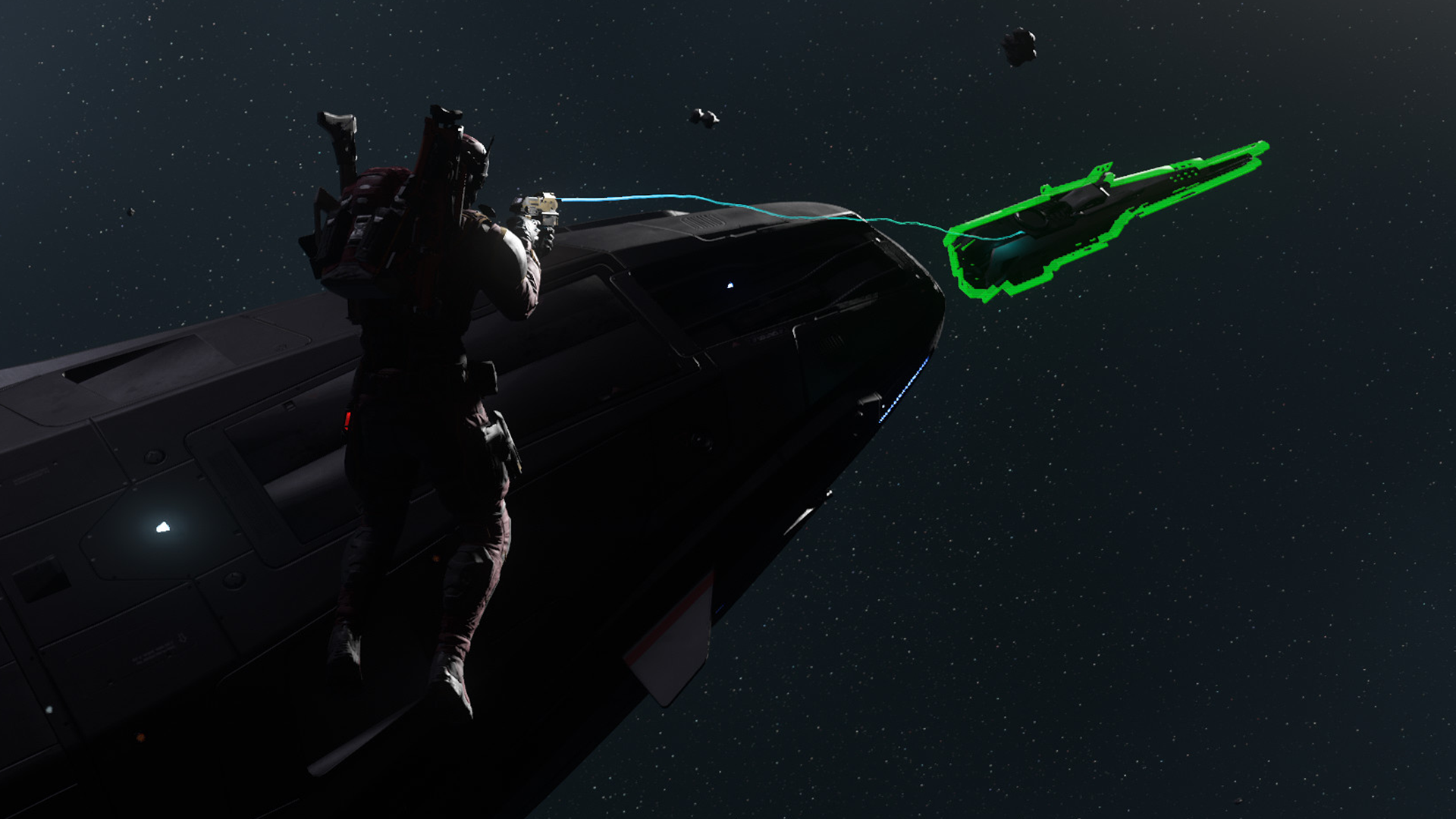


Metadata
- CIG ID
- 20050
- Channel
- Transmission
- Category
- Undefined
- Series
- None
- Comments
- 0
- Published
- 4 months ago (2026-05-25T12:00:00+00:00)